
Tarjeta HUB de panel LED HUB94A
$ 15.00
- Listed 16-pin reference with four RD, GD and BD groups.
- CLK, LAT, OE and GND positions clearly organized.
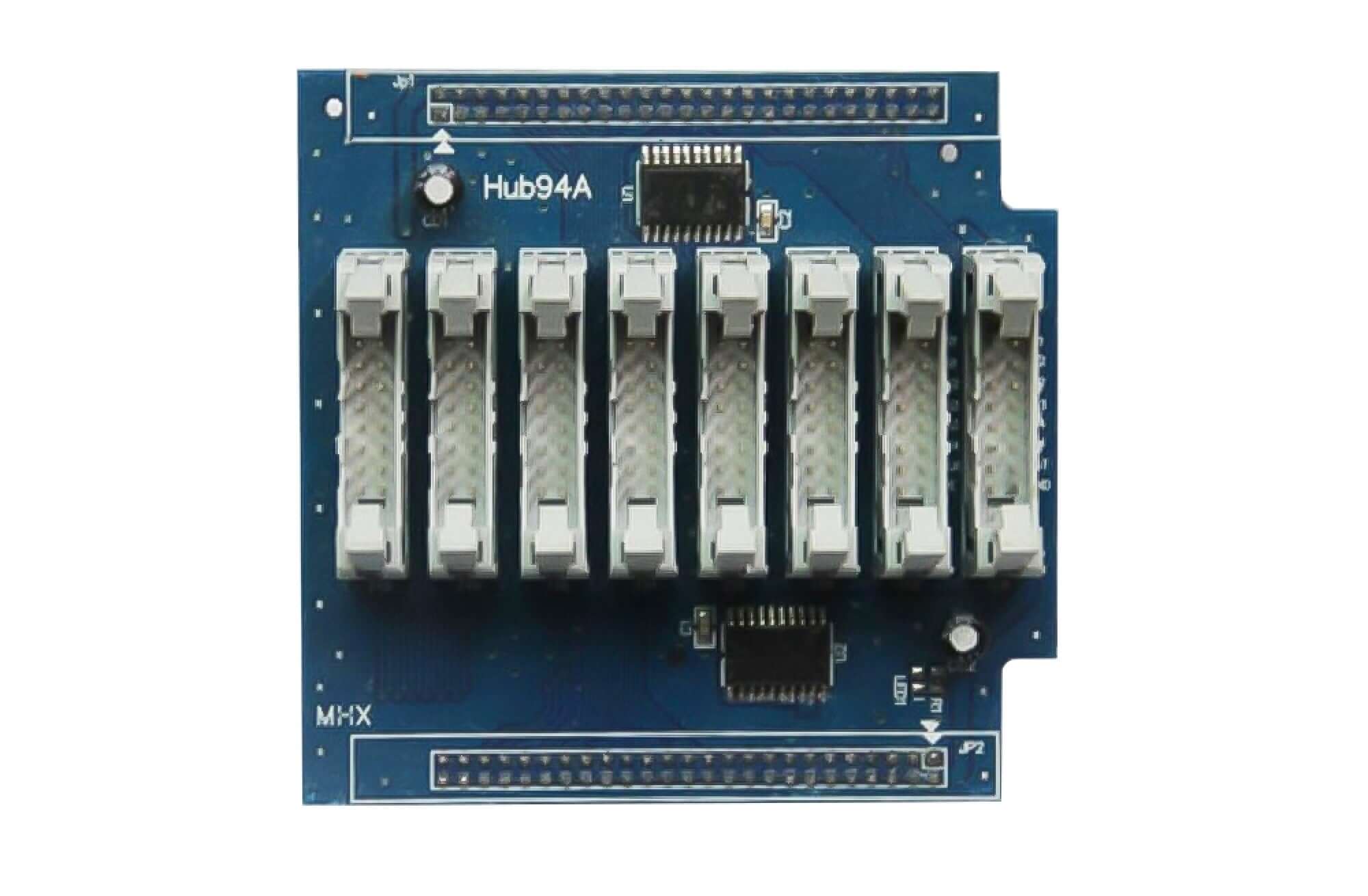
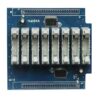
- Original Hub94A photo with eight latching connectors.
- Compare the full board and cable arrangement before ordering.
1000 en stock
HUB94A LED Panel HUB Card Overview
The HUB94A LED Panel HUB Card is an interface board for an LED display assembly. The original photo identifies the blue PCB as Hub94A and shows eight gray latching connectors between two long edge connection rows.
Use the listed signal reference to compare the card with your existing connection. The board photo helps you check the model marking and connector layout before selecting a replacement.
Referencia de interfaz de 16 pines listada
The reference contains four RD, GD and BD groups, followed by CLK, LAT, OE and GND. Read each numbered position individually; the table retains the original product listing.
| Pin extraño | Signal | Pin par | Signal |
|---|---|---|---|
| 1 | RD1 | 2 | GD1 |
| 3 | BD1 | 4 | RD2 |
| 5 | GD2 | 6 | BD2 |
| 7 | RD3 | 8 | GD3 |
| 9 | BD3 | 10 | RD4 |
| 11 | GD4 | 12 | BD4 |
| 13 | CLK | 14 | LAT |
| 15 | OE | 16 | GND |
Original HUB94A Board Photo
Prepare una comprobación de conexión.
- Envíe fotografías claras de ambos lados del tablero existente y de su marcado de modelo completo.
- Muestre los extremos del cable, la orientación del conector y cualquier indicador del pin 1.
- Incluya el modelo de la tarjeta receptora y los detalles del módulo LED.
- Indique la cantidad y el destino necesarios para su cotización.
Las dimensiones de la placa, las especificaciones eléctricas y la especificación descargable no se incluyen en este anuncio. Para obtener la información necesaria para evaluar la unidad suministrada para su instalación, póngase en contacto con nuestro equipo.
Preguntas frecuentes
Which control signals are listed for HUB94A?
The listed 16-pin reference places CLK at pin 13, LAT at pin 14, OE at pin 15 and GND at pin 16. Pins 1 to 12 contain the four RD, GD and BD groups shown in the table. Confirm the complete connection against the required board and module.
What should I compare before ordering a HUB94A replacement?
Compare the Hub94A marking, both sides of the board, connector arrangement, cable orientation and all 16 listed signal positions. Include the receiving-card model and LED module details with photos when requesting a connection check.
Pedidos y soporte posventa
Utilice los controles de compra anteriores o solicite una verificación de conexión antes de realizar su pedido. Consulte la pestaña de Impuestos, Envíos y Devoluciones de la tienda y póngase en contacto con el equipo para obtener información sobre envíos, impuestos, devoluciones y servicio posventa específicos para su pedido.
| Peso | 0.2 kg |
|---|
Sé el primero en valorar “Tarjeta HUB de panel LED HUB94A”
Debes iniciar sesión para publicar una reseña.
¿Me cobrarán aduanas e impuestos?
Los precios que se muestran en nuestro sitio no incluyen impuestos (en dólares estadounidenses), lo que significa que es posible que deba pagar aranceles e impuestos de importación una vez que reciba su pedido. Los impuestos de importación, aranceles y tarifas aduaneras relacionadas serán determinados por su oficina de aduanas local cuando su pedido llegue a su destino final.
Tenga en cuenta que estos cargos e impuestos adicionales son su responsabilidad y nosotros no nos hacemos responsables de ellos. No nos hacemos responsables del pago ni del reembolso de aranceles aduaneros, impuestos ni tasas relacionadas . Para obtener más información sobre estos cargos, póngase en contacto con su oficina de aduanas local.
Entregas
Podemos realizar envíos a prácticamente cualquier dirección del mundo. Tenga en cuenta que hay restricciones en algunos productos, y algunos productos no pueden enviarse a destinos internacionales.
Cuando realiza un pedido, estimaremos las fechas de envío y entrega según la disponibilidad de sus artículos y las opciones de envío que elija. Dependiendo del proveedor de envío que elija, las estimaciones de la fecha de envío pueden aparecer en la página de ofertas de envío.
Tenga en cuenta también que las tarifas de envío de muchos artículos que vendemos están basadas en el peso. El peso de cualquiera de estos artículos se puede encontrar en su página de detalles. Para reflejar las políticas de las compañías navieras que utilizamos, todos los pesos se redondearán a la próxima libra completa.
Política de Devoluciones
Puede devolver la mayoría de los artículos nuevos sin abrir dentro de los 30 días posteriores a la entrega para obtener un reembolso completo. También pagaremos los costos de envío de devolución si la devolución es el resultado de nuestro error (recibió un artículo incorrecto o defectuoso, etc.).
Usted debe esperar recibir su reembolso en el plazo de cuatro semanas de dar su paquete al expedidor del remite, sin embargo, en muchos casos usted recibirá un reembolso más rápidamente. Este período de tiempo incluye el tiempo de tránsito para recibir su devolución del cargador (5 a 10 días hábiles), el tiempo que nos toma procesar su devolución una vez que lo recibimos (3 a 5 días hábiles) y el tiempo que toma su banco para procesar nuestra solicitud de reembolso (5 a 10 días hábiles).
Si necesita devolver un artículo, simplemente inicie sesión en su cuenta, vea el pedido utilizando el enlace "Pedidos completos" en el menú Mi cuenta y haga clic en el botón Devolver artículo (s). Le notificaremos por correo electrónico su reembolso una vez que hayamos recibido y procesado el artículo devuelto.
Productos relacionados

Testimonios
No hay comentarios aún.