
Controlador de vídeo LED todo en uno NovaStar VX2U con reproducción USB
El precio original era: $ 859.09. $ 816.00 El precio actual es: $ 816.00.
Switch between a live video feed and media on a USB drive from the front panel. The NovaStar VX2U combines scaling, picture-in-picture and LED output in one unit and drives up to 1.3 million pixels across two Gigabit Ethernet ports.
10000 en stock
Switching between live sources and USB playback
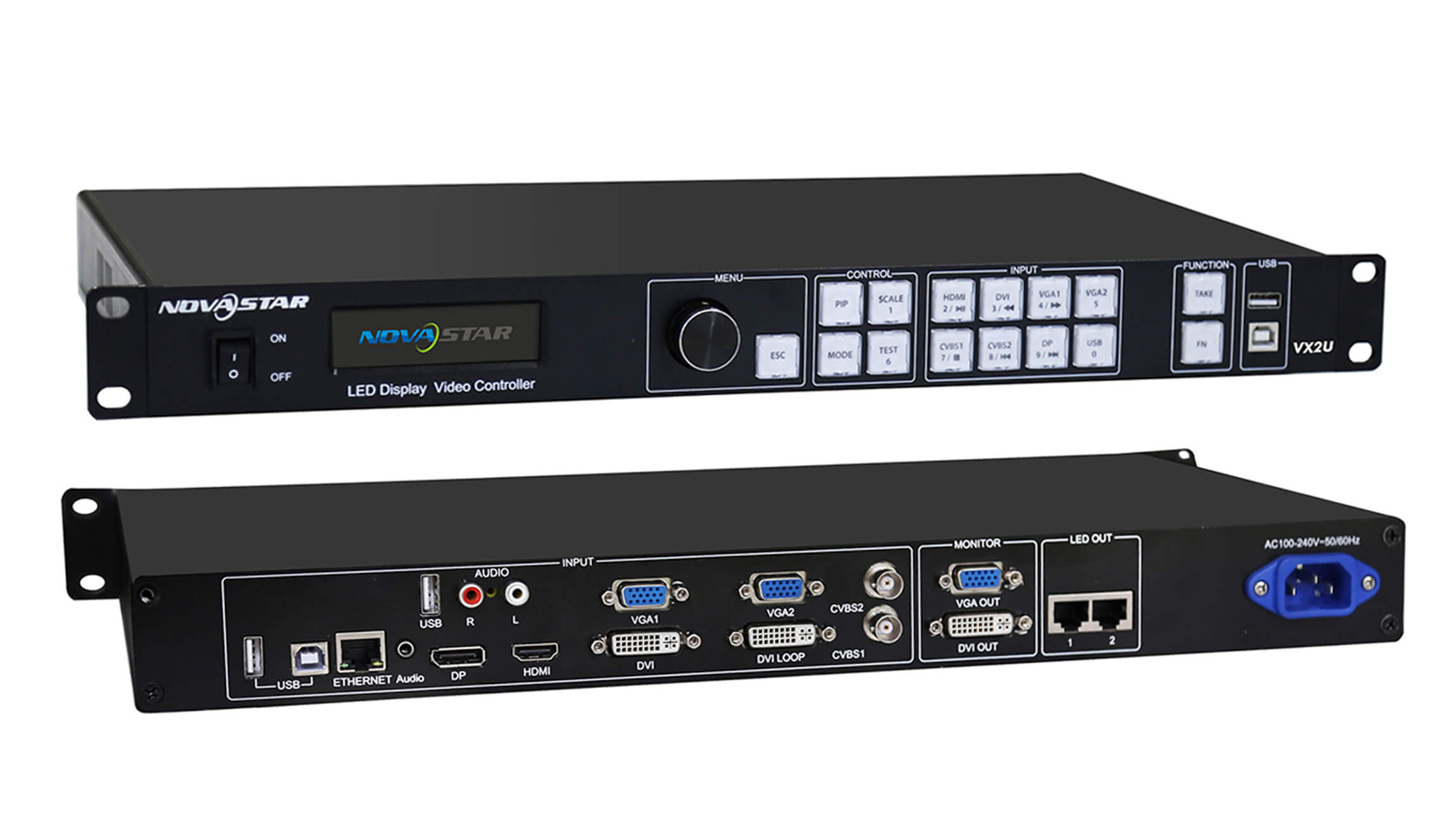
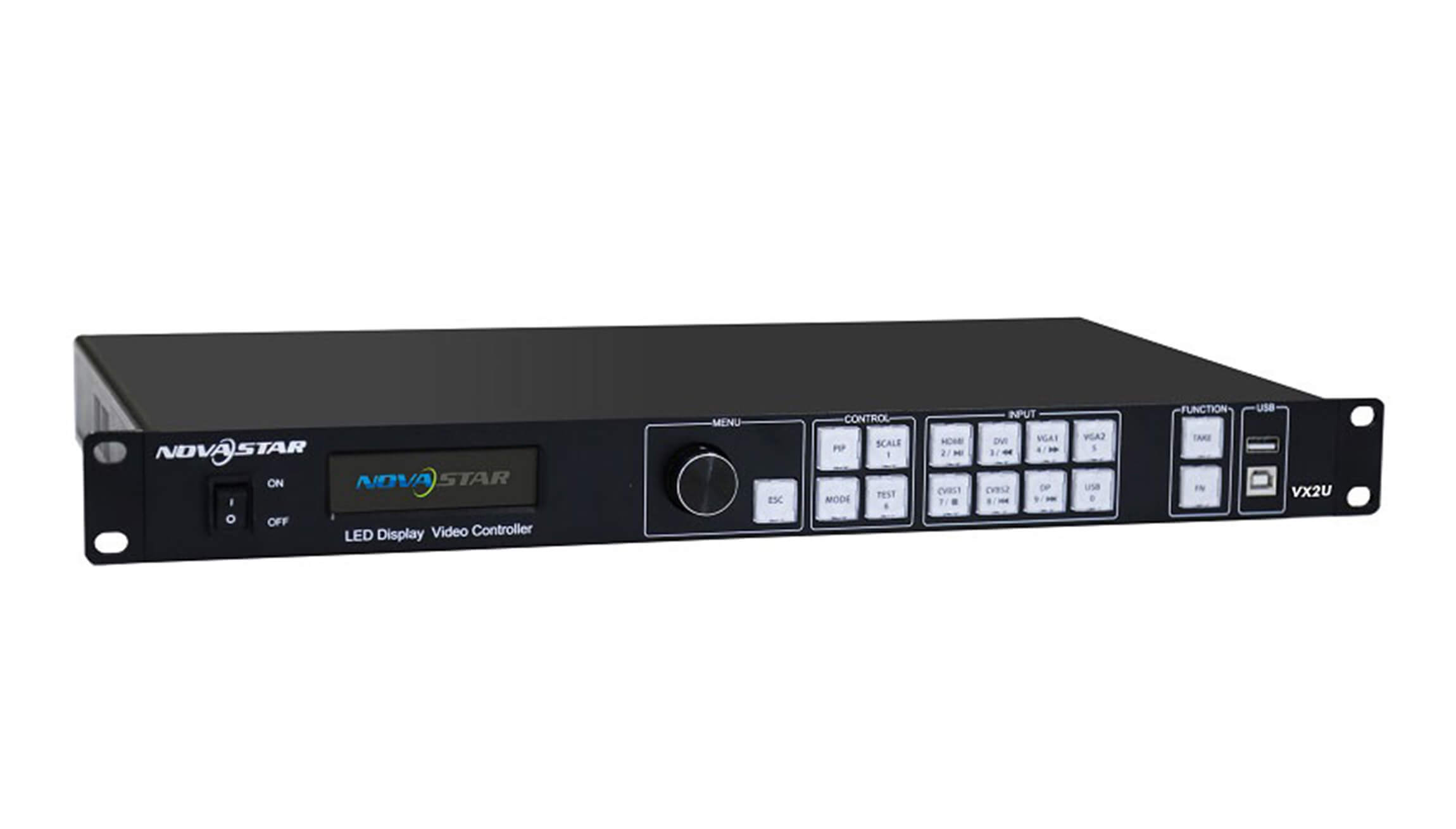
For a presentation with a laptop feed and a standby slide, connect the laptop to HDMI and load the slide on a USB drive. The VX2U has a front-panel key for each source. Press a key to select the main picture, or hold it to select a source for the picture-in-picture window. Use the rotary knob to set the window size and position.
Capacidad de pantalla y conexiones
To size the controller for a wall, multiply the wall’s pixel width by its pixel height. A 1920 × 640 wall uses 1,228,800 pixels and fits the VX2U’s total capacity. A 1920 × 1080 wall uses 2,073,600 pixels and exceeds it. The controller can scale a larger input image to fit a smaller LED canvas.
| Especificación | VX2U rating |
|---|---|
| Salida LED | 2 Gigabit Ethernet ports, 1.3 million pixels combined |
| Ancho o alto máximo de la pantalla | 3,840 píxeles de ancho o 1,920 píxeles de alto, dentro del límite total de píxeles. |
| entradas de vídeo digital | 1 HDMI, 1 DVI and 1 DisplayPort |
| Entradas de vídeo analógicas | 2 VGA and 2 composite (CVBS, PAL/NTSC) |
| VGA input timing | Hasta 1920 × 1200 a 60 Hz |
| Alimentación y consumo. | 100–240 V CA, 50/60 Hz, 25 W |
| Temperatura de funcionamiento | −20 a 60 °C |
| Dimensiones del chasis | 482.6 mm de ancho × 250 mm de profundidad × 45 mm de alto |
| Peso del controlador | 2.55 kg |
Rear-panel connections
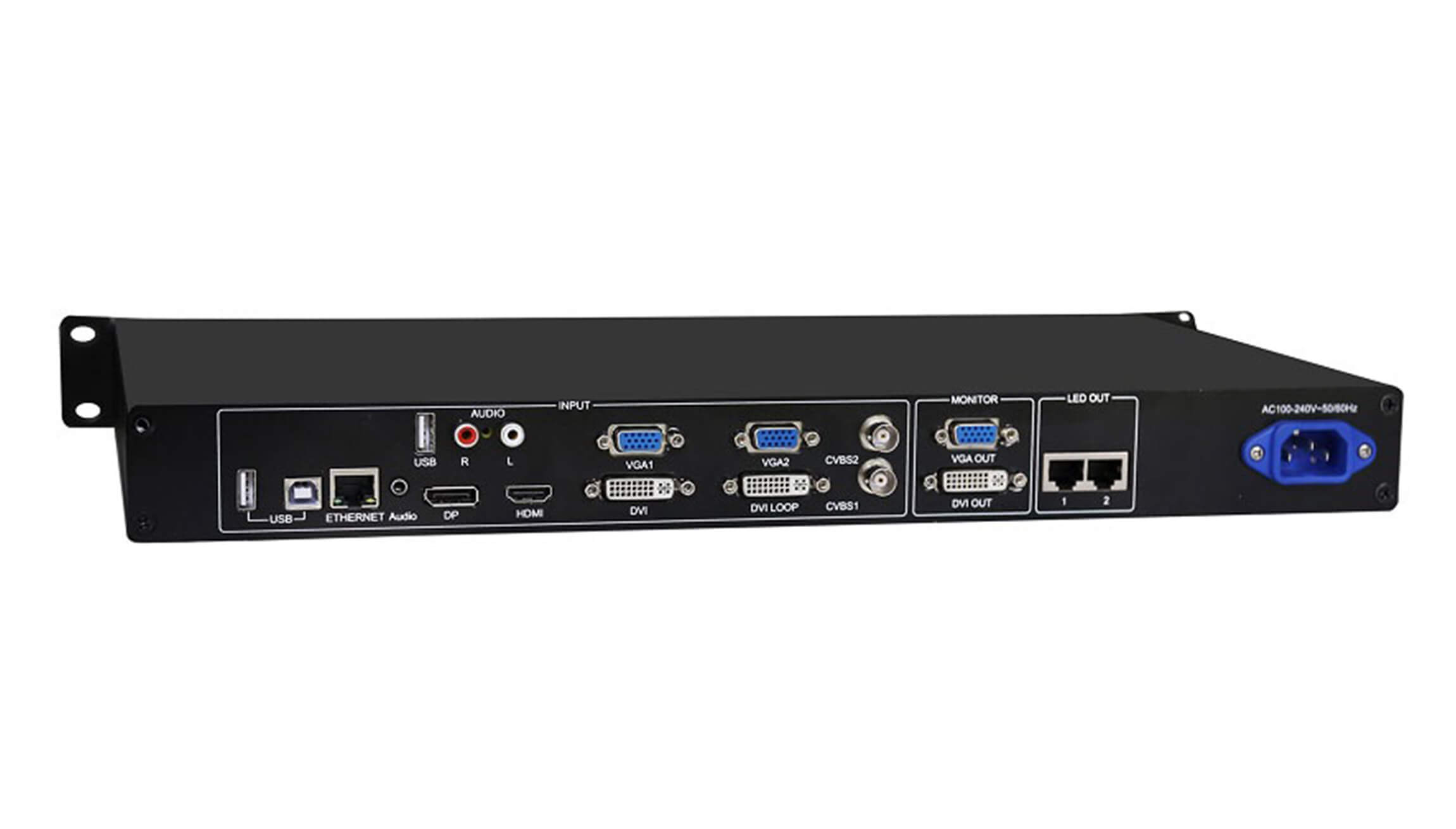
Connect the LED cabinet data cables to the two ports marked LED OUT. The separate ETHERNET port is for controller communication. If you use a multifunction card to decode audio, connect it to LED OUT 1.
For a monitor connection, check the labels on your unit before choosing a cable. The photographed panel shows VGA OUT and DVI OUT. Revision 1.0.3 of the specification lists two DVI monitor outputs.
Download the NovaStar VX2U specifications (PDF, Rev. 1.0.3) for the dimension drawing, port assignments and picture-in-picture source combinations.
Preguntas frecuentes
Do I need a computer for screen setup?
You can configure the screen using the LCD and rotary knob on the controller. A computer can also connect through the USB Type-B control port.
Which files can I play from a USB drive?
For still images, use JPEG, BMP or PNG. For video, check both the file extension and the codec. For example, the specification lists MP4 as a container and H.264 as a supported codec.
Can I use HDMI and DVI together for picture-in-picture?
HDMI and DVI cannot form a main-picture and inset pair. HDMI and DisplayPort can. The source matrix on the last page of the PDF lists the other combinations.
What does DVI LOOP carry?
DVI LOOP passes the incoming DVI signal to another device. For the LED wall, use the numbered LED OUT ports.
| Peso | 9.09 kg |
|---|
Be the first to review “NovaStar VX2U All-in-One LED Video Controller with USB Playback”
Debes iniciar sesión para publicar una reseña.
¿Me cobrarán aduanas e impuestos?
Los precios que se muestran en nuestro sitio no incluyen impuestos (en dólares estadounidenses), lo que significa que es posible que deba pagar aranceles e impuestos de importación una vez que reciba su pedido. Los impuestos de importación, aranceles y tarifas aduaneras relacionadas serán determinados por su oficina de aduanas local cuando su pedido llegue a su destino final.
Tenga en cuenta que estos cargos e impuestos adicionales son su responsabilidad y nosotros no nos hacemos responsables de ellos. No nos hacemos responsables del pago ni del reembolso de aranceles aduaneros, impuestos ni tasas relacionadas . Para obtener más información sobre estos cargos, póngase en contacto con su oficina de aduanas local.
Entregas
Podemos realizar envíos a prácticamente cualquier dirección del mundo. Tenga en cuenta que hay restricciones en algunos productos, y algunos productos no pueden enviarse a destinos internacionales.
Cuando realiza un pedido, estimaremos las fechas de envío y entrega según la disponibilidad de sus artículos y las opciones de envío que elija. Dependiendo del proveedor de envío que elija, las estimaciones de la fecha de envío pueden aparecer en la página de ofertas de envío.
Tenga en cuenta también que las tarifas de envío de muchos artículos que vendemos están basadas en el peso. El peso de cualquiera de estos artículos se puede encontrar en su página de detalles. Para reflejar las políticas de las compañías navieras que utilizamos, todos los pesos se redondearán a la próxima libra completa.
Política de Devoluciones
Puede devolver la mayoría de los artículos nuevos sin abrir dentro de los 30 días posteriores a la entrega para obtener un reembolso completo. También pagaremos los costos de envío de devolución si la devolución es el resultado de nuestro error (recibió un artículo incorrecto o defectuoso, etc.).
Usted debe esperar recibir su reembolso en el plazo de cuatro semanas de dar su paquete al expedidor del remite, sin embargo, en muchos casos usted recibirá un reembolso más rápidamente. Este período de tiempo incluye el tiempo de tránsito para recibir su devolución del cargador (5 a 10 días hábiles), el tiempo que nos toma procesar su devolución una vez que lo recibimos (3 a 5 días hábiles) y el tiempo que toma su banco para procesar nuestra solicitud de reembolso (5 a 10 días hábiles).
Si necesita devolver un artículo, simplemente inicie sesión en su cuenta, vea el pedido utilizando el enlace "Pedidos completos" en el menú Mi cuenta y haga clic en el botón Devolver artículo (s). Le notificaremos por correo electrónico su reembolso una vez que hayamos recibido y procesado el artículo devuelto.
Productos relacionados


Testimonios
No hay comentarios aún.