
NovaStar VX2U 올인원 LED 비디오 컨트롤러 (USB 재생 기능 포함)
였습니다. 현재 가격은 $816.00 입니다.
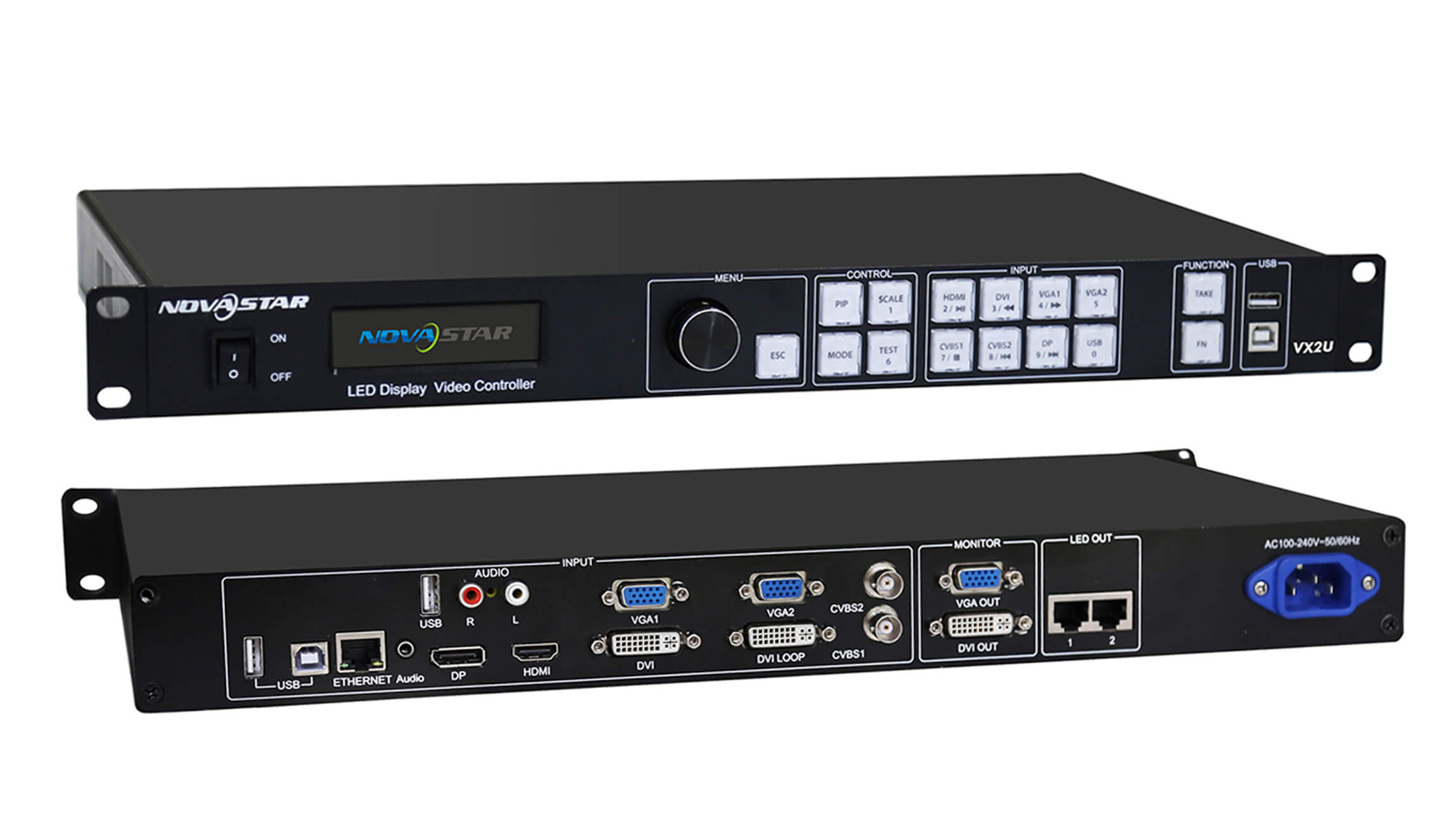
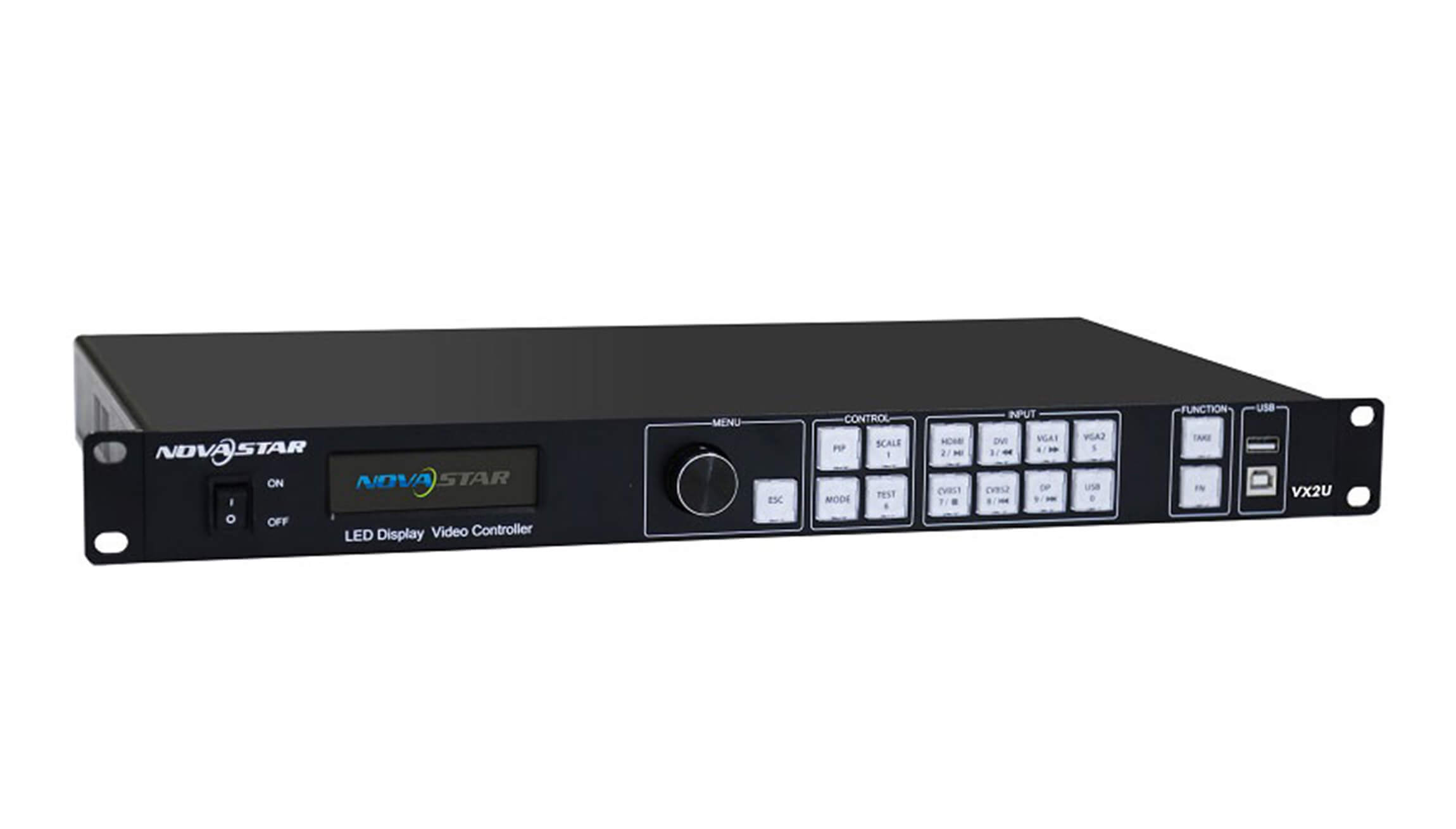
Switch between a live video feed and media on a USB drive from the front panel. The NovaStar VX2U combines scaling, picture-in-picture and LED output in one unit and drives up to 1.3 million pixels across two Gigabit Ethernet ports.
재고 10000
Switching between live sources and USB playback
For a presentation with a laptop feed and a standby slide, connect the laptop to HDMI and load the slide on a USB drive. The VX2U has a front-panel key for each source. Press a key to select the main picture, or hold it to select a source for the picture-in-picture window. Use the rotary knob to set the window size and position.
화면 용량 및 연결
To size the controller for a wall, multiply the wall’s pixel width by its pixel height. A 1920 × 640 wall uses 1,228,800 pixels and fits the VX2U’s total capacity. A 1920 × 1080 wall uses 2,073,600 pixels and exceeds it. The controller can scale a larger input image to fit a smaller LED canvas.
| 스펙 | VX2U rating |
|---|---|
| LED 출력 | 2 Gigabit Ethernet ports, 1.3 million pixels combined |
| 최대 화면 너비 또는 높이 | 전체 픽셀 제한 내에서 가로 3,840픽셀 또는 세로 1,920픽셀 |
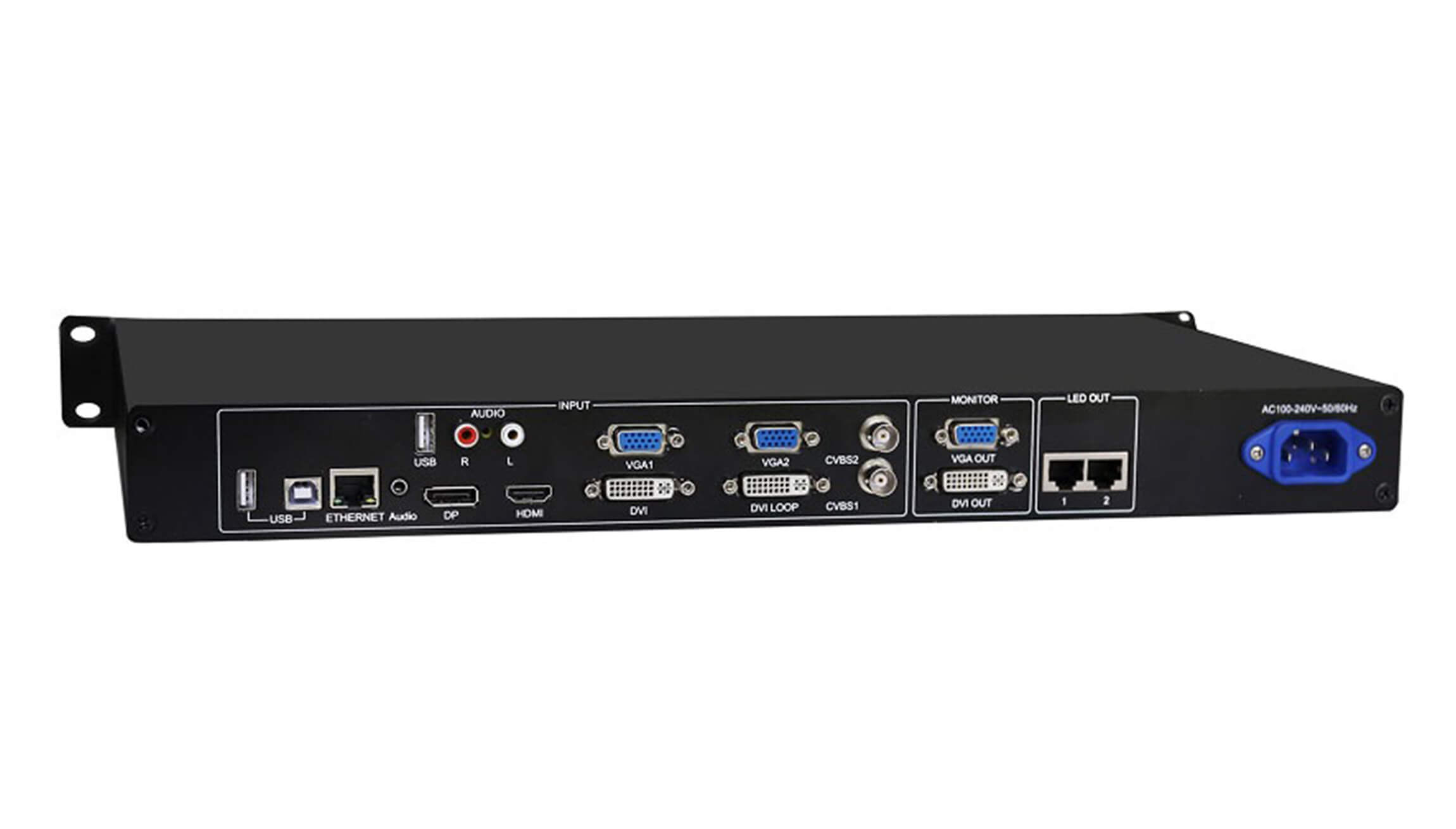
| 디지털 비디오 입력 | 1 HDMI, 1 DVI and 1 DisplayPort |
| 아날로그 비디오 입력 | 2 VGA and 2 composite (CVBS, PAL/NTSC) |
| VGA input timing | 최대 1920 × 1200 해상도, 60Hz 주사율 |
| 전력 공급 및 소비 | 100~240V 교류, 50/60Hz, 25W |
| 작동 온도 | -20 ~ 60 °C |
| 섀시 치수 | 가로 482.6mm × 세로 250mm × 높이 45mm |
| 컨트롤러 무게 | 2.55의 kg |
Rear-panel connections
Connect the LED cabinet data cables to the two ports marked LED OUT. The separate ETHERNET port is for controller communication. If you use a multifunction card to decode audio, connect it to LED OUT 1.
For a monitor connection, check the labels on your unit before choosing a cable. The photographed panel shows VGA OUT and DVI OUT. Revision 1.0.3 of the specification lists two DVI monitor outputs.
Download the NovaStar VX2U specifications (PDF, Rev. 1.0.3) for the dimension drawing, port assignments and picture-in-picture source combinations.
자주하는 질문
Do I need a computer for screen setup?
You can configure the screen using the LCD and rotary knob on the controller. A computer can also connect through the USB Type-B control port.
Which files can I play from a USB drive?
For still images, use JPEG, BMP or PNG. For video, check both the file extension and the codec. For example, the specification lists MP4 as a container and H.264 as a supported codec.
Can I use HDMI and DVI together for picture-in-picture?
HDMI and DVI cannot form a main-picture and inset pair. HDMI and DisplayPort can. The source matrix on the last page of the PDF lists the other combinations.
What does DVI LOOP carry?
DVI LOOP passes the incoming DVI signal to another device. For the LED wall, use the numbered LED OUT ports.
| 중량(평량) | 9.09의 kg |
|---|
Be the first to review “NovaStar VX2U All-in-One LED Video Controller with USB Playback”
리뷰를 작성하려면 로그인 해야 합니다 .
관세와 세금이 부과됩니까?
당사 사이트에 표시된 가격은 비과세(미국 달러)이므로 주문을 받으면 수입 관세 및 세금을 지불해야 할 수 있습니다. 수입 세금, 관세 및 관련 세관 수수료는 주문이 최종 목적지에 도착하면 해당 지역 세관에서 결정합니다.
이러한 추가 요금 및 세금은 고객님의 책임 이며 , 당사는 이에 대해 어떠한 책임도 지지 않습니다. 당사는 관세, 세금 또는 관련 수수료를 납부하거나 환불할 의무가 없습니다 . 이러한 요금에 대한 자세한 내용은 해당 지역 세관에 문의하십시오.
배송
우리는 세계의 거의 모든 주소로 배송 할 수 있습니다. 일부 제품에는 제한이 있으며 일부 제품은 해외로 배송 할 수 없습니다.
주문할 때, 우리는 귀하의 품목의 가용성 및 귀하가 선택한 운송 옵션에 따라 귀하의 운송 및 배달 날짜를 추정합니다. 선택한 운송 업체에 따라 운송 날짜 견적이 운송 견적 페이지에 나타날 수 있습니다.
우리가 판매하는 많은 상품의 배송비는 중량 기준입니다. 그러한 품목의 무게는 세부 사항 페이지에서 찾을 수 있습니다. 우리가 사용하는 운송 회사의 정책을 반영하기 위해 모든 중량은 다음 파운드로 반올림됩니다.
반품 정책
개봉 후 30 일 이내에 개봉하지 않은 대부분의 새 제품을 반환하면 전액 환불받을 수 있습니다. 또한 반품으로 인해 당사의 오류 (잘못된 품목 또는 결함 품목 등)가 발생한 경우 반품 배송 비용을 지불합니다.
패키지를 반환하는 발송인에게 4 주 이내에 환불을받을 것으로 예상되지만 대부분의 경우 환불을보다 빨리 받게됩니다. 이 기간에는 배송 업체로부터 5 (10 영업일 기준)까지의 반품 시간, XA가 접수 된 후 3 (5 영업일)에 소요되는 소요 시간 거래 은행에서 환불 요청을 처리해야합니다 (5 ~ 10 영업일).
상품을 반품해야하는 경우 계정에 로그인하고 내 계정 메뉴의 "완료 주문"링크를 사용하여 주문을보고 반품 버튼을 클릭하십시오. 반품이 접수 및 처리되면 환불 이메일을 이메일로 알려드립니다.
관련 상품


후기
리뷰는 아직 없습니다.