
EagerLED Học viện
Bộ ghép nối màn hình video NovaStar dòng H: Hướng dẫn về khung máy và bo mạch

Tháng Ba
A NovaStar H Series splicer takes several video inputs and places them on one or more display canvases. Its modular design makes the installed cards as important as the chassis name. A rack labelled H9, for example, tells you how much space is available for cards. You still need the card list to know whether it can accept a particular camera or drive a particular wall.
1. Choose chassis space for the source list
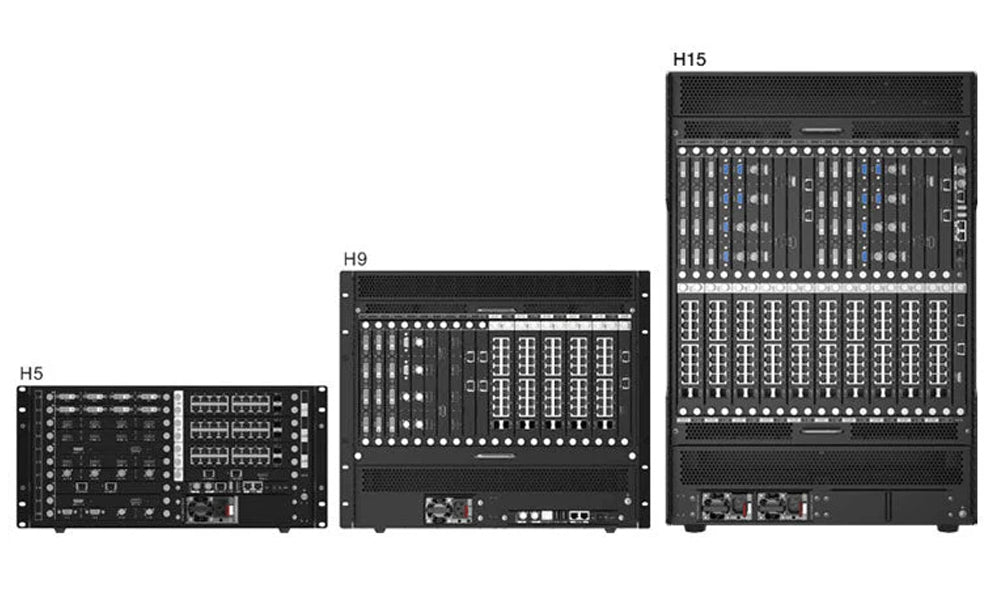
| Chassis | Không gian giá đỡ | Số thẻ đầu vào tối đa | Maximum output cards, standard chassis |
|---|---|---|---|
| H2 | 2U | 4 | 2 |
| H5 | 5U | 10 | 3 |
| H9 | 9U | 15 | 5 |
| H15 | 15U | 30 | 10 |
| H20 | 20U | 40 | 20 |
These figures are slot limits. One card may carry several connectors. Enhanced versions of the H9 and H15 have different output limits, so check the complete model designation on a quotation or an existing rack.
2. Select inputs, layers and outputs together
For a control room, list the sources that must stay visible at the same time. Four cameras shown side by side require four simultaneous pictures. A spare laptop that replaces one camera in the same window changes the input count without adding another visible window.
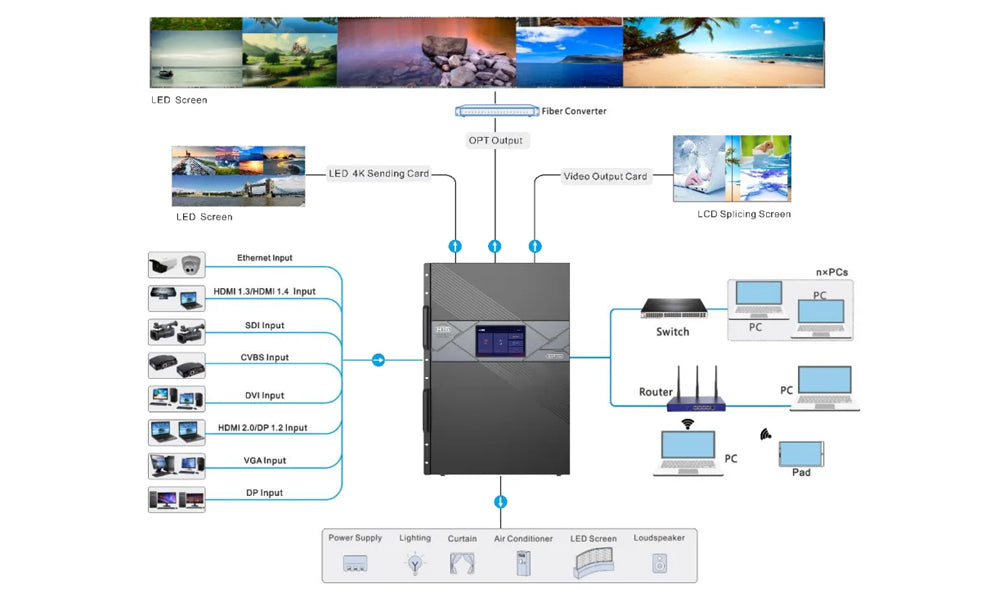
Record each source’s connector, resolution, frame rate and any content protection requirement. At the output, identify whether the rack must supply conventional video to another device or send LED data toward the cabinets. These paths require different cards. NovaStar publishes separate loading figures for its Ethernet sending card and enhanced optical output card.
3. Prepare an operator preset
Set up a normal layout and the layout for a source outage. Label inputs by location, such as lectern or camera 2, and recall both layouts with the actual sources connected. If the operator needs a confidence monitor, specify the preview card and monitor connection in the equipment list.
4. Câu hỏi thường gặp
(1) Does an H Series chassis include every input shown in the brochure?
The installed input cards determine the available sockets. Ask for a rear-panel drawing with card part numbers and quantities.
(2) Can I size a splicer from the wall’s pixel count alone?
Pixel count is one limit. The output card type, port allocation, input formats and number of simultaneous layers also affect the configuration.
(3) Is a second power supply available on every H Series model?
NovaStar lists an optional power supply for H5, H9, H15 and H20. Its comparison table does not list that option for H2. Confirm what ships with the specific chassis.
5. Phần kết luận
Prepare two drawings before ordering: a rack plan showing the installed cards and a screen plan showing the busiest layout. Together they reveal missing connectors, layers and monitoring hardware while the design can still be changed.