Eager-LED Academy
Can the NovaStar CMS130 Drive a Full HD LED Wall?
Oct
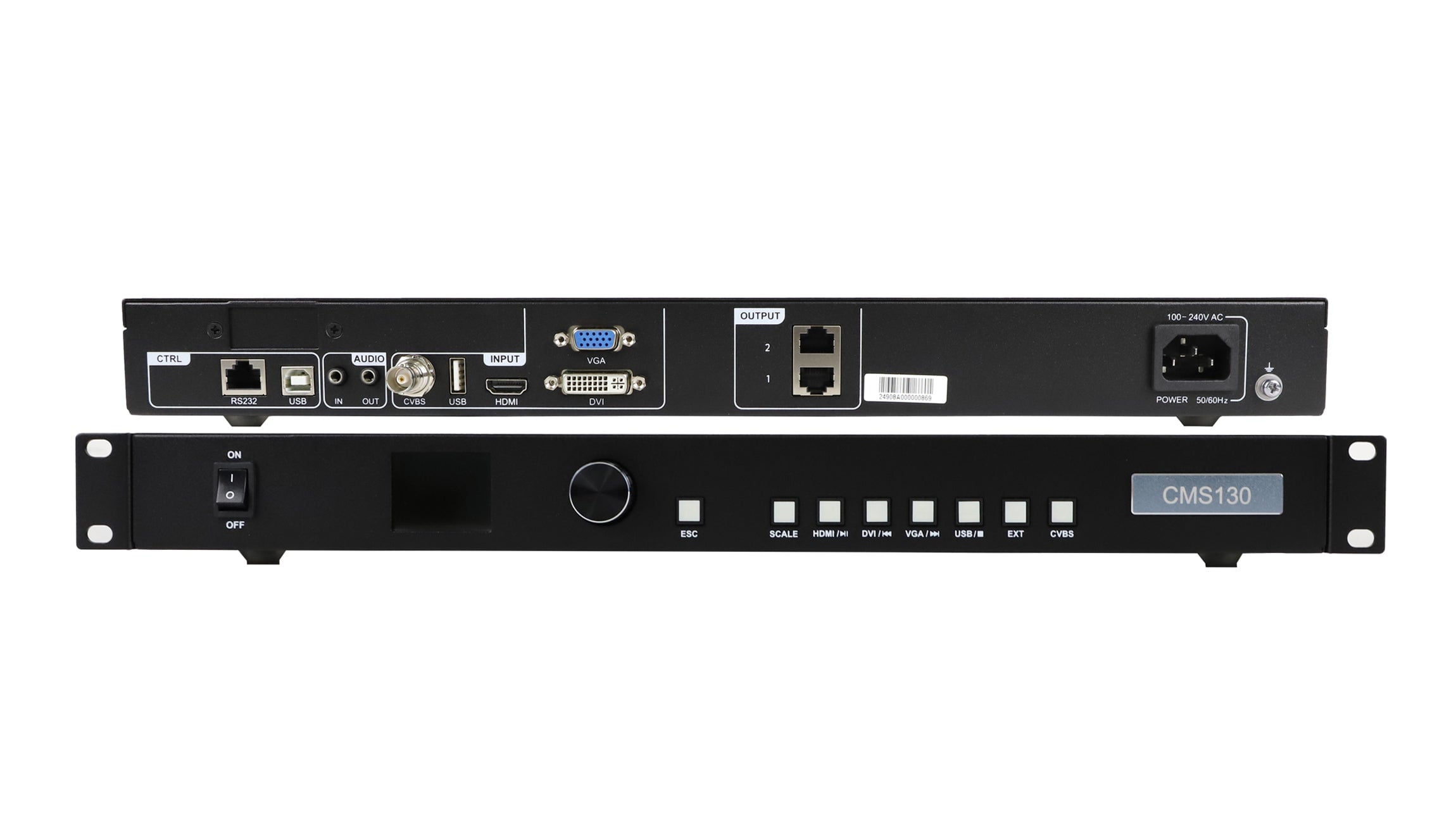
No: one NovaStar CMS130 cannot drive an LED wall with a native resolution of 1920 × 1080 pixels. That wall contains 2,073,600 physical pixels, while the CMS130 specification lists a total loading capacity of up to 1.3 million pixels across its two Ethernet outputs. Accepting a 1080p video signal does not give the controller enough output capacity to address a Full HD LED wall.
Contents — expanded · Hide contents— collapsed · Show contents
1. Two resolutions you must keep separate
Input resolution describes the video signal entering the controller from a computer or other source. Native LED resolution describes the number of physical pixels installed across the wall. The controller processes the incoming image and sends data to receiving cards, which drive the LED modules.
The manufacturer’s CMS130 specification sheet lists HDMI 1.3 and DVI inputs up to 1920 × 1080 at 60 Hz, alongside a separate 1.3-million-pixel loading specification. These figures describe different parts of the signal path.
| Item | What it tells you | What to check |
|---|---|---|
| Source: 1920 × 1080 at 60 Hz | The incoming video format | Signal timing, connector and supported format |
| Wall: width × height in pixels | The physical pixel matrix to drive | Actual module or cabinet pixel dimensions |
| Controller loading capacity | The output pixel budget | Total load plus every port’s assigned area |
Do not use screen width in metres as a substitute for pixel width. Two walls of the same physical size can have different resolutions because their pixel pitches and module layouts differ.
Back to contents ↑2. Full HD calculation: why one CMS130 is insufficient
For a rectangular wall, the basic calculation is:
1920 pixels × 1080 pixels = 2,073,600 pixels
2,073,600 − 1,300,000 = 773,600 pixels above the stated total capacity
The result exceeds the published CMS130 limit before any port mapping is considered. This is enough to rule out one CMS130 for this native wall resolution. Changing the laptop resolution or pressing a scaling button cannot remove physical pixels from the installed display.
If your purchase specification says “Full HD,” clarify whether it means accepting a Full HD source or driving a native Full HD wall. Ask the supplier to put both the source format and the wall’s pixel matrix in the quotation. This prevents two different requirements being treated as one.
Back to contents ↑3. Calculate your cabinet layout
Use the cabinet manufacturer’s actual pixel dimensions. The examples assume identical rectangular cabinets, no gaps in the pixel matrix, and each cabinet containing exactly 128 × 128 pixels. These are hypothetical layouts; they do not identify a particular EagerLED cabinet model.
3.1 Example: 10 × 6 cabinets at 128 × 128 pixels
Wall width = 10 × 128 = 1280 pixels
Wall height = 6 × 128 = 768 pixels
Total = 1280 × 768 = 983,040 pixels
Nominal difference below 1,300,000 = 316,960 pixels
Result: within the stated total pixel budget. That makes it a candidate for further checking. It does not confirm a working configuration. The supplier must still verify permitted wall dimensions, port loading, receiving cards, firmware and the required operating settings.
Back to contents ↑3.2 Example: 12 × 8 cabinets at 128 × 128 pixels
Wall width = 12 × 128 = 1536 pixels
Wall height = 8 × 128 = 1024 pixels
Total = 1536 × 1024 = 1,572,864 pixels
Excess above 1,300,000 = 272,864 pixels
Result: above the stated total pixel budget. Select a controller configuration that supports the complete wall. Do not assume that adding a network splitter increases the CMS130’s processing capacity, or that dividing the wall between two controllers will automatically produce synchronized, correctly mapped content.
For mixed-size cabinets or an irregular layout, prepare the actual pixel map. A simple cabinet-count calculation may no longer describe the complete configuration.
Back to contents ↑4. What scaling changes—and what it cannot change
Scaling changes how source content fits the output canvas. For example, a 1080p presentation can be resized for a lower-resolution LED wall. The CMS130 specification lists full-screen, pixel-to-pixel and custom scaling modes.
Scaling does not increase output capacity or preserve every original detail when the destination contains fewer pixels. Small text, fine lines and dense spreadsheets deserve particular attention. Prepare content for the actual display matrix and review it at the expected viewing distance.
Also consider aspect ratio. The hypothetical 1280 × 768 wall above has a 5:3 ratio; a 1920 × 1080 source is 16:9. Decide whether to preserve proportions with unused space, crop the content, or deliberately stretch it. Confirm the chosen behaviour during commissioning, using the intended presentation or video.
Back to contents ↑5. Procurement checklist before ordering
A total-pixel calculation is the first filter. Use this checklist to turn a possible fit into a configuration that can be assessed before dispatch.
| Provide | Request confirmation of |
|---|---|
| Wall width and height in pixels; cabinet grid | Total loading and permitted output dimensions |
| Cabinet pixel dimensions and proposed cable route | Pixel load and mapping for each output port |
| Receiving-card model, hardware revision and existing configuration file | Compatibility with the proposed controller and supported firmware |
| Source device, output connector, resolution and frame rate | Supported input timing and required adapters or signal conversion |
| Required colour/bit-depth settings and display behaviour | Capacity and feature limits at those settings |
| Replacement or expansion requirements | Configuration backup, commissioning steps and future capacity |
Matching connectors do not establish compatibility. An Ethernet-style connection alone does not prove that a receiving card from NovaStar, Colorlight or Huidu can be used with the proposed controller. Confirm the control-system family, exact card model and configuration support rather than selecting a replacement by connector shape.
The specification sheet used here does not establish every per-port or version-specific compatibility condition. This article therefore gives a procurement check, not a blanket approval for an unspecified installation. Confirm the supplied hardware and firmware against the documentation for that unit.
Back to contents ↑6. Send the right information for a fit check
Buying CMS130 for an existing wall? Send the native pixel resolution, cabinet grid, receiving-card model, current controller model, input signal format and a photograph of the present connections. For a new wall, include the planned layout and any future expansion.
Review the CMS130 product details, or share those parameters with EagerLED so the proposed configuration can be assessed.
Request a configuration checkDiscuss your LED wall on WhatsAppFor a native 1920 × 1080 wall, begin with a controller configuration rated for at least 2,073,600 physical pixels under your required operating conditions. For a smaller wall, keep the total-pixel calculation and the port/compatibility confirmation together in the purchase record.
Back to contents ↑