


NovaStar VX600 Pro All-in-One LED Video Controller
NovaStar VX600 Pro all-in-one LED video controller: 6 Gigabit Ethernet outputs, up to 3.9 million pixels and HDMI 2.0 input up to 4096 × 2160 at 60 Hz.
Review screen loading, input connections and layer requirements. Contact sales for configuration-specific pricing.
The NovaStar VX600 Pro is an all-in-one LED video controller that combines video processing with LED display control. It provides six Gigabit Ethernet outputs with up to 3.9 million pixels of LED loading capacity and accepts HDMI 2.0 input up to 4096 × 2160 at 60 Hz. It is designed for rental, stage and fine-pitch LED walls.
For AV integrators selecting a controller, start with the LED wall’s native pixel resolution, source formats and receiving-card configuration. A 4K input specification does not mean the controller can drive a full 4K LED wall at native resolution.
Quick navigation: Specifications | Connections | Features | System planning | FAQ | Price and quotation
NovaStar VX600 Pro specifications at a glance
| Ethernet outputs | 6 Gigabit Ethernet ports |
|---|---|
| Maximum loading capacity | Up to 3.9 million pixels |
| Single Ethernet port | Up to 650,000 pixels at 8-bit output; review the actual frame rate, bit depth and receiving-card configuration |
| Output dimension limits | Maximum width: 10,240 pixels; maximum height: 8,192 pixels |
| Video input capability | HDMI 2.0: up to 4096 × 2160 at 60 Hz; source format and connector capacity settings apply |
| Working modes | Video controller, fiber converter and ByPass |
| Layer resources | 6 × 2K × 1K resources; one 4K × 2K layer uses four resources |
Selection note: Maximum width and maximum height are separate limits, not a supported 10,240 x 8,192 canvas. Check total pixels, cabinet arrangement and loading on each output port before ordering.
Video inputs and output connections
| Connection | VX600 Pro configuration |
|---|---|
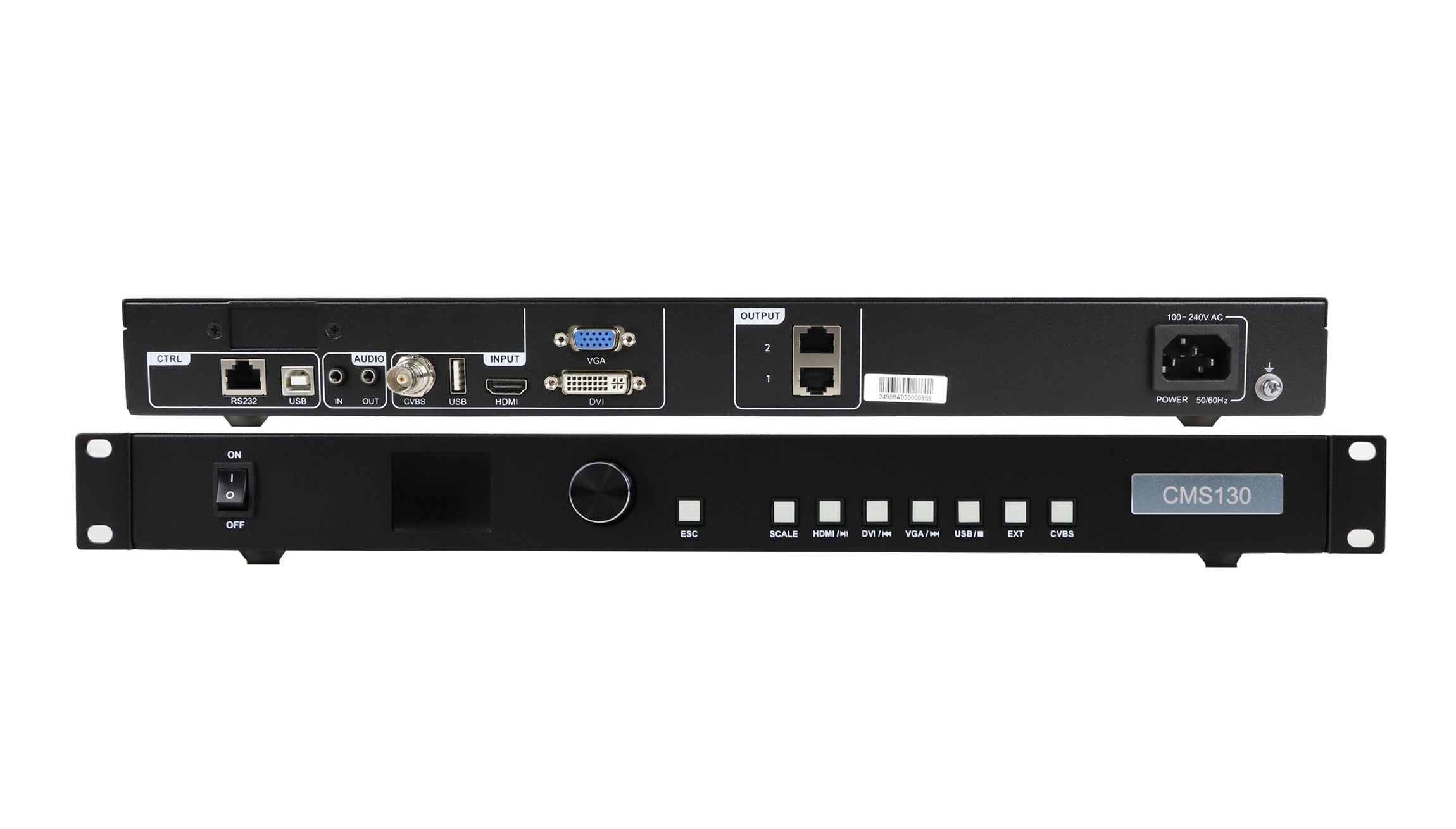
| HDMI inputs | 1 x HDMI 2.0 with loop output; 2 x HDMI 1.3 |
| SDI input | 1 x 3G-SDI with loop output |
| USB playback | 1 x USB 3.0 for images or videos on a USB drive |
| Optical connections | 2 × 10G optical ports; OPT 1 adapts to input or output use according to the connected device |
| Monitoring output | 1 × HDMI 1.3; fixed 1920 × 1080 at 60 Hz |
Match the source connector, resolution and frame rate to the intended input. For fiber installations, confirm the optical equipment and transmission plan rather than treating all optical ports as interchangeable.
Processing and control features
Layers, scaling and image adjustment
The six-resource layer budget can be used for six 2K layers or one 4K layer plus two 2K layers. The supported layer arrangement also depends on source connector capacity and operating settings.
- Arrange multiple layers with adjustable size and position within the available processing resources.
- Use image scaling, presets and EDID management to prepare the display layout.
- Adjust output color and use pixel-level brightness and chroma calibration with the required software and screen configuration.
Playback, synchronization and backup
- Play supported images and videos from a USB drive.
- Configure low latency, output synchronization and 3D according to the selected mode and system requirements.
- Plan device, input-source and output backup, and test the intended recovery behavior before an event.
- Saved device settings can be restored after power is reconnected.
Feature availability depends on firmware, receiving cards and operating mode. In ByPass mode, video processing is unavailable. Confirm any required combination of functions before specifying the system.
Check your LED wall before ordering
Screen pixel calculations: examples for controller selection
| Native screen resolution | Total pixels | Compared with 3.9 million pixels |
|---|---|---|
| 1920 × 1080 | 2,073,600 | Below the total limit; check the port map |
| 2560 × 1440 | 3,686,400 | Below the total limit; check the port map |
| 3840 × 1080 | 4,147,200 | Exceeds the total limit |
| 3840 × 2160 | 8,294,400 | Exceeds the total limit |
These are pixel-count calculations, not approved wiring plans. A screen below the total limit still requires suitable per-port loading, cabinet mapping, frame rate and bit depth.
Use this checklist to prepare a configuration review. Screen dimensions in meters alone do not establish controller capacity; include the pixel resolution and cabinet map.
- LED wall: total width and height in pixels, cabinet resolution, cabinet count and arrangement.
- Receiving system: receiving-card model, firmware, configuration software and existing connection map.
- Sources: connector type, resolution, frame rate and the number and size of simultaneous layers.
- Installation: transmission distance, fiber requirements, backup plan, low-latency and 3D needs.
Review the LED video controller range and LED receiving cards when specifying the system. For a different loading requirement, compare the 10-output, 6.5-million-pixel VX1000 Pro or review the VX2000 Pro specifications and request a separate compatibility check.
Download specification: NovaStar VX600 Pro specification PDF. Confirm the applicable hardware and firmware version for your order.
NovaStar VX600 Pro FAQ
Can one VX600 Pro drive a native 3840 x 2160 LED wall?
No. A 3840 x 2160 LED wall contains 8,294,400 pixels, which exceeds this model’s 3.9-million-pixel capacity. Accepting a 4K source and driving a native 4K LED wall are different requirements. Ask for a controller configuration sized to the actual wall.
Does six-layer support mean six full-resolution 4K layers?
No. The layer budget is expressed as six 2K x 1K resources. Larger layers use multiple resources, so specify the size of each layer when requesting a configuration check.
Can I replace a VX600 or VX600s without changing my setup?
Do not assume a direct replacement from the model name. Provide your current controller, receiving-card models, configuration files and source formats so the proposed VX600 Pro setup can be checked before purchase.
Are optical modules included with the controller?
Optical modules are not factory-installed. Specify them separately and confirm fiber type, transmission distance and compatible equipment in your quotation.
Where can I get the VX600 Pro price and availability?
Request a current quotation from EagerLED. Include quantity, destination country and required accessories. Ask sales to confirm stock, lead time, shipping, warranty terms and the configuration included in the quote before placing an order.
NovaStar VX600 Pro price and quotation
Send your screen layout for a VX600 Pro quote and configuration check. Include the pixel resolution, cabinet map, receiving-card model and input requirements. This information helps establish whether this controller fits your project and which accessories should be included.
Technical reference: NovaStar VX600 Pro specifications and VX Pro Series documentation. Check the supplied specification PDF and confirm the applicable hardware, firmware and receiving cards before ordering.
| Weight | 6.5 kg |
|---|
Be the first to review “NovaStar VX600 Pro All-in-One LED Video Controller”
You must be logged in to post a review.
Will I be charged with customs and taxes?
The prices displayed on our site are tax-free (in US Dollars), which means you may be required to pay import duties and taxes once you receive your order. Import taxes, duties, and related customs fees will be determined by your local customs office when your order arrives at its final destination.
Please note that these additional charges and taxes are your responsibility, and we do not take any responsibility for them. We are not liable for paying or reimbursing any customs duties, taxes, or related fees. For more details on these charges, please contact your local customs office.
Shipping
We can ship to virtually any address in the world. Note that there are restrictions on some products, and some products cannot be shipped to international destinations..
When you place an order, we will estimate shipping and delivery dates for you based on the availability of your items and the shipping options you choose. Depending on the shipping provider you choose, shipping date estimates may appear on the shipping quotes page.
Please also note that the shipping rates for many items we sell are weight-based. The weight of any such item can be found on its detail page. To reflect the policies of the shipping companies we use, all weights will be rounded up to the next full pound..
Returns Policy
You may return most new, unopened items within 30 days of delivery for a full refund. We'll also pay the return shipping costs if the return is a result of our error (you received an incorrect or defective item, etc.)..
You should expect to receive your refund within four weeks of giving your package to the return shipper, however, in many cases you will receive a refund more quickly. This time period includes the transit time for us to receive your return from the shipper (5 to 10 business days), the time it takes us to process your return once we receive it (3 to 5 business days), and the time it takes your bank to process our refund request (5 to 10 business days).
If you need to return an item, simply login to your account, view the order using the "Complete Orders" link under the My Account menu and click the Return Item(s) button. We'll notify you via e-mail of your refund once we've received and processed the returned item..
Related products




Reviews
There are no reviews yet.