Eager-LED Academy
Novastar CX40 Pro Review: 7 Features That Stand Out
Aug
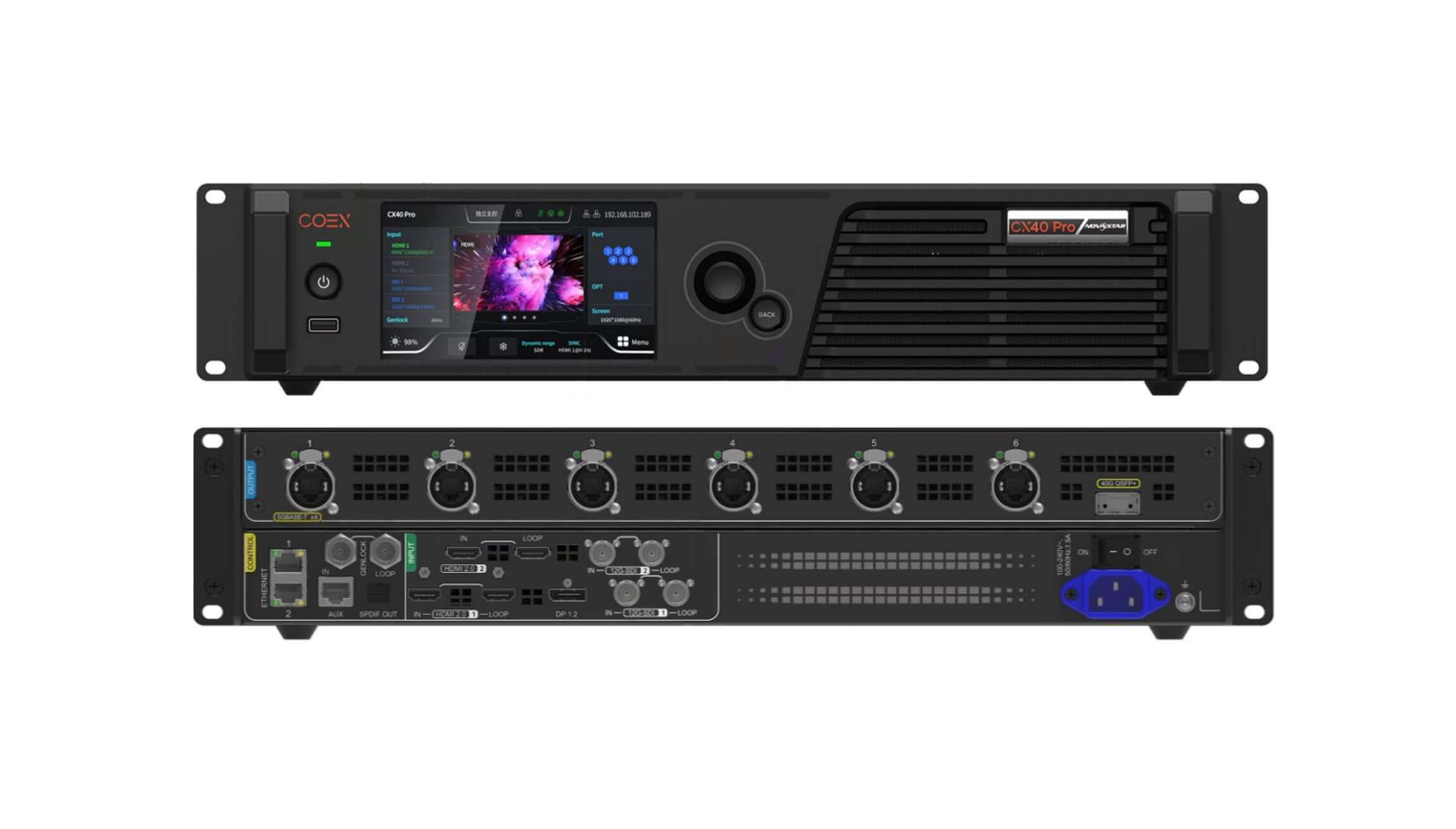
The CX40 Pro is not simply a controller with more ports. It is a 4K, COEX-based production controller designed to move high-resolution video, long-distance optical signals, synchronized camera feeds, and advanced color processing through one 2U unit. This Novastar CX40 Pro review examines the seven features that make a practical difference, then explains the limits buyers should check before specifying it.
1. Novastar CX40 Pro Review: Who Is It For?
The CX40 Pro sits in NovaStar’s COEX ecosystem as a professional 4K LED display controller. Its strongest fit is a workflow that combines large pixel loads with broadcast-grade sources, precise synchronization, or an optical backbone. Typical applications include touring stages, broadcast studios, control rooms, virtual production, premium corporate events, and large fixed installations.
It is less compelling for a modest single-screen installation that only needs HDMI input and standard 1Gbps output. For that job, a smaller all-in-one controller may cost less and be faster to commission. Buyers comparing architectures can start with EagerLED’s guide to LED display control systems before deciding whether COEX-level processing is justified.
1.1 The review verdict in one minute
The CX40 Pro stands out because it concentrates 4K input handling, six high-bandwidth Ethernet outputs, 40Gbps optical transmission, HDR/color tools, Genlock, low latency, and operational redundancy in one chassis. Its main trade-offs are the COEX learning curve, an 8.1kg 2U form factor, 45dB(A) rated noise, and advanced features that depend on compatible receiving cards.
2. Feature 1: 4K Inputs for Broadcast and Live Production
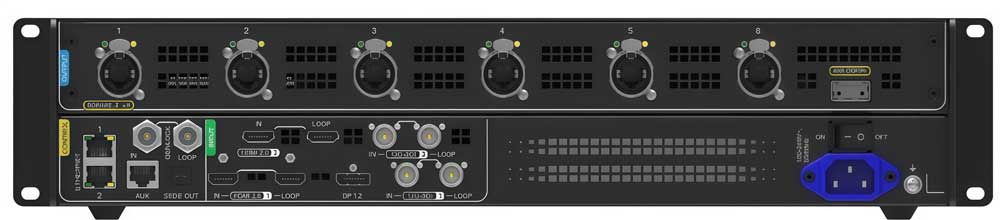
The input panel is unusually production-friendly: two HDMI 2.0 inputs with loop-through, one DisplayPort 1.2 input, and two 12G-SDI inputs with loop-through. It accepts sources up to 4096 x 2160 at 60Hz, while the forced-width mode can reach 8192 pixels for ultra-wide LED canvases.
That mix matters in real systems. HDMI and DisplayPort cover media servers and workstations, while 12G-SDI connects broadcast switchers and cameras without extra converters. Loop-through ports also make it easier to feed a backup processor, confidence monitor, recorder, or downstream device.
2.1 Why the input mix stands out
Many LED processors are comfortable with 4K consumer sources but require adapters for broadcast infrastructure. The CX40 Pro reduces those conversion points. Fewer converters generally mean fewer EDID conflicts, fewer power supplies, and a shorter troubleshooting path during a live event.
3. Feature 2: Six 5Gbps Outputs and 9 Million Pixels
Six 5Gbps Ethernet ports give the controller a total loading capacity of 9 million pixels. At 8-bit color and 60Hz, one port can carry up to 2,592,000 pixels. Compared with conventional 1Gbps output architectures, the higher per-port bandwidth can reduce cable count and simplify distribution for high-resolution walls.
Consider an 8K-wide event backdrop. A lower-bandwidth controller may require many parallel data runs and more complicated port mapping. The CX40 Pro can carry a much larger slice of the canvas on each link, although the final capacity still depends on bit depth, frame rate, receiving-card capability, and actual screen mapping.
This is the clearest reason to choose the CX40 Pro over a smaller controller: it scales output bandwidth as well as input resolution. EagerLED’s overview of NovaStar processors explains how controller loading, port planning, and receiving cards work together.
4. Feature 3: 40Gbps Optical Transmission
The integrated 40Gbps optical output is a major advantage when the control rack is far from the LED wall. Fiber is useful in stadiums, broadcast facilities, touring stages, and fixed installations where copper runs are too long, cable routes cross electrically noisy areas, or a single high-capacity backbone is preferable.
Optical transmission does not remove the need for proper system design. The far end still needs compatible COEX conversion or receiving equipment, and fiber type, transceiver specification, connector cleanliness, bend radius, and redundancy strategy all need to be confirmed before deployment.
4.1 Practical deployment value
For a front-of-house rack positioned 100 meters from a stage, one optical trunk can be easier to protect and document than multiple long copper paths. It also creates a cleaner boundary between signal transport and the screen’s local distribution. The result is not merely longer reach; it is a more serviceable installation.
5. Feature 4: HDR and Professional Color Processing
The controller supports HDR10 and HLG, a 17 x 17 x 17 3D LUT, 14-channel color correction, and 12-bit RGBW curve adjustment. These are useful tools for matching an LED wall to a camera, maintaining brand colors, correcting difficult grayscale regions, or tuning an installation with a wide-gamut content pipeline.
The important point is that HDR support alone does not guarantee an HDR result. The source, controller configuration, receiving cards, driver ICs, calibration data, LED modules, and content mastering must all support the intended workflow. A poorly calibrated wall will not become accurate just because HDR is enabled.
Dynamic Booster can improve perceived contrast and power efficiency, but NovaStar specifies compatible CA50E, CA50C, or XA50 receiving cards. Confirm the receiving-card model before promising this feature in a quotation.
6. Feature 5: Low Latency, Genlock, and High Frame Rates
Latency and synchronization are decisive in camera-facing applications. In All-In-One mode, the CX40 Pro supports three layers and operates with one frame of latency. Send-Only mode removes scaling and layers, reducing controller latency to below 1ms. Genlock input and loop-through help align the LED system with the broader video chain.
The mode choice should follow the production priority. Use All-In-One mode when the controller must scale, position, and composite sources. Use Send-Only mode when a media server or switcher already produces the final canvas and minimum delay is more important than internal layer control.
For virtual production and live broadcast, Genlock prevents the processor from free-running against the camera and switcher timing. It does not replace camera shutter, scan, or LED refresh-rate tuning, but it removes one major source of timing instability.
7. Feature 6: VMP Software and Touchscreen Operation
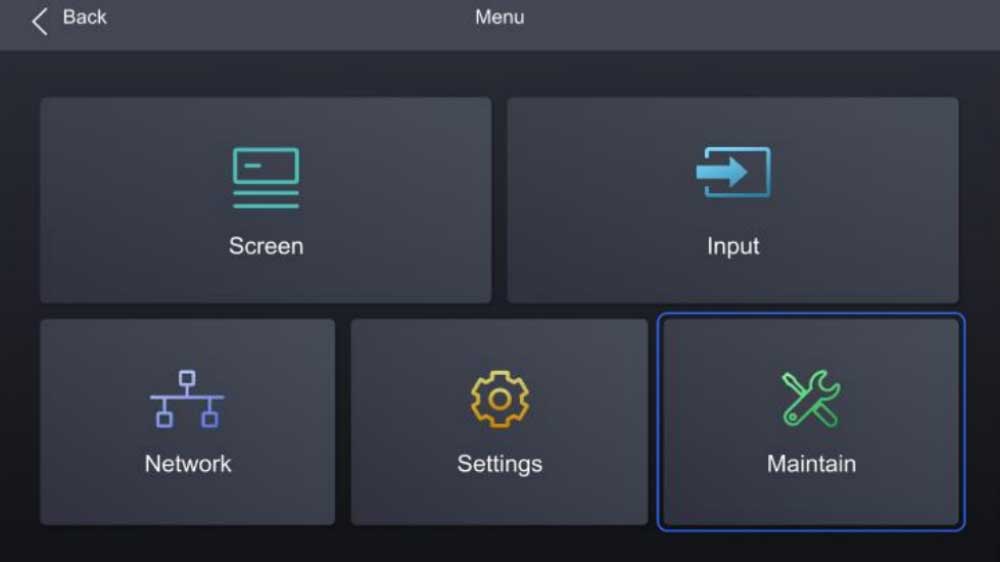
The 5.5-inch 1080p IPS touchscreen provides local access to source selection, EDID, test patterns, screen status, and common settings. That is useful during setup when an engineer needs to verify a signal at the rack without opening a laptop for every check.
For full configuration, NovaStar VMP software provides canvas layout, mapping, color processing, device management, backup planning, and monitoring. The interface is built for COEX rather than the older NovaLCT workflow, so technicians should allow training time instead of treating the controller as a drop-in replacement for every legacy NovaStar system.
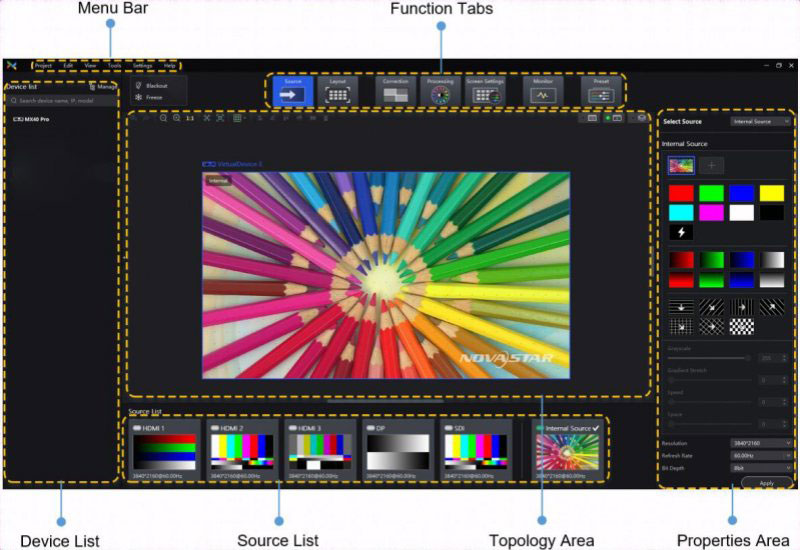
8. Feature 7: Redundancy, Diagnostics, and Deployment Control
Professional control systems are judged by recovery as much as image quality. The CX40 Pro supports device and Ethernet-port redundancy, input backup, monitoring, test patterns, and remote control. Up to 20 controllers can be cascaded on the control network, which helps operators manage larger multi-device systems from one VMP environment.
Redundancy still needs deliberate commissioning. Primary and backup signal paths should not share every cable, power source, switch, or fiber route. Operators should also test failover with the final firmware and screen configuration before handover. A backup shown in a software diagram is not a verified recovery plan until it has been triggered under load.
For complex projects, EagerLED can pair the controller with a complete LED display and receiving-card architecture. The related NovaStar H Series overview is also useful when comparing modular video-processing and COEX controller approaches.
9. CX40 Pro Specifications at a Glance
| Category | CX40 Pro specification | Why it matters |
|---|---|---|
| Maximum input | 4096 x 2160 at 60Hz; forced width up to 8192 pixels | Supports native 4K and ultra-wide LED canvases |
| Video inputs | 2 x HDMI 2.0 with loop, 1 x DP 1.2, 2 x 12G-SDI with loop | Connects media-server and broadcast sources directly |
| Ethernet outputs | 6 x 5Gbps | Higher per-link capacity and potentially fewer data runs |
| Total loading | 9,000,000 pixels | Handles large, high-resolution LED systems |
| Optical output | 1 x 40Gbps | Long-distance, high-capacity transport |
| Processing | HDR10, HLG, 3D LUT, 14-channel correction, 12-bit RGBW curves | Supports demanding color and camera workflows |
| Latency | One frame in All-In-One mode; below 1ms in Send-Only mode | Lets designers trade internal processing for minimum delay |
| Synchronization | Genlock input and loop | Aligns the LED chain with broadcast timing |
| Operation | 5.5-inch 1080p IPS touchscreen and VMP software | Provides local control and centralized configuration |
| Physical | 482.6 x 94.4 x 472.0mm; 8.1kg; 105W; 45dB(A) | Important for rack depth, transport, power, and noise planning |
Specifications above are based on the NovaStar CX40 Pro User Manual V1.0.0. Confirm current firmware and regional product revisions before final system sign-off.
10. CX40 Pro Limitations and Buying Considerations
A capable specification does not make the CX40 Pro the right controller for every wall. Check these factors before ordering:
- Ecosystem compatibility: 5Gbps outputs, Dynamic Booster, monitoring, and color features depend on compatible COEX receiving cards and firmware.
- Rack and acoustic requirements: the 2U chassis is 472mm deep, weighs 8.1kg, and is rated at 45dB(A). Keep it away from microphones and quiet presentation spaces where possible.
- Real capacity: nine million pixels is the total headline load. High bit depth, elevated frame rates, mapping constraints, and port limits can reduce practical capacity.
- Training: VMP is powerful, but a team familiar only with NovaLCT should rehearse mapping, backups, calibration, and recovery before show day.
- System cost: include optical conversion, compatible receiving cards, spare units, fiber accessories, and engineering time rather than comparing only controller prices.
10.1 CX40 Pro versus a simpler all-in-one controller
Choose the CX40 Pro when your project genuinely needs 12G-SDI, 5Gbps output, 40Gbps optical transport, COEX color processing, Genlock, or multi-controller management. Choose a smaller controller when the wall is comfortably inside its load limit and the workflow is standard HDMI playback. EagerLED’s NovaStar VX1000 Pro page offers a useful reference point for a more compact all-in-one option.
For quotations, ask the supplier to provide a port-load drawing, receiving-card model, firmware plan, redundancy diagram, and rack/power schedule. Those documents reveal far more about system readiness than a headline pixel number.
11. Novastar CX40 Pro FAQs
1. What is the loading capacity of the NovaStar CX40 Pro?
The CX40 Pro supports a total load of up to 9 million pixels across six 5Gbps Ethernet outputs. At 8-bit color and 60Hz, one port can load up to 2,592,000 pixels, but the practical layout depends on frame rate, bit depth, screen mapping, and receiving cards.
2. Does the CX40 Pro support true 4K input?
Yes. It accepts input resolutions up to 4096 x 2160 at 60Hz through HDMI 2.0 or DisplayPort 1.2, and it supports a forced width of up to 8192 pixels for extra-wide canvases.
3. What is the difference between All-In-One and Send-Only mode?
All-In-One mode provides scaling and up to three layers with one frame of latency. Send-Only mode bypasses those processing functions and reduces controller latency to below 1ms, making it suitable when an upstream device already generates the final canvas.
4. Can the CX40 Pro connect directly to broadcast equipment?
Yes. Two 12G-SDI inputs with loop-through connect to many professional cameras, routers, and switchers. Genlock input and loop-through help synchronize the LED processor with the production timing chain.
5. Does Dynamic Booster work with every receiving card?
No. NovaStar lists CA50E, CA50C, and XA50 receiving cards as compatible requirements for Dynamic Booster. Always confirm card hardware and firmware before including this feature in a system design.
6. Can the CX40 Pro transmit signals over fiber?
Yes. It has one 40Gbps optical output for long-distance, high-capacity transport. The complete path requires compatible optical and COEX equipment, correctly specified fiber, and proper connector handling.
7. Is the CX40 Pro suitable for virtual production?
It can be a strong option because it combines Genlock, low-latency Send-Only operation, high frame-rate support, HDR/color tools, and high-bandwidth outputs. Final suitability still depends on the receiving cards, LED panels, camera settings, refresh rate, and the wider synchronization design.
8. How many CX40 Pro controllers can be managed together?
Up to 20 CX40 Pro units can be cascaded on the control network for centralized management in VMP. Large systems should also document controller addressing, firmware versions, backups, and network topology.
12. Conclusion: Is the Novastar CX40 Pro Worth It?
The CX40 Pro is worth considering when a project needs more than basic scaling and sending. Its combination of broadcast-friendly 4K inputs, six 5Gbps outputs, 40Gbps optical transport, professional color controls, Genlock, low latency, VMP operation, and redundancy creates a strong foundation for demanding LED systems.
The best buying decision is based on the complete signal path, not the controller alone. Verify receiving-card compatibility, realistic port loads, optical components, latency mode, firmware, rack conditions, and backup behavior before approval.