Eager-LED Academy
Novastar MX40 Pro vs. CX40 Pro: Which Controller Fits Your Show?
Aug
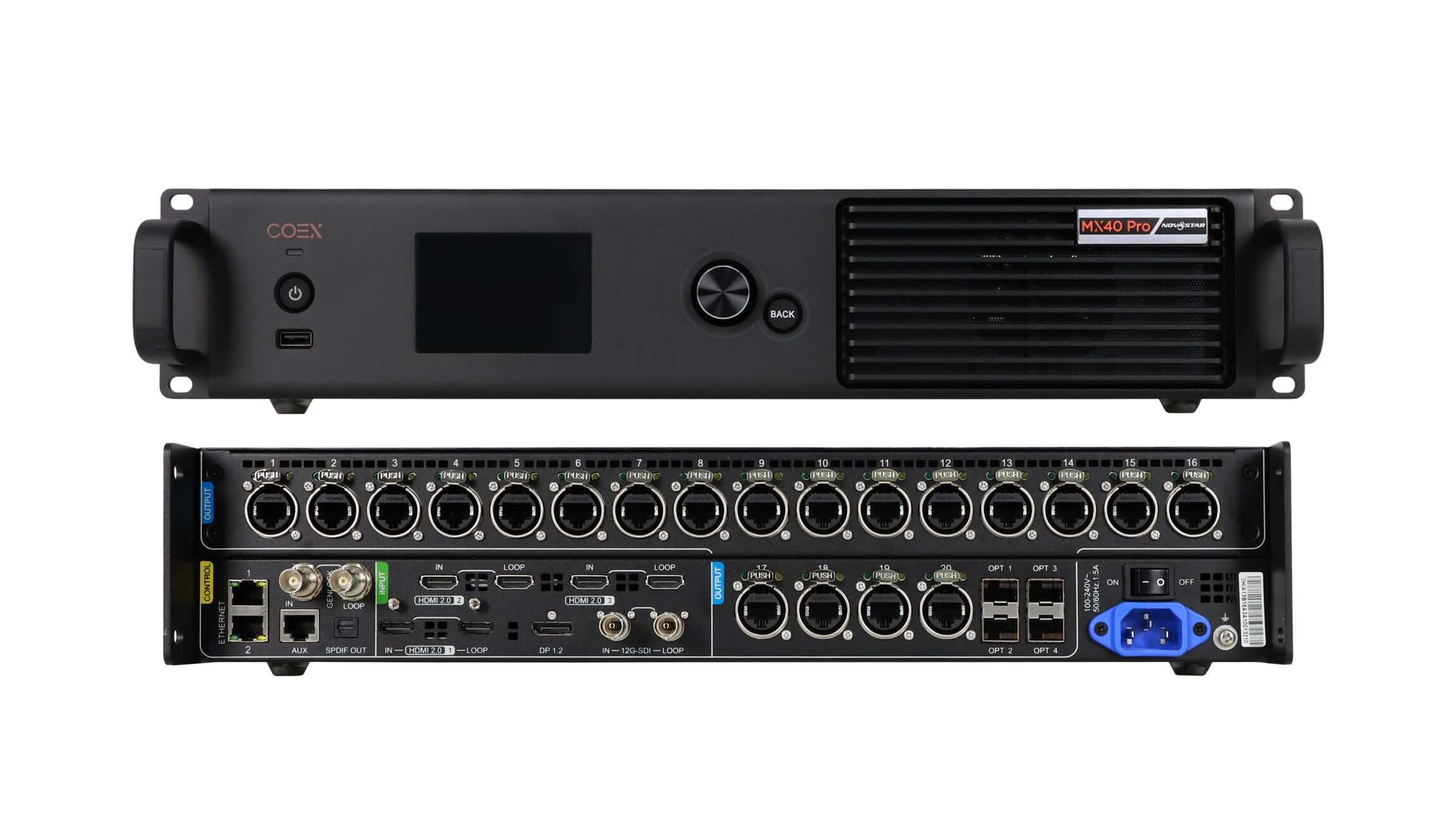
The NovaStar MX40 Pro and CX40 Pro both load up to 9 million pixels, but they are not interchangeable ways to reach the same number. The MX40 Pro builds a show around 20 standard Gigabit Ethernet outputs and four 10G optical ports. The CX40 Pro concentrates the load into six 5Gbps outputs and one 40Gbps optical link. This Novastar MX40 Pro vs. CX40 Pro comparison explains which architecture fits touring, broadcast, xR, esports, corporate, and fixed-venue workflows.
The practical choice is rarely decided by headline pixel capacity. It is decided by receiving cards, cable count, source mix, layer count, fiber topology, redundancy, camera timing, and the equipment already in the rental inventory. The recommendations below use NovaStar’s current V1.5.1 specifications dated April 30, 2026 and focus on complete signal-path design.
1. NovaStar MX40 Pro vs. CX40 Pro: Quick Verdict
Choose the MX40 Pro when the show uses standard 1Gbps receiving-card infrastructure, needs more physical Ethernet home runs, requires three HDMI 2.0 inputs or four independent 4K layers, or benefits from four separately routable 10G optical ports. It is especially logical for rental companies with a large installed base of A10s Pro, A8s Pro, A8s, A8s-N, A7s Plus, A5s Plus, or B6s receiving cards.
Choose the CX40 Pro when the system is designed around CA50E or XA50 Pro 5G receiving cards, fewer high-bandwidth copper runs, a 40G optical trunk, dual 12G-SDI feeds, or rapid front-panel operation on a 5.5-inch touchscreen. It is often the cleaner architecture for a purpose-built broadcast, xR, or premium event wall where the controller and receiving cards are being selected together.
Neither model is universally higher-end for every show. The MX40 Pro has the advantage in source and layer flexibility; the CX40 Pro has the advantage in output density and dual-SDI connectivity. If receiving cards are already installed in the LED cabinets, check that compatibility before comparing any other feature.
2. MX40 Pro and CX40 Pro at a Glance
| Decision point | NovaStar MX40 Pro | NovaStar CX40 Pro |
|---|---|---|
| Maximum device load | Up to 9 million pixels | Up to 9 million pixels |
| Copper outputs | 20 x Gigabit Ethernet | 6 x 5GBASE-T |
| Maximum load per port at 8-bit/60Hz | 659,722 pixels | 2,951,200 pixels |
| Optical outputs | 4 x 10G; selectable 20-port or 40-port mode | 1 x 40G QSFP+ |
| HDMI 2.0 inputs | 3, each with loop-through | 2, each with loop-through |
| DisplayPort input | 1 x DP 1.2 | 1 x DP 1.2 |
| 12G-SDI inputs | 1 with loop-through | 2 with loop-through |
| Independent layers | Up to 4 x 4K layers | Up to 3 x 4K layers |
| Front-panel operation | 3.5-inch TFT screen, knob, and buttons | 5.5-inch IPS touchscreen, knob, and buttons |
| Receiving-card family | 1G ecosystem; multiple A-series and B6s models supported | 5G ecosystem; XA50 Pro or CA50E |
| Typical noise at 25 degrees C | 38.5 dB(A) | 45 dB(A) |
| Maximum power consumption | 95 W | 105 W |
Source: NovaStar COEX download center, MX40 Pro and CX40 Pro Specifications V1.5.1. Confirm firmware, receiving-card versions, optical modules, and regional hardware revisions before final sign-off.
The table shows why total pixels alone can mislead. The MX40 Pro spreads data across many familiar 1G links. The CX40 Pro moves much more data through each cable but relies on a different receiving-card and cabling design. EagerLED’s LED display control system guide explains how the controller, receiving cards, and cabinet mapping form one system.
3. Output Architecture: 20 x 1Gbps vs. 6 x 5Gbps
3.1. MX40 Pro: 20 Gigabit Ethernet Outputs
The MX40 Pro’s 20 standard Ethernet outputs suit inventories built around conventional 1G receiving cards and cabinet-to-cabinet data chains. At 8-bit color and 60Hz, NovaStar specifies up to 659,722 pixels per port. The practical advantage is not only capacity: more physical outputs let technicians divide a large wall into smaller, clearly documented port zones.
That can be valuable on touring systems. A damaged cable or cabinet chain affects a smaller portion of the screen, spare Cat cables are easy to source, and port maps often align naturally with rental-cabinet stacks. The tradeoff is cable count. Twenty copper outputs, plus primary and backup routes where required, can make a rack and stage box more complex.
3.2. CX40 Pro: Six 5Gbps Outputs
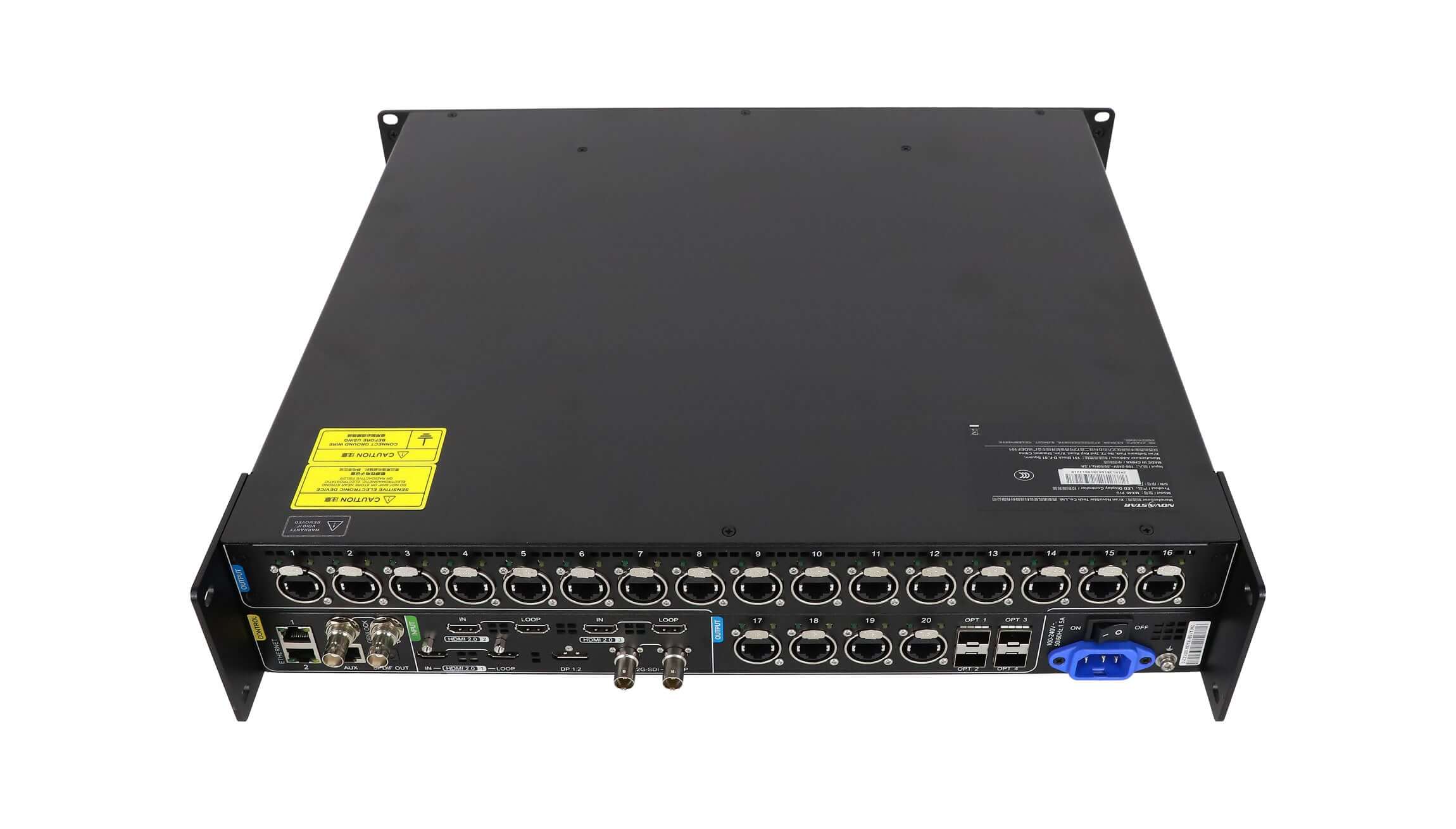
The CX40 Pro uses six 5GBASE-T outputs. At 8-bit color and 60Hz, one port can theoretically carry up to 2,951,200 pixels, although the device total remains capped at 9 million pixels. A correctly designed 5G wall therefore needs fewer controller-to-screen data cables and fewer output ports to map the same canvas.
This architecture works only when the screen uses compatible 5G receiving cards. NovaStar V1.5.1 lists XA50 Pro and CA50E, with CA50E firmware V1.3.0.0 or later. An existing wall populated with standard A-series 1G cards cannot be converted into a CX40 Pro system by replacing only the controller.
3.3. Same 9 Million Pixels, Different Cabling
Consider a 7,680 x 1,080 touring canvas: 8,294,400 pixels before accounting for bit depth and frame rate. Both controllers are within the 9-million-pixel headline limit. On the MX40 Pro, the screen map may use roughly 13 or more 1G outputs at 8-bit/60Hz. On the CX40 Pro, the same canvas may fit across three or four 5G outputs, subject to the exact cabinet map and per-port width rules.
The CX40 Pro reduces home-run count, but each link carries a larger share of the wall. The MX40 Pro uses more links, but the operational impact of one failed chain may be smaller. The correct design balances rack complexity, cable availability, receiving-card inventory, backup behavior, and how quickly a crew can diagnose a failure under show conditions.
4. Inputs, Layers, and Live Switching
4.1. MX40 Pro: More HDMI Inputs and One Extra Layer
The MX40 Pro provides three HDMI 2.0 inputs, one DP 1.2 input, one 12G-SDI input, and up to four independent 4K layers. This is useful when the controller must combine a media server, presentation computer, backup playback device, and camera or switcher feed without depending on an additional upstream processor for every composition.
Each layer supports custom scaling, pixel-to-pixel mapping, snap-to-canvas, and fill-screen modes. The four-layer engine does not replace a production switcher, but it gives a show operator more options for logos, picture-in-picture, confidence feeds, or emergency source changes inside VMP.
4.2. CX40 Pro: Dual 12G-SDI for Broadcast Workflows
The CX40 Pro provides two HDMI 2.0 inputs, one DP 1.2 input, two 12G-SDI inputs, and up to three independent 4K layers. Dual SDI is the meaningful distinction. It can accept two professional camera, router, or switcher paths without an external HDMI conversion stage, while each SDI input also has loop-through.
Both controllers accept up to 4096 x 2160 at 60Hz and support forced canvases up to 8192 pixels wide on appropriate HDMI or DP inputs. For extra-wide LED walls, confirm the source GPU, EDID, bit depth, sampling format, and frame rate together; a nominal connector standard does not guarantee every custom timing.

5. Fiber, Backup, and Long-Distance Show Design
5.1. MX40 Pro: Four 10G Optical Ports with Two Output Modes
The MX40 Pro has four 10G optical ports. In 20-port mode, OPT 1 and OPT 2 carry Ethernet ports 1-10 and 11-20, while OPT 3 and OPT 4 can act as copy channels. In 40-port mode, the four optical ports represent four groups of ten logical Ethernet ports, expanding routing flexibility for compatible fiber-converter and receiving equipment.
This design suits shows that need two independent 10G paths, separated stage-left and stage-right distribution, or clearly divided primary and copy routes. It also allows the optical design to follow the physical screen layout. NovaStar does not include optical modules by default, so the BOM must specify transceivers, fiber type, connector type, converter equipment, cleaning tools, and spares.
5.2. CX40 Pro: One 40G Optical Backbone
The CX40 Pro uses one 40G QSFP+ optical port. This is a compact way to move the controller’s high-bandwidth output to a distant stage, machine room, or screen-side distribution point. It reduces front-of-house cabling and keeps the 5G architecture concentrated in one high-capacity optical path.
The tradeoff is topology. A single 40G connector is not the same as four independently routable 10G outputs. If the project requires geographic separation, a backup path, or multiple screen zones, confirm the exact COEX fiber converters and backup design before choosing the controller. Do not assume that equal aggregate bandwidth produces equal redundancy behavior.
6. Image Quality, Latency, and Camera Performance
6.1. Shared COEX Processing Tools
Both controllers support the core COEX image-quality toolkit: HDR10 and HLG, 3D LUT files up to 65 x 65 x 65, 14-channel color correction, RGBW color curves, Dynamic Booster, full-grayscale calibration, Shutter Fit, frame multiplication, frame-rate adaptation from 23.98Hz to 480Hz, 128 presets, and irregular-screen mapping without counting unused rectangular pixels.
Both also support Genlock input and loop-through, VMP control, SNMP, Art-Net, central control, automated hardware monitoring, and controller cascading. NovaStar specifies less than 1ms minimum controller processing latency in the appropriate low-latency configuration. These shared features mean image-quality checklists should focus on the complete screen system, not only the model name.
6.2. Receiving Cards and Feature Limitations
Advanced COEX functions depend on the receiving cards and calibration hardware. On the MX40 Pro, Dynamic Booster requires A10s Pro or derivative receiving cards. On the CX40 Pro, it requires XA50 Pro or CA50E. Full-grayscale calibration and frame-rate adaptation also have card, driver-IC, NCP-file, camera, and software requirements.
Low latency cannot be treated as a permanent checkbox. It conflicts with Genlock in both systems, and 3D or frame-multiplication combinations have additional restrictions. For camera-critical shows, write the required mode into the system test plan and verify the complete chain using the production camera frame rate, shutter angle, LED brightness, scan mode, bit depth, and backup route.
7. Which Controller Fits Each Show?
7.1. Touring Concert and Rental LED Walls
The MX40 Pro is usually the safer choice when a rental company already owns a large 1G cabinet fleet. It preserves receiving-card compatibility, uses familiar copper links, provides more output zones, and offers three HDMI inputs plus four layers. Its 38.5 dB(A) typical noise figure is also useful for racks placed near quiet corporate or theatrical spaces.
The CX40 Pro becomes compelling for a purpose-built 5G rental system. Six high-bandwidth outputs can reduce cable bundles and speed deployment, while the 40G optical trunk simplifies long front-of-house runs. The rental company must standardize compatible receiving cards, 5G cabling, fiber gear, spares, and troubleshooting procedures across the fleet.
7.2. Broadcast, xR, and Esports Production
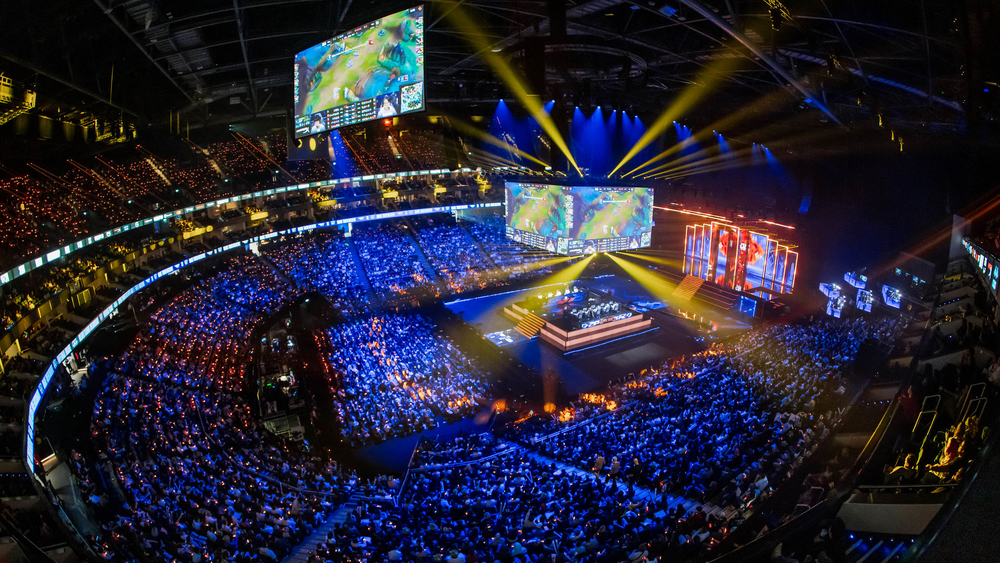
The CX40 Pro’s two 12G-SDI inputs and high-density 5G outputs make it a strong starting point for broadcast and xR walls. A main and backup switcher feed can remain in SDI, while Genlock, Shutter Fit, high frame rates, 3D LUTs, and low-latency tools support camera-facing workflows. It is not automatically the winner: an MX40 Pro can be preferable when four layers or the existing A10s Pro infrastructure matter more than the second SDI input.
7.3. Corporate, Auto Show, and Fixed-Venue Systems
Corporate and auto-show producers often value clean source handling, presentation backups, and multiple compositions. The MX40 Pro’s third HDMI input and fourth layer can reduce dependence on an additional scaler for straightforward layouts. The CX40 Pro is attractive when a high-resolution screen is far from the control rack and the installation is being designed around 5G receiving cards from the start.
Fixed venues should also compare fan noise, rack ventilation, service access, operator skill, and long-term spare availability. EagerLED’s NovaStar processor guide provides additional context for matching controller features to a complete LED display.
8. Project Checklist Before Specifying Either Controller
8.1. Calculate the Real Load, Not Only the Pixel Count
Calculate each port at the actual frame rate and bit depth. Higher bit depth and higher frame rate reduce the pixels a port can carry. On the CX40 Pro, for example, one 5G port drops from 2,951,200 pixels at 8-bit/60Hz to 1,475,600 pixels at 12-bit/60Hz. Narrow mapped areas below NovaStar’s minimum width rules can also reduce usable capacity.
8.2. Draw Copper, Fiber, and Backup Paths
Create a port-load drawing that identifies every cabinet chain, cable type, primary route, backup route, optical module, converter, and screen zone. Test what remains visible after disconnecting one source, one controller output, one fiber, one converter, and one receiving-card chain. A backup design is credible only after the crew has observed the switchover.
8.3. Verify Firmware, Cards, and the Camera Workflow
- Record the controller, receiving-card, VMP, and cabinet-file versions.
- Confirm that Dynamic Booster, calibration, frame adaptation, HDR, 3D, and low-latency modes are compatible with the chosen cards and driver ICs.
- Test every source resolution, HDCP requirement, EDID, color space, bit depth, and fractional frame rate.
- Run the real camera package at show brightness and check scan lines, moire, low-gray behavior, color, and latency.
- Verify rack airflow, power, grounding, noise, cable strain relief, and access to replacement optical modules.
- Save approved presets and export diagnostic information before the system leaves the shop.
For procurement, compare complete bills of materials rather than controller prices. A lower controller price can be erased by receiving-card replacement, fiber conversion, additional processing, or backup hardware. EagerLED lists both the NovaStar MX40 Pro and NovaStar CX40 Pro alongside other LED video controller options.
9. NovaStar MX40 Pro vs. CX40 Pro FAQs
9.1. Do the MX40 Pro and CX40 Pro have the same loading capacity?
Yes. NovaStar specifies a maximum device load of 9 million pixels for both. The difference is distribution: the MX40 Pro uses 20 Gigabit Ethernet outputs, while the CX40 Pro uses six 5Gbps outputs. Actual port capacity changes with frame rate, bit depth, mapped width, and receiving-card architecture.
9.2. Can a CX40 Pro replace an MX40 Pro without changing receiving cards?
Usually not. The CX40 Pro V1.5.1 ecosystem uses XA50 Pro or CA50E 5G receiving cards. The MX40 Pro supports a wider group of standard 1G cards, including A10s Pro and several A8s/A7s/A5s families. Audit every cabinet before changing controller families.
9.3. Which controller is better for a touring LED wall?
The MX40 Pro is often better for an existing 1G rental inventory because it preserves receiving-card compatibility and provides 20 familiar Ethernet outputs. The CX40 Pro can be better for a new 5G fleet that prioritizes fewer home-run cables and a compact 40G optical backbone.
9.4. Which controller is better for broadcast or virtual production?
The CX40 Pro has an advantage when dual 12G-SDI feeds and 5G output density are priorities. The MX40 Pro may be preferable when the production needs four independent 4K layers, three HDMI 2.0 inputs, or existing A10s Pro receiving cards. Camera tests and synchronization design remain essential for either model.
9.5. Does the CX40 Pro always use fewer cables?
It normally uses fewer controller-to-screen data cables for the same pixel load because each 5G output carries more data. The complete system may still require primary and backup fiber, screen-side converters, control links, and redundant paths. Count the whole signal chain, not only the six output connectors.
9.6. Can both controllers achieve less than 1ms latency?
NovaStar specifies a minimum controller processing latency of less than 1ms in the appropriate low-latency configuration. That number does not include every upstream and downstream device, and low-latency mode has compatibility restrictions with functions such as Genlock, 3D, and frame multiplication. Measure end-to-end latency in the intended show mode.
9.7. Do the MX40 Pro and CX40 Pro include optical modules?
No. NovaStar states that optical modules are not included by default. Specify compatible transceivers, fiber, connectors, converter equipment, cleaning supplies, and spares. Confirm whether the design needs separate paths, copied outputs, or a 40G trunk before ordering.
10. Conclusion: Choose Architecture, Not Model Rank
The MX40 Pro and CX40 Pro share the same 9-million-pixel ceiling and much of the same COEX processing toolkit, but they solve different infrastructure problems. The MX40 Pro favors a mature 1G ecosystem, many physical output zones, four layers, three HDMI inputs, and flexible 10G optical routing. The CX40 Pro favors 5G receiving cards, fewer high-bandwidth links, dual 12G-SDI, a 40G optical backbone, and faster touchscreen operation.
For an existing screen, let the receiving cards and cabling lead the decision. For a new show system, design the source, layer, port, fiber, backup, firmware, and camera workflow together. That approach produces a controller choice the crew can operate and recover under real show conditions.