
EagerLED Academy
Why Plan One P10 Module Batch for a New LED Screen?
Nov
A P10 module batch should be planned as part of one complete new-screen purchase. EagerLED’s quarter-scan P10 listing requires modules for a single screen to be bought together in one order to avoid brightness and color differences. The same pitch and body size do not identify the production stock behind two separate purchases.
This article is for a distributor preparing the module order for a new outdoor screen. It turns that published requirement into a practical quantity, receiving and handover record. It does not promise that modules from another order will match or approve these products for repairs to an existing old display.
Plan the P10 module batch around one new screen
Start with a complete bill of materials for the planned display. EagerLED’s listing for the P10 outdoor SMD3535 quarter-scan module states that modules for one screen should be purchased together in one order to avoid brightness and color differences. Build that requirement into the purchasing record before placing a partial order.
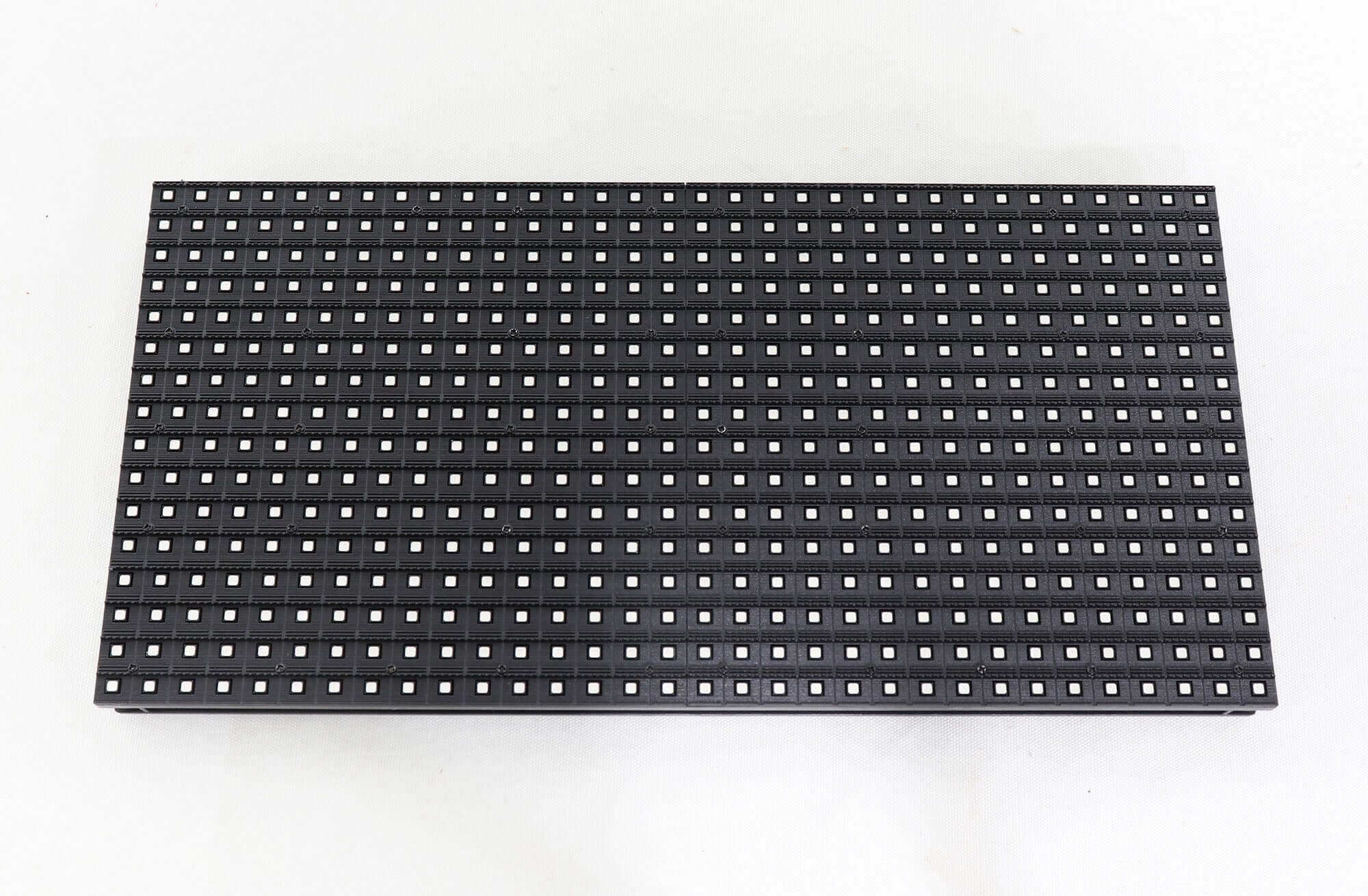
A P10 module batch is therefore part of the screen’s procurement identity. The model description still matters: the cited module has a 10 mm pitch, a 32 by 16 pixel layout and a 320 by 160 mm body, approximately 12.6 by 6.3 inches. Those dimensions describe a product format; they do not identify the production batch supplied for a particular order.
For a distributor assembling a project quotation, record the intended screen, the selected module and the total requirement together. If the customer expects a later extension, identify that uncertainty before the first purchase. Ask what can be confirmed for the current supply instead of assuming a future order will reproduce it.
Work out the module count before splitting the order
Count the modules from the approved cabinet layout. A hypothetical display using ten modules across and eight modules high needs eighty installed modules. Using the cited module dimensions, that arrangement would measure 3.2 by 1.28 m, about 10.5 by 4.2 ft, before cabinet and installation details are considered. This is a calculation example, not a project design.
Its pixel dimensions would be 320 by 128 pixels because each module contributes 32 by 16 pixels in that orientation. Keep the mechanical layout and the pixel map in the same order record. This helps the buyer identify a quantity error before requesting the P10 module batch.
List any project-approved reserve modules separately from the installed quantity. Reserve stock is a planning decision that depends on the customer’s maintenance arrangement, storage conditions and supplier confirmation. There is no universal percentage that this article can prescribe. Ask whether the requested reserve can be supplied with the project order and how its identity will be documented.
If commercial arrangements require separate deliveries, distinguish delivery timing from production identity. A split shipment does not explain whether the same production stock is being supplied. Obtain the supplier’s written confirmation of what is allocated to the order, including any outstanding quantity. Keep that confirmation with the approved P10 module batch record.
Keep similar-looking stock identifiable
Two cartons can carry the same general P10 description while belonging to different purchases. Label the warehouse record by project and purchase order, and retain the manufacturer’s labels that actually accompany the goods. Do not invent a batch code where none is supplied. Record an unknown identifier as unknown and ask the supplier what traceability is available.
The P10 module batch record should connect the received stock to the supplier’s confirmed project allocation. Photograph a readable example label and the carton references. Record who received the shipment and where it is stored. These practical steps make it possible to discuss an issue using the goods actually delivered.
Keep unrelated project stock physically separated where the warehouse can do so. Staff should not need to judge a module’s provenance from the front mask alone. If a carton has been opened for inspection or a demonstration, update its contents record before returning it to stock. The next person picking the project should be able to see what remains.
Batch documentation is also useful when the customer asks for more modules later. It gives the supplier a specific reference to review. It does not establish that later production will match, that stored material has remained unchanged, or that a supplier has reserved stock indefinitely.
Define a comparison before the screen is accepted
Agree on the receiving inspection and display acceptance process with the integrator. A P10 module batch should be evaluated in the intended assembled display under defined conditions. Product photographs alone cannot establish that the complete screen meets the customer’s visual expectations.
For a useful inspection record, identify the program, brightness setting, viewing position and ambient conditions used for comparison. Ask the integrator which uniform color fields, gray levels and project content will be shown. Record the expected criteria before delivery rather than negotiating the meaning of acceptable after the display is assembled.
If a visible difference appears, retain the screen location and the module or carton reference involved. Photographs can help communicate the location, but exposure and white balance affect their appearance. Include the actual observations from the responsible technician and avoid treating differently exposed photographs as a measured color result.
A common P10 module batch is a procurement requirement in the cited listing, not a substitute for commissioning. The electrical configuration, cabinet assembly and display settings remain separate parts of the project review. Assign those checks to the integrator instead of treating the batch entry on an invoice as the final acceptance result.
Keep the purchase record useful after delivery
| Record | What to retain | Who uses it |
|---|---|---|
| Approved layout | Module count, orientation and pixel map | Buyer and integrator checking quantity |
| Supply identity | Purchase order, confirmed allocation and actual carton labels | Supplier and warehouse tracing stock |
| Receiving record | Quantity, condition and any discrepancy identified at arrival | Distributor resolving delivery questions |
| Acceptance record | Test content, settings, conditions and observations | Integrator and customer assessing the screen |
Keep the P10 module batch information with the screen handover rather than in a separate personal inbox. A later service request should identify the project and supplied modules without depending on the original buyer’s memory. Include any reserve-stock record that the customer has approved.
The P10 quarter-scan module listing also states that these modules are not supplied as spare parts for an existing old LED display and that support is not provided for that use. This article concerns procurement for a new screen. Matching a size or pitch does not override that published restriction.
Questions from module distributors
Can a sample approve every later shipment automatically?
A sample identifies the item tested. Ask the supplier how it relates to the proposed production supply and document that relationship. Do not assume that approving one sample establishes the identity or visual result of every later order.
Does a matching connector prove that two P10 modules belong together?
No. A connector does not identify production stock, module electronics or the configuration needed by the display. Keep those compatibility checks separate from the P10 module batch record and follow the supplier’s restrictions on intended use.
What should the buyer do if a carton label is unreadable?
Retain the available order and delivery information, photograph the unreadable label, and ask the supplier to identify the affected stock. Keep it identifiable during that review. Do not create a guessed code that another team might later mistake for a manufacturer identifier.
Confirm the complete project order
Send EagerLED the new-screen module requirement, approved layout, installed quantity, any proposed reserve quantity and the delivery plan. Ask for confirmation of the P10 module batch arrangement before dividing the purchase. Use the matching P10 specification to identify the selected module, then retain the confirmed supply and inspection records with the project.