
EagerLED Academy
NovaStar VX Pro Series Compared: VX400 Pro vs VX600 Pro vs VX1000 Pro vs VX2000 Pro
Nov
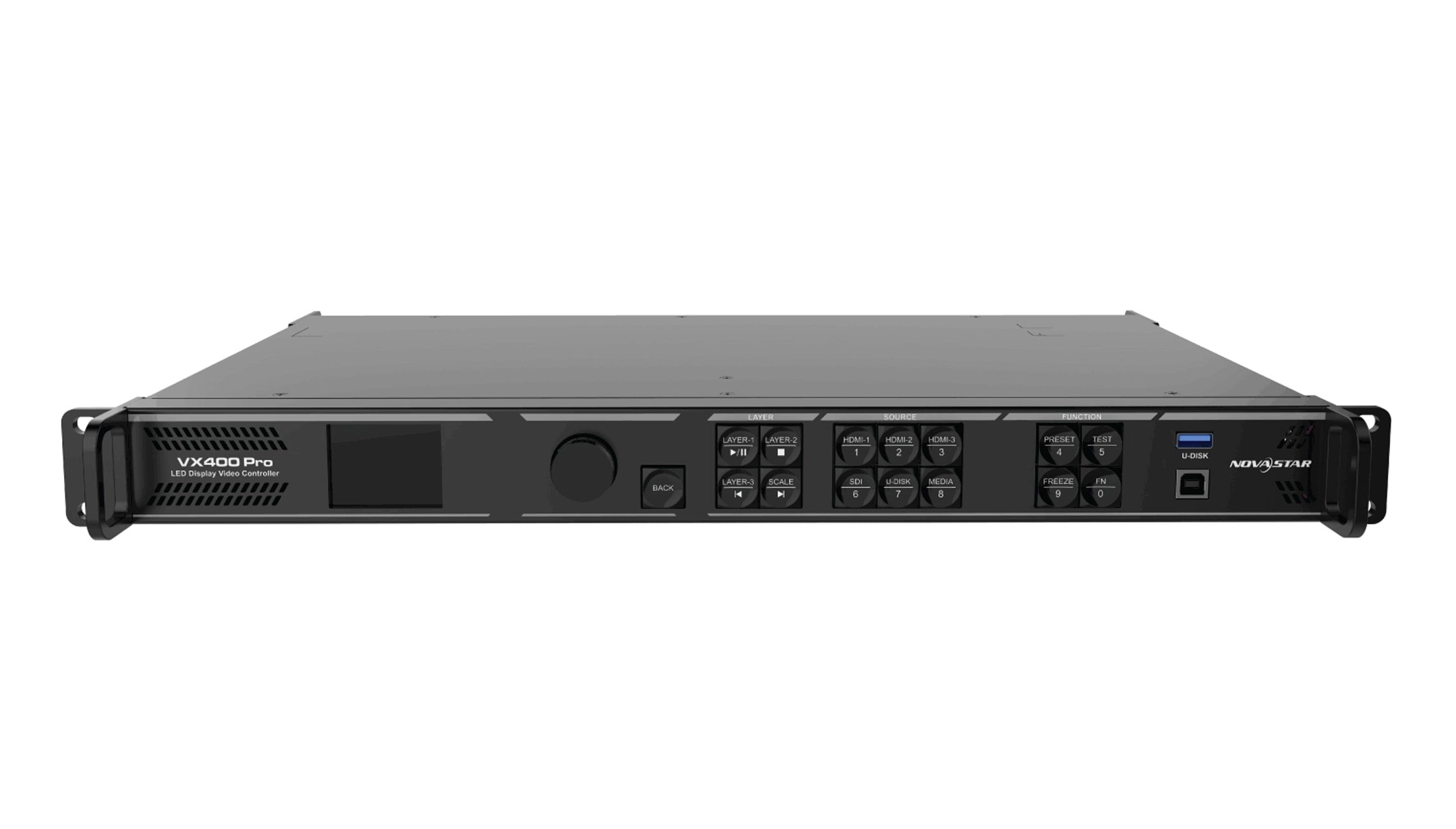
The NovaStar VX Pro series covers four all-in-one controllers that differ mainly in how many pixels they can drive: the VX400 Pro handles up to 2.6 million pixels, the VX600 Pro 3.9 million, the VX1000 Pro 6.5 million and the VX2000 Pro 13 million. Pick the smallest NovaStar VX Pro model whose loading capacity, Ethernet port count and width limit all cover your LED wall, then check inputs and layers.
This comparison is written for AV integrators and rental companies who already know the LED wall resolution and need to choose a controller for a quote. Every figure below comes from the product pages in our store, which state the conditions behind each number. We explain how to size the wall, where the four models really differ, and the mistakes that lead to ordering the wrong unit.
All four units combine video processing and LED sending in one box. That is the point of the series: one device takes the source, scales it, places layers and sends data to the receiving cards, so small and mid-size stages do not need a separate video processor plus a sending box.
1. NovaStar VX Pro models compared side by side
The four models share the same idea, the same control software and the same three working modes: video controller, fiber converter and ByPass. What changes is output capacity, the number of inputs and the number of layer resources.
01. What every NovaStar VX Pro model has in common
Every NovaStar VX Pro unit takes video in, processes it and sends LED data out over Gigabit Ethernet to the receiving cards in the cabinets. All four list the same control options on our product pages: the front panel, NovaLCT, Unico and the VICP app. All four also list the three working modes. In video controller mode the unit scales sources and builds layers. In fiber converter mode it converts between optical and Ethernet links. In ByPass mode it passes the signal through without video processing.
The VX400 Pro page also lists 256 presets and USB media playback, and the VX1000 Pro page lists preset save and recall, EDID management and USB playback. For a buyer, this means the operating workflow stays familiar when you move between models. A technician who has set up a VX400 Pro will recognize the menus on a VX2000 Pro.
02. Where the models differ
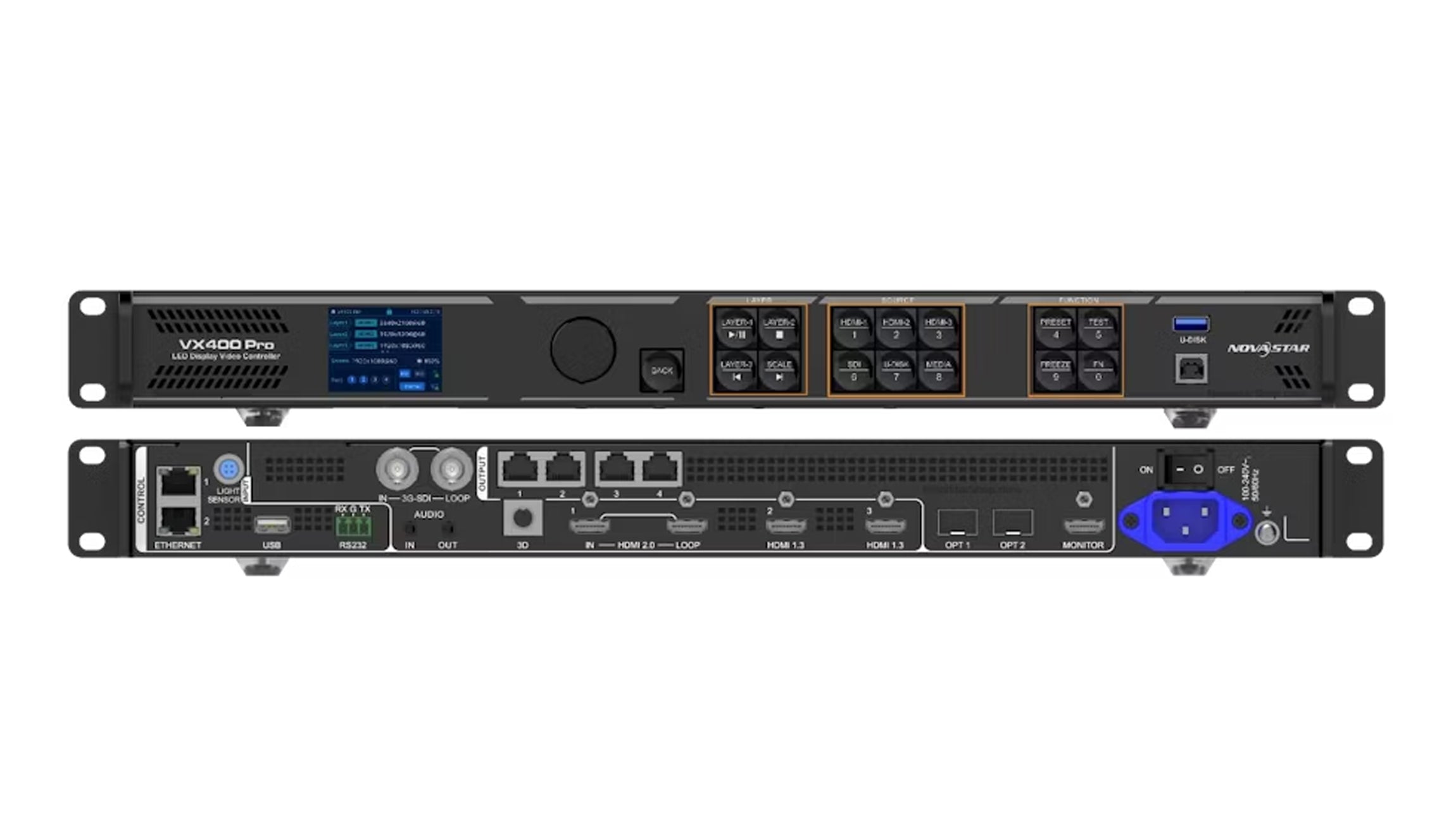
The differences are concentrated in four places: the number of Ethernet outputs, total loading capacity, the input set and layer resources. The table below lists them side by side.
| Item | VX400 Pro | VX600 Pro | VX1000 Pro | VX2000 Pro |
|---|---|---|---|---|
| Gigabit Ethernet outputs | 4 | 6 | 10 | 20 |
| Loading capacity | Up to 2.6 million pixels | Up to 3.9 million pixels | Up to 6.5 million pixels | Up to 13 million pixels |
| Single port load | Up to 650,000 pixels at 8-bit | Up to 650,000 pixels at 8-bit | Not listed separately on our page | Up to 650,000 at 8-bit or 480,000 at 10-bit |
| Maximum width / height | 10,240 / 8,192 pixels | 10,240 / 8,192 pixels | 10,240 / 8,192 pixels | 16,384 / 8,192 pixels |
| HDMI inputs | 1 x HDMI 2.0 with loop, 2 x HDMI 1.3 | 1 x HDMI 2.0 with loop, 2 x HDMI 1.3 | 1 x HDMI 2.0 with loop, 2 x HDMI 1.3 | 2 x HDMI 2.0, 4 x HDMI 1.3 |
| Other inputs | 3G-SDI with loop, OPT 1, USB 3.0 | 3G-SDI with loop, OPT 1, USB 3.0 | 3G-SDI with loop, OPT 1, USB | DP 1.2, 12G-SDI with loop, OPT 1/2, USB 3.0 |
| Optical ports | 2 | 2 x 10G | OPT 1 input listed | 4 (OPT 1/2 input or output, OPT 3/4 copy or backup) |
| Layer resources | 6 x 2K x 1K | 6 x 2K x 1K | 6 x 2K | 12 x 2K x 1K |
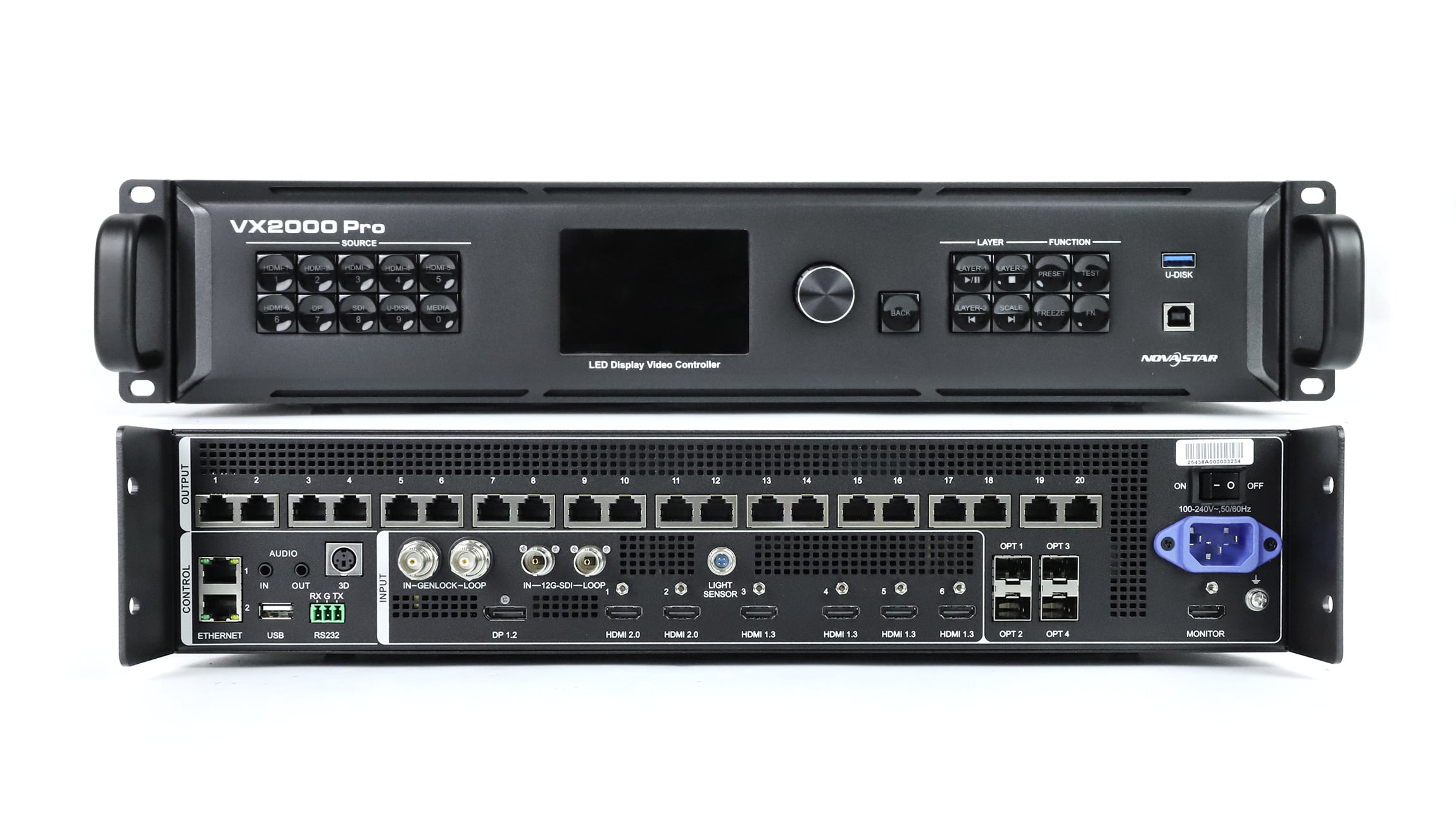
Two patterns stand out. First, total capacity scales with port count: 4, 6, 10 and 20 ports multiplied by 650,000 pixels give exactly 2.6, 3.9, 6.5 and 13 million pixels. Second, the three smaller models share the same input set and the same 10,240-pixel width limit, so moving from the VX400 Pro to the VX1000 Pro buys you outputs, not new connectors. The VX2000 Pro is the only model with DisplayPort, 12G-SDI, extra HDMI inputs, a wider canvas and double the layer resources.
2. How to size an LED wall for a NovaStar VX Pro controller
Size a NovaStar VX Pro controller from the wall’s pixel resolution, not its physical size. A 5 m (16.4 ft) wide wall can be 1,920 pixels wide at one pitch and 3,840 pixels at another, and the controller only sees pixels.
01. Calculate total pixels
Multiply the wall’s pixel width by its pixel height. Compare the result with the loading capacity in Table 1. Our product pages describe these as nominal limits: a wall below the number can still fail if port mapping does not work out.
02. Check the port count against the cabinet map
Each Ethernet port carries up to 650,000 pixels at 8-bit, and the cabinets on one port cannot be split across two ports. Divide the wall into port groups following the actual cabinet layout. If the groups do not fit, you need more ports, even when the total pixel count looks fine. At 10-bit output the VX2000 Pro page lists a lower per-port figure of 480,000 pixels, so deeper bit depth needs more ports for the same wall.
03. Check width and height separately
The width and height limits are separate ceilings, not a supported canvas. The VX600 Pro page notes that 10,240 x 8,192 is not a usable canvas, and the VX2000 Pro page says the same about 16,384 x 8,192. A very wide but short wall, such as a stage ribbon, can hit the width limit long before it reaches the pixel limit.
| Wall resolution | Total pixels | Minimum ports at 650,000 each | Smallest model on paper |
|---|---|---|---|
| 1920 x 1080 | 2,073,600 | 4 | VX400 Pro |
| 2560 x 1440 | 3,686,400 | 6 | VX600 Pro |
| 3840 x 1080 | 4,147,200 | 7 | VX1000 Pro |
| 3840 x 1440 | 5,529,600 | 9 | VX1000 Pro |
| 3840 x 2160 | 8,294,400 | 13 | VX2000 Pro |
| 5120 x 2160 | 11,059,200 | 18 | VX2000 Pro |
| 7680 x 2160 | 16,588,800 | 26 | Exceeds one VX2000 Pro; plan two units or a larger system |
| 12,000 x 540 | 6,480,000 | 10 | VX2000 Pro, because the width exceeds 10,240 pixels |
The “minimum ports” column is a simple division rounded up. Real cabinet maps usually need one or two more ports because cabinets do not divide evenly. A 2560 x 1440 wall needs 5.7 ports on paper, which leaves almost no margin on a six-port VX600 Pro. Frame rate matters too: the per-port figures on our pages are quoted at 8-bit output, and the pages note that the actual configuration depends on frame rate, bit depth and port mapping, so a higher frame rate leaves less room on each port. Treat any result above roughly 90 percent of a model’s capacity as a reason to check the cabinet map closely or step up one model.
04. A worked example
Take a stage wall built from 500 x 500 mm (19.7 x 19.7 in) cabinets at 128 x 128 pixels each, arranged 24 cabinets wide and 9 cabinets high. That gives 3,072 x 1,152 pixels, or 3,538,944 pixels in total. On total pixels alone, the wall fits under the VX600 Pro limit of 3.9 million.
Now map the ports. Each cabinet holds 16,384 pixels, so one port at 650,000 pixels can carry up to 39 cabinets. The wall has 216 cabinets, which needs at least 6 ports (216 divided by 39 is 5.5). In practice you would wire whole columns or rows per port. If you assign 4 columns of 9 cabinets to each port, that is 36 cabinets or 589,824 pixels per port, and 6 ports cover all 24 columns exactly. This NovaStar VX Pro example works on a VX600 Pro, but every port is used. A VX1000 Pro would leave four spare ports for a later extension. The cabinet size and pixel count here are an assumed example, not a specific product; use the real cabinet data for your own wall.
3. Inputs, optical ports and layers
Once capacity is settled, inputs and layers decide whether the NovaStar VX Pro model suits the show. The controller can only scale and composite the sources it can physically accept.
01. A 4K input is not a 4K LED output
The VX400 Pro, VX600 Pro and VX1000 Pro accept HDMI 2.0 up to 4096 x 2160 at 60 Hz, and the VX2000 Pro accepts up to 4K x 2K at 60 Hz on supported connectors. Our VX400 Pro page states plainly that a 4K input does not mean a full 4K LED output canvas. A 3840 x 2160 wall needs about 8.3 million pixels of output, which only the VX2000 Pro covers in one unit. The smaller models can still take a 4K source and scale it down to a smaller wall.
02. Optical ports for long cable runs
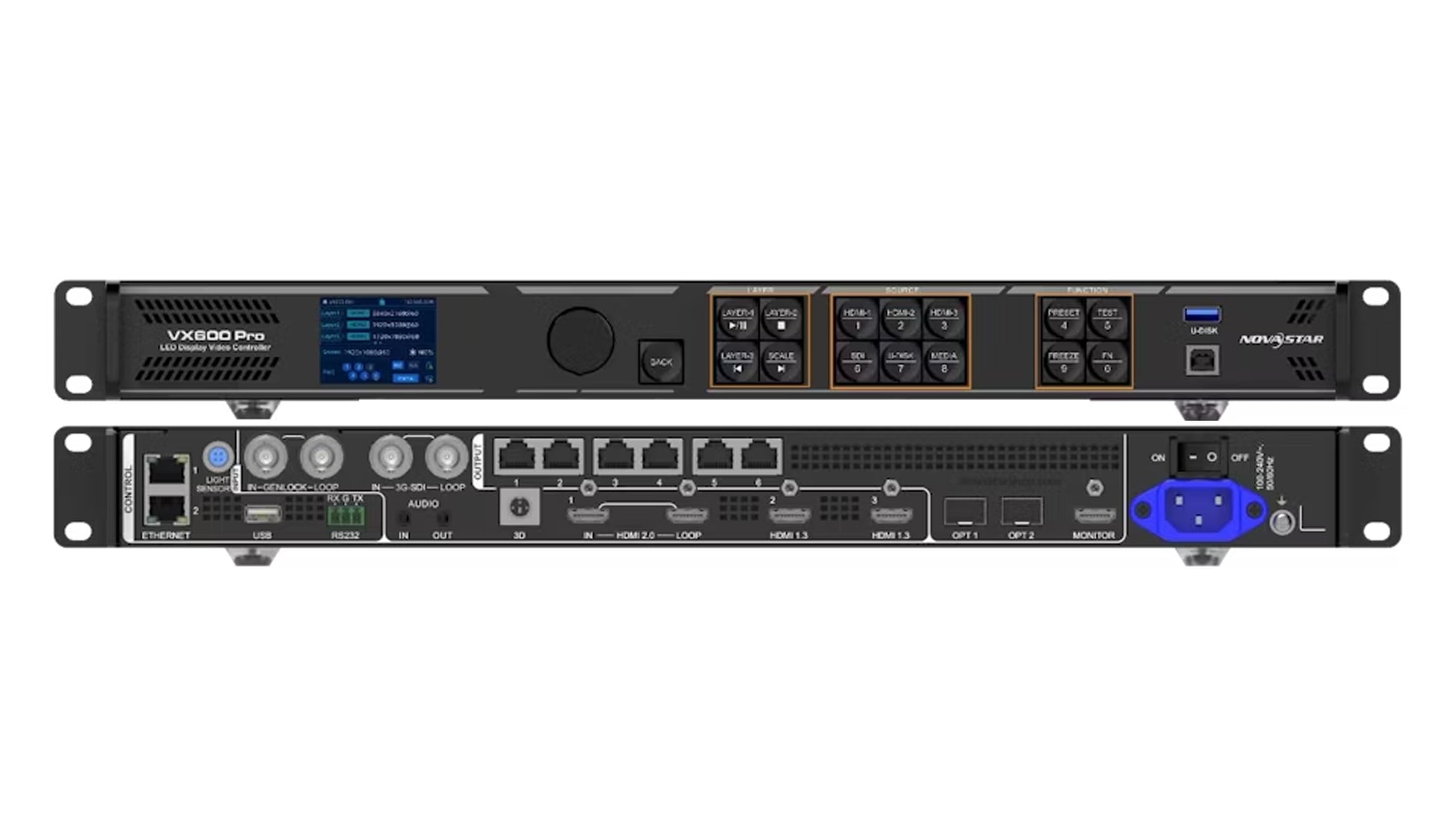
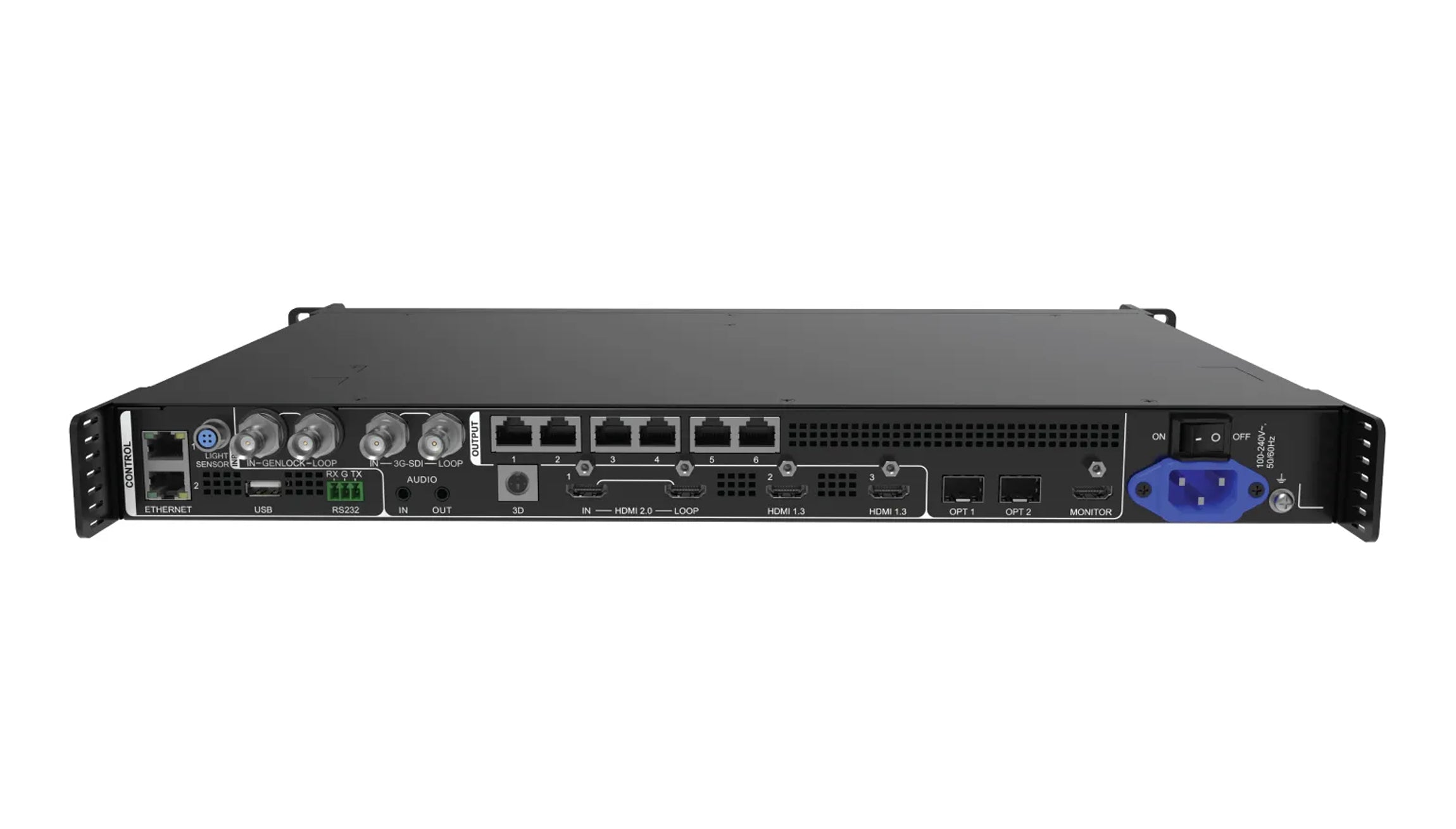
Optical ports let you place the NovaStar VX Pro at front of house and run fiber to the stage. The VX600 Pro page lists two 10G optical ports, with OPT 1 adapting to input or output depending on the connected device. The VX2000 Pro has four: OPT 1 and 2 can work as video inputs or sending outputs, while OPT 3 and 4 provide copied or backup outputs. The fiber converter mode turns the unit into an optical-to-Ethernet converter rather than a full video processor. Match the optical modules and fiber type to the receiving equipment; the ports are not interchangeable by default.
03. Layer resources and picture-in-picture
On every NovaStar VX Pro model, layers are counted in 2K x 1K resources. The three smaller models have six resources and the VX2000 Pro has twelve. A 4K x 2K layer uses four resources, so on a VX600 Pro one 4K layer leaves two resources for other windows. If the show needs a 4K background plus several camera or presentation windows, count resources before choosing the model, not just ports.
04. Backup and redundancy
For live events, backup matters as much as capacity. Our VX1000 Pro page lists input backup, device backup and Ethernet backup options, and states that saved settings are retained after a power interruption. Ethernet backup uses spare output ports, so plan for it when you count ports: a wall that needs all six ports on a VX600 Pro leaves nothing for a backup loop. The VX2000 Pro adds optical copy and backup outputs on OPT 3 and OPT 4, which suits long fiber runs to large stages.
05. Monitoring, audio and control
Each NovaStar VX Pro model has an HDMI 1.3 monitoring output. On the VX600 Pro it is fixed at 1920 x 1080 at 60 Hz, so it shows a preview rather than the full LED canvas. The VX400 Pro page lists a 3.5 mm audio input and output, which helps when the controller also feeds a small sound system. Rear-panel photos of the 1U models show a light sensor input and RS232 control terminals, and the VX600 Pro and VX2000 Pro photos also show genlock in and loop connectors for synchronizing with broadcast cameras. Confirm any of these connectors on the product page for the exact model before you rely on them in a show design.
4. Which NovaStar VX Pro fits your project
For most buyers the NovaStar VX Pro choice follows directly from wall resolution. The profiles below show where each NovaStar VX Pro model usually fits, based on the specifications above.
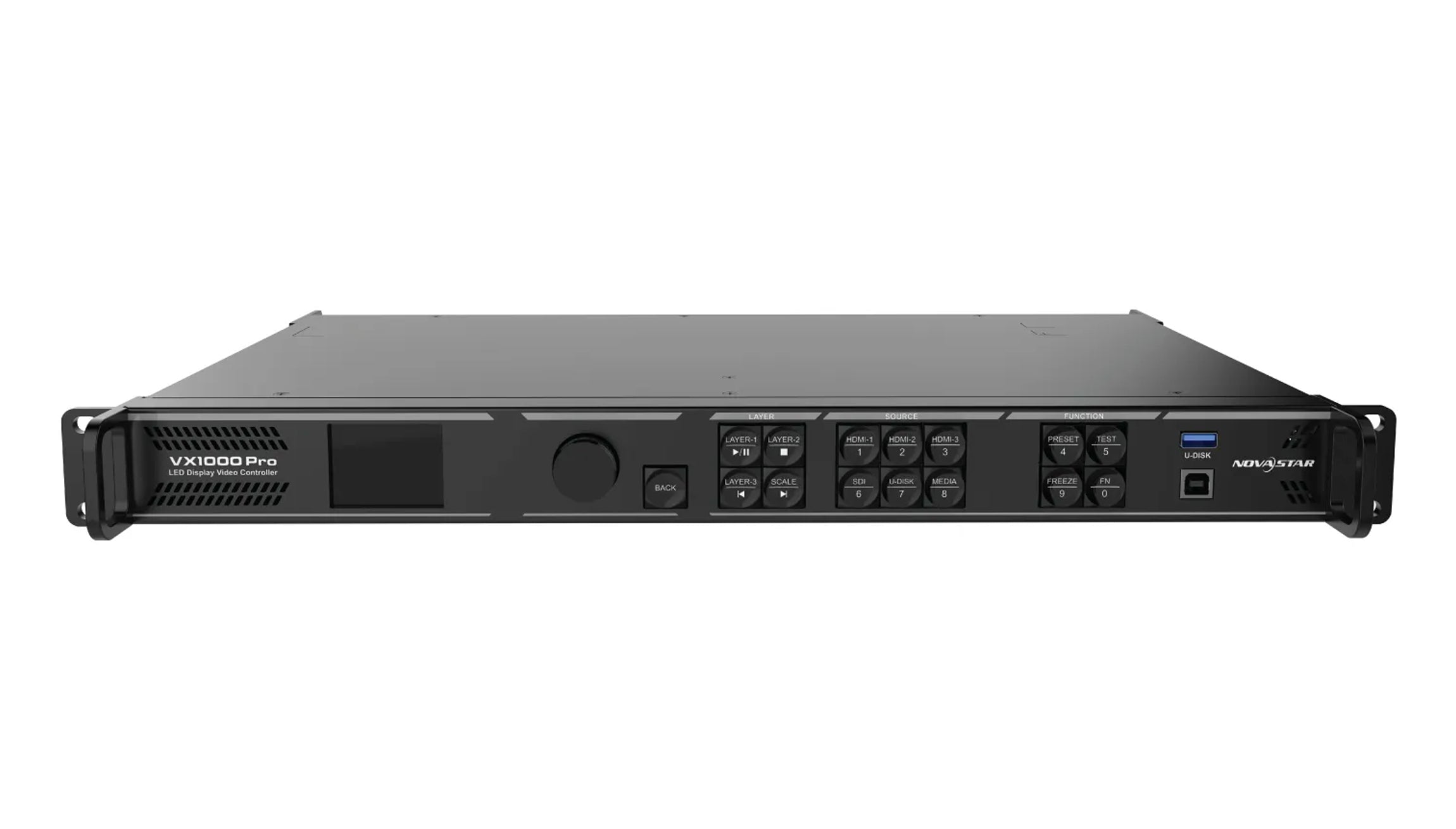
| Model | Good fit when | Look at the next model up when |
|---|---|---|
| VX400 Pro | The wall is around Full HD (about 2 million pixels) or smaller, with up to four port groups | The cabinet map needs a fifth port or you plan to grow the wall |
| VX600 Pro | The wall is up to about 3.5 million pixels and you want genlock or 10G optical links | The wall approaches 3.9 million pixels or needs more than six ports |
| VX1000 Pro | Wide stage walls such as 3840 x 1080 or 3840 x 1440, within 10,240 pixels of width | The wall is native 4K, wider than 10,240 pixels, or needs more than six layer resources |
| VX2000 Pro | Native 4K walls, very wide ribbons up to 16,384 pixels, DP or 12G-SDI sources, or many layers | The wall exceeds 13 million pixels, which needs more than one unit |
For rental inventory, one size larger than the current wall lets the same unit serve a bigger stage later. For fixed installations, matching the model closely to the wall keeps cost down, but it is still worth leaving port headroom for a spare cabinet row or a later extension.
5. NovaStar VX Pro selection mistakes to avoid
These are common errors in controller selection. Each one can be checked before the order is placed.
01. Choosing by physical screen size
Two walls of the same size in meters can differ by a factor of four in pixels, and a NovaStar VX Pro only counts pixels. Always start from pixel width and pixel height.
02. Ignoring the per-port limit
A wall at 3.7 million pixels sits under the VX600 Pro’s 3.9 million limit, but if its cabinets do not divide into six groups of 650,000 pixels or less, it will not map. Draw the port groups first.
03. Treating the 4K input as 4K output
Buying a VX1000 Pro for a native 3840 x 2160 wall is a common mistake. The input accepts 4K, but the output capacity of 6.5 million pixels is below the 8.3 million that wall needs.
04. Forgetting receiving card conditions
Our VX1000 Pro page notes that free topology requires specific receiving cards, that ByPass disables video processing, and that low-latency and 3D operation have configuration limits. Confirm the receiving cards in the cabinets and the features the show needs before ordering.
05. Running out of layers
A 4K background layer uses four of the six resources on the smaller models. If the show needs several windows on top, the VX2000 Pro’s twelve resources may matter more than its extra ports.
Frequently asked questions
What is the difference between the VX600 Pro and the VX1000 Pro?
Mainly output capacity. The VX600 Pro has six Ethernet outputs and up to 3.9 million pixels; the VX1000 Pro has ten outputs and up to 6.5 million pixels. Both list the same HDMI inputs, the same 10,240 x 8,192 pixel width and height limits and six layer resources.
Can a VX1000 Pro drive a 3840 x 2160 LED wall?
Not from a single unit at native resolution. That wall has 8,294,400 pixels, above the VX1000 Pro’s 6.5 million pixel capacity. The VX2000 Pro, at up to 13 million pixels, covers it on paper; confirm the port mapping first.
Is the NovaStar VX Pro a video processor or a sending box?
Both. Each model combines video processing, such as scaling and layer composition, with LED sending outputs. It can also run as a fiber converter or in ByPass mode, which disables video processing.
Do I need a computer to run a NovaStar VX Pro controller?
Not for daily operation. The units have front-panel controls, presets and USB media playback. Setup and receiving card configuration are usually done in NovaLCT, and the series can also be controlled from Unico or the VICP app.
Does the NovaStar VX Pro series support 10-bit output?
Our VX2000 Pro page lists a per-port load of 480,000 pixels at 10-bit, against 650,000 pixels at 8-bit. The pages for the smaller models quote their per-port figures at 8-bit. Higher bit depth therefore lowers the pixels each port can carry, so a 10-bit show needs more ports for the same wall. Confirm the bit depth, frame rate and receiving cards for your exact model before you finalize the port map.
Which model should I choose if my wall will grow next year?
Size for the larger wall. Calculate the future resolution and port groups, then choose the model that covers both. Upgrading later means replacing the controller, while spare ports cost nothing in operation.
Getting a VX Pro quote for your LED wall
You can compare the full specifications on our product pages for the NovaStar VX400 Pro, VX600 Pro, VX1000 Pro and VX2000 Pro, or browse the wider LED video controller range. If you are also choosing between show controllers, our MX40 Pro vs. CX40 Pro comparison covers the next class up.
To get a confirmed recommendation, send us your LED wall details: pixel width and height, cabinet resolution and layout, receiving card model, input sources and the number of windows the show needs. With those details we can check the port mapping and suggest the model that fits. Product walkthroughs are also posted on the EagerLED YouTube channel.