
EagerLED Academy
NovaStar VX Series Guide: VX400, VX600 and VX1000 vs VX Pro and Legacy Models
Nov
The NovaStar VX series without the “Pro” suffix, the VX400, VX600 and VX1000, drives the same pixel loads as the matching Pro models: 2.6, 3.9 and 6.5 million pixels from 4, 6 and 10 Ethernet ports. The Pro versions add an HDMI 2.0 input for 4K at 60 Hz, more layer resources and USB media playback. Older models such as the VX4S-N, VX6s and VX16S are listed as out of production, so a failed unit is usually replaced with a current model sized to the same wall.
This guide is for owners and service technicians who run an existing NovaStar VX series controller, and for buyers deciding between a standard VX and a VX Pro. It compares the current models, explains what changed with the Pro versions, maps the discontinued units to current replacements and lists what to check before you swap a controller on a working wall. Every figure comes from the product pages in our store.
If you are choosing a new controller for a new wall, our NovaStar VX Pro comparison covers sizing in more depth. This article focuses on the standard models and on replacement.
1. The current NovaStar VX series models
Each NovaStar VX series unit combines video processing and LED sending in one rack-mount box. It accepts video sources, scales them to the wall’s resolution and sends the data to the receiving cards over Gigabit Ethernet. The product pages list three working modes: video controller, fiber converter and Bypass.
| Item | VX400 | VX600 | VX1000 |
|---|---|---|---|
| Gigabit Ethernet outputs | 4 | 6 | 10 |
| Loading capacity | 2.6 million pixels | 3.9 million pixels | 6.5 million pixels |
| Maximum width / height | 10,240 / 8,192 pixels | 10,240 / 8,192 pixels | 10,240 / 8,192 pixels |
| HDMI inputs | HDMI 1.3 with loop, HDMI 1.3 | HDMI 1.3 with loop, HDMI 1.3 | HDMI 1.4 with loop, HDMI 1.4 |
| DVI inputs | 1 with loop | 1 with loop | 1 with loop, plus 1 |
| Other inputs | 3G-SDI with loop, OPT 1 | 3G-SDI with loop, 10G OPT 1 | 3G-SDI with loop, 10G OPT 1 |
| Fiber outputs | OPT 1 copies, OPT 2 copies or backs up the 4 ports | OPT 1 copies, OPT 2 copies or backs up the 6 ports | Not detailed on our page |
| Layers | 2 | Main and PIP layers | 3 |
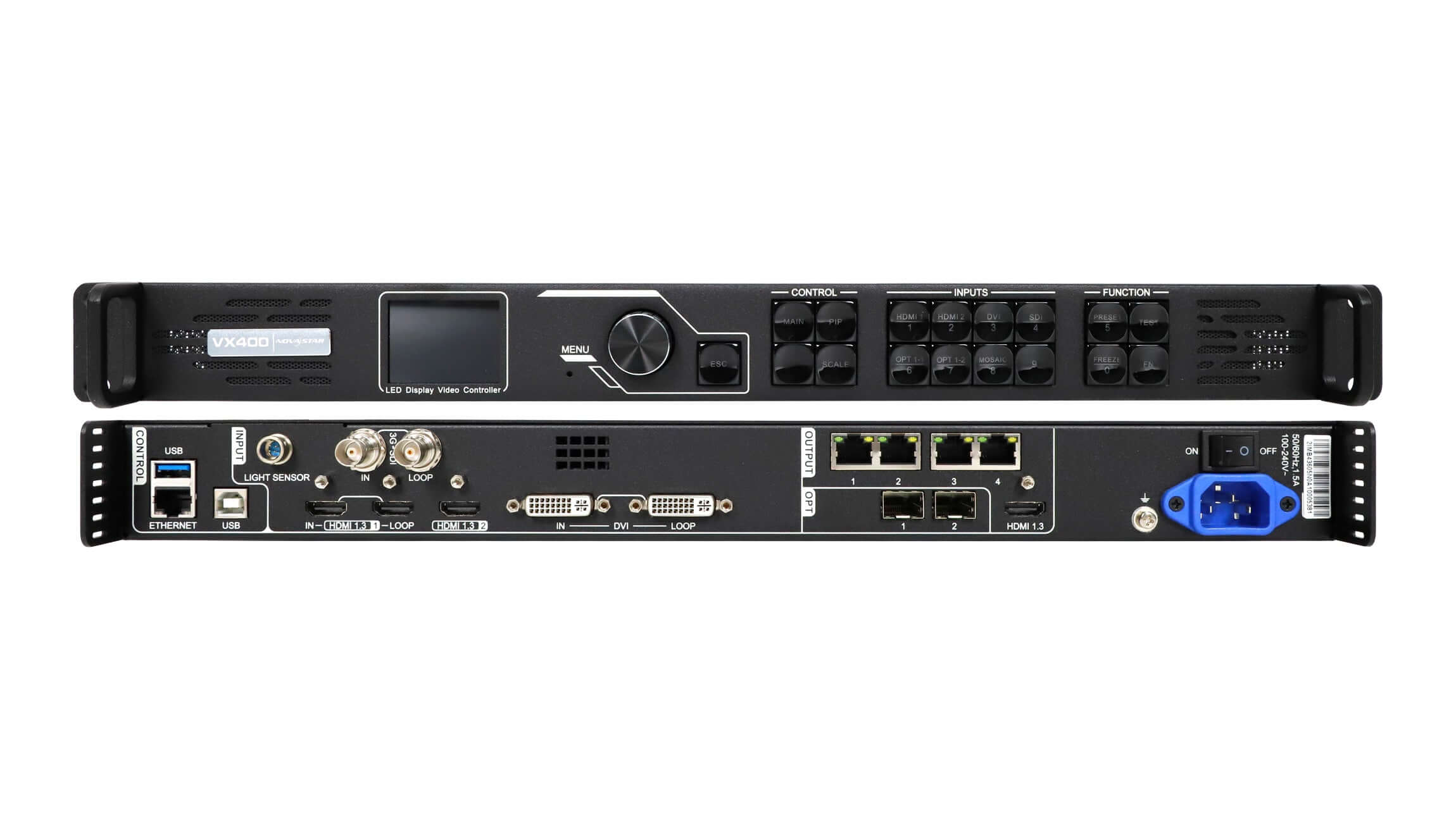
01. VX400
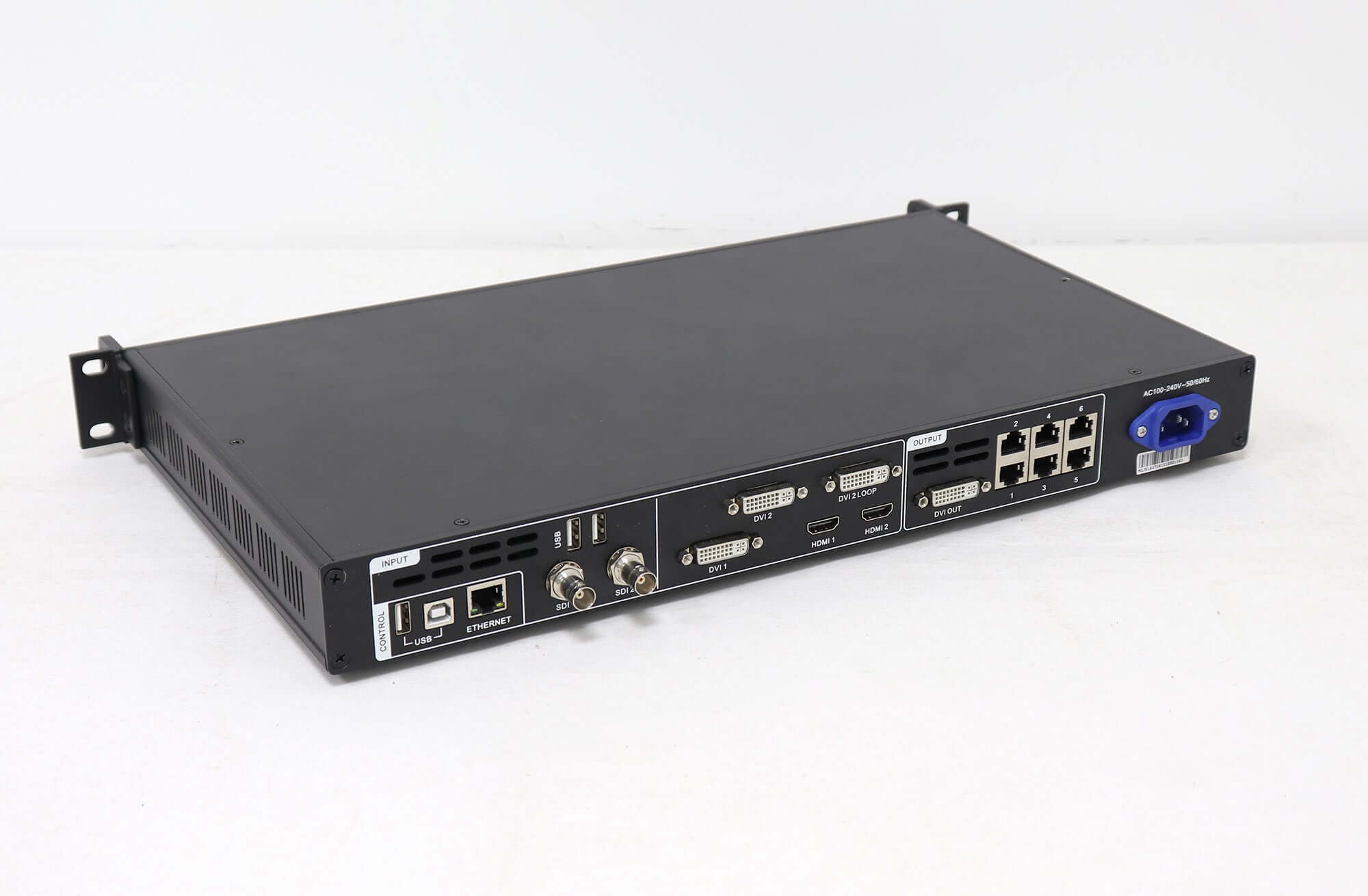
The VX400 drives up to 2.6 million pixels from four Ethernet ports. Its page lists two layers with adjustable size, position and priority, audio input with the HDMI source and audio output through a multifunction card, and a low-latency function that reduces the delay from input to receiving card to 20 lines when both low latency and Bypass mode are enabled. An internal input source can serve as the sync source for cascaded units.
02. VX600
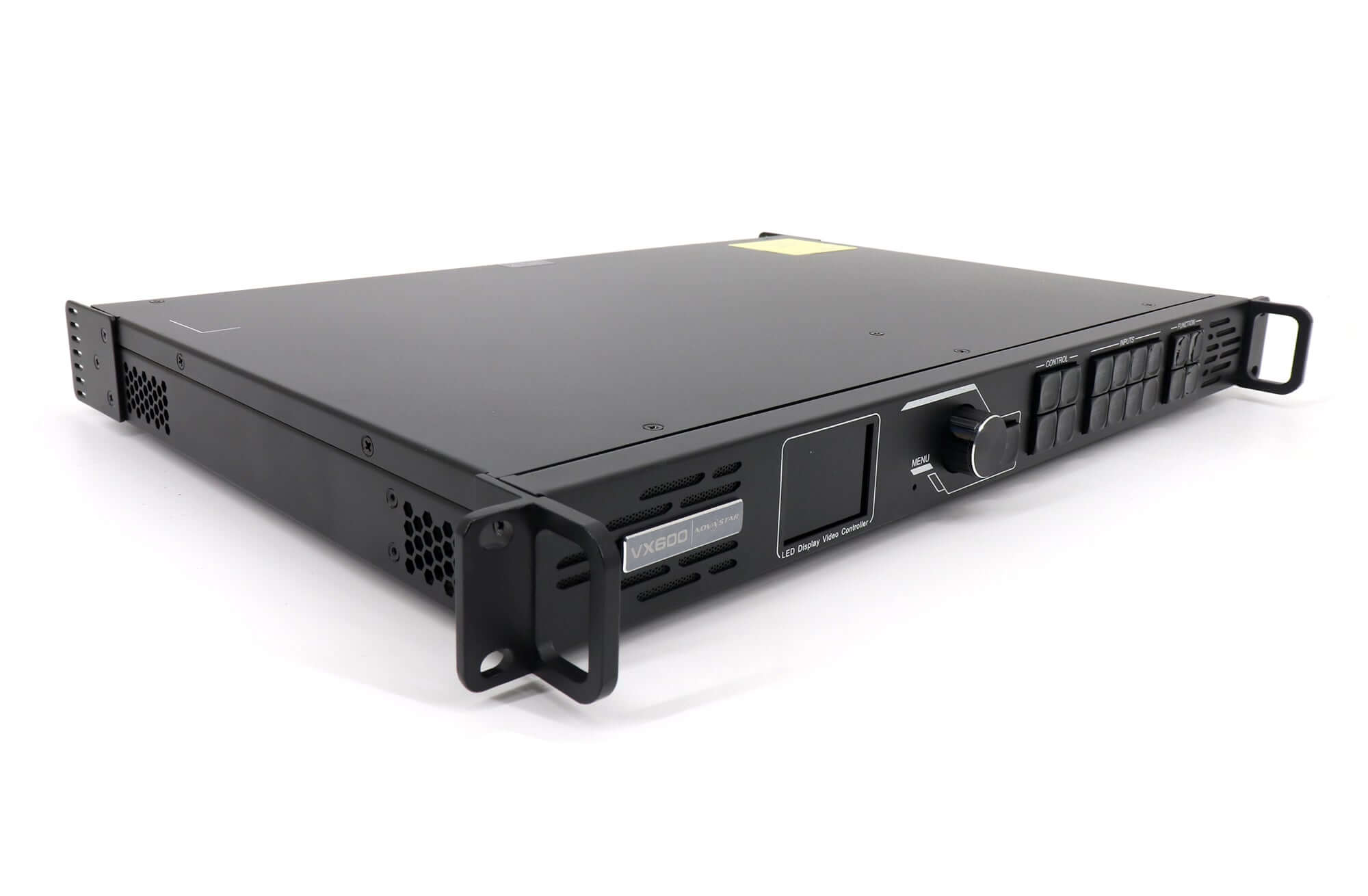
The VX600 adds two Ethernet ports for 3.9 million pixels and upgrades OPT 1 to a 10G optical port. Its page lists stepless output scaling, low latency and control through NovaLCT and the V-Can software for screen configuration, Ethernet port backup, layer management, presets and firmware updates.
03. VX1000
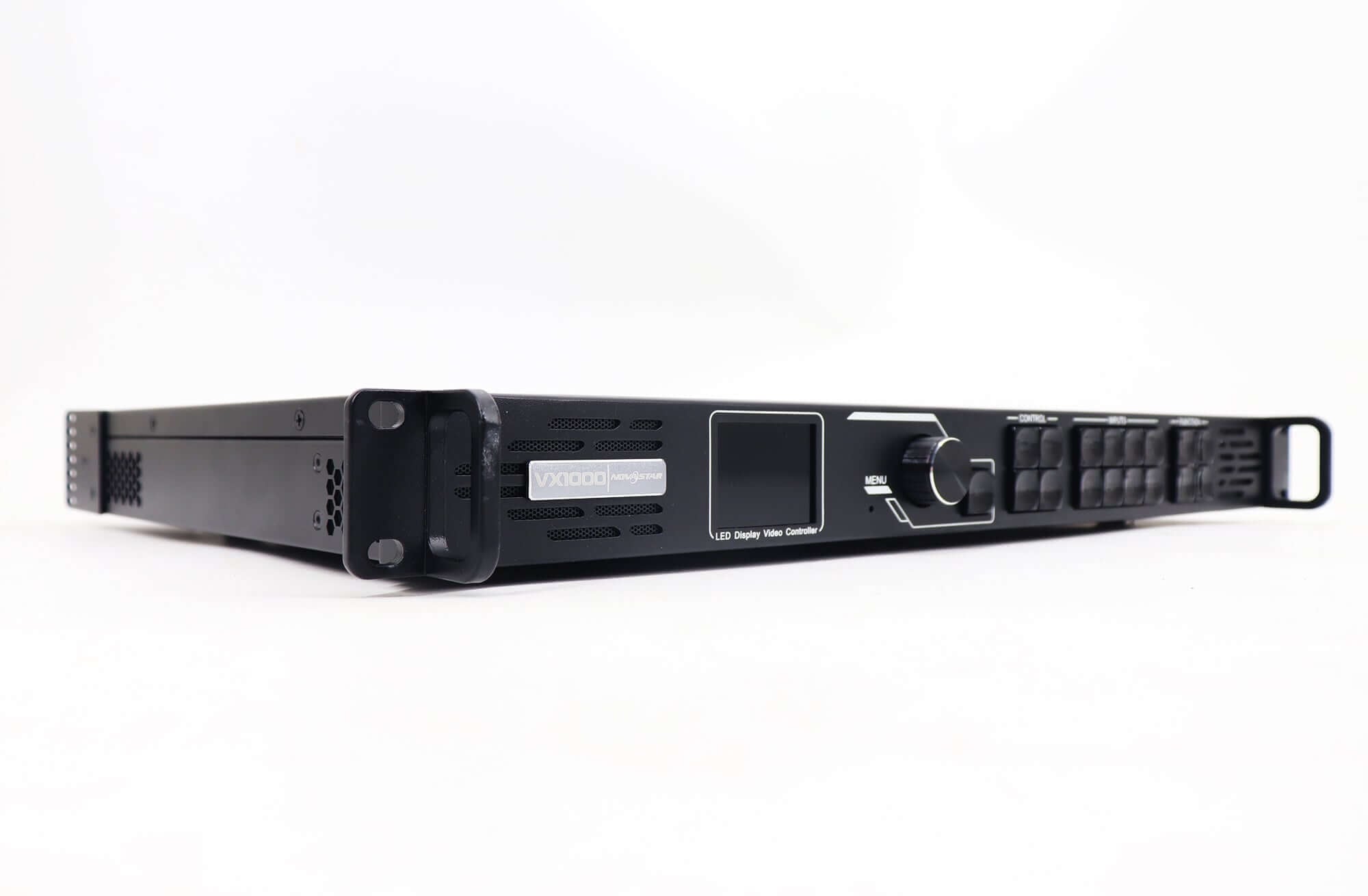
The VX1000 drives 6.5 million pixels from ten ports and has a larger input set: two HDMI 1.4, two DVI, 3G-SDI and a 10G optical port. Its page lists three layers, processing of 4K x 1K at 60 Hz images, 3D and pixel-level brightness and chroma calibration, and describes it for medium and high-end rental, stage control and fine-pitch screens.
04. What the three models share
Every current NovaStar VX series model lists the same three working modes, the same 10,240 x 8,192 pixel width and height limits, a 3G-SDI input with loop and an optical port that can act as input or output. The VX400 and VX600 pages list audio input with the HDMI source and audio output through a multifunction card, and the VX400 page notes that an internal input source can be used as the sync source so cascaded units stay in step. In practice, a crew that knows one NovaStar VX series unit can operate the others with little retraining, which matters for rental companies that mix sizes across shows.
2. VX versus VX Pro: what actually changes
Comparing the standard and Pro pages model by model shows a clear pattern: output capacity stays the same, while inputs and layers improve.
| Pair | Same in both | Standard model | Pro model |
|---|---|---|---|
| VX400 / VX400 Pro | 4 ports, 2.6 million pixels, 10,240-pixel width | HDMI 1.3 inputs; 2 layers | HDMI 2.0 up to 4096 x 2160 at 60 Hz; 6 x 2K x 1K layer resources; 256 presets; USB playback |
| VX600 / VX600 Pro | 6 ports, 3.9 million pixels, 10,240-pixel width, 10G optical | HDMI 1.3 inputs; main and PIP layers | HDMI 2.0 up to 4096 x 2160 at 60 Hz; 6 x 2K x 1K layer resources; USB playback |
| VX1000 / VX1000 Pro | 10 ports, 6.5 million pixels, 10,240-pixel width | 2 HDMI 1.4, 2 DVI; 3 layers; 4K x 1K at 60 Hz processing | HDMI 2.0 up to 4096 x 2160 at 60 Hz plus 2 HDMI 1.3; 6 x 2K layers; USB playback |
01. When the standard model is enough
If your sources are 1080p computers, cameras or media players, a standard NovaStar VX series unit does the same sending job as the Pro at each size. That makes it a sensible like-for-like replacement for a failed standard unit, because the presets and workflow match what the crew already knows.
02. When the Pro is worth it
Choose the Pro when you need a native 4K 60 Hz source over HDMI 2.0, more than two or three windows on the wall, or USB media playback without a computer. The Pro’s six 2K layer resources make multi-window shows much easier to build.
03. Mixing standard and Pro units in one fleet
Many rental stocks already hold standard NovaStar VX series units and add Pro models over time. Both families list NovaLCT for configuration, so screen configuration files and cabinet mapping follow the same logic. The differences show up in show operation: layer counts, the HDMI 2.0 input and USB playback exist only on the Pro. When a show file is built on a Pro unit with more than two or three layers, it will not run the same way on a standard unit, so label each case clearly and match the controller to the show design, not just to the wall size.
3. Discontinued VX models and their replacements
Several older NovaStar VX series models are still running on screens but are no longer available. Our pages list their status and, where given, a recommended alternative.
| Model | Status on our page | Key specifications | Replacement to consider |
|---|---|---|---|
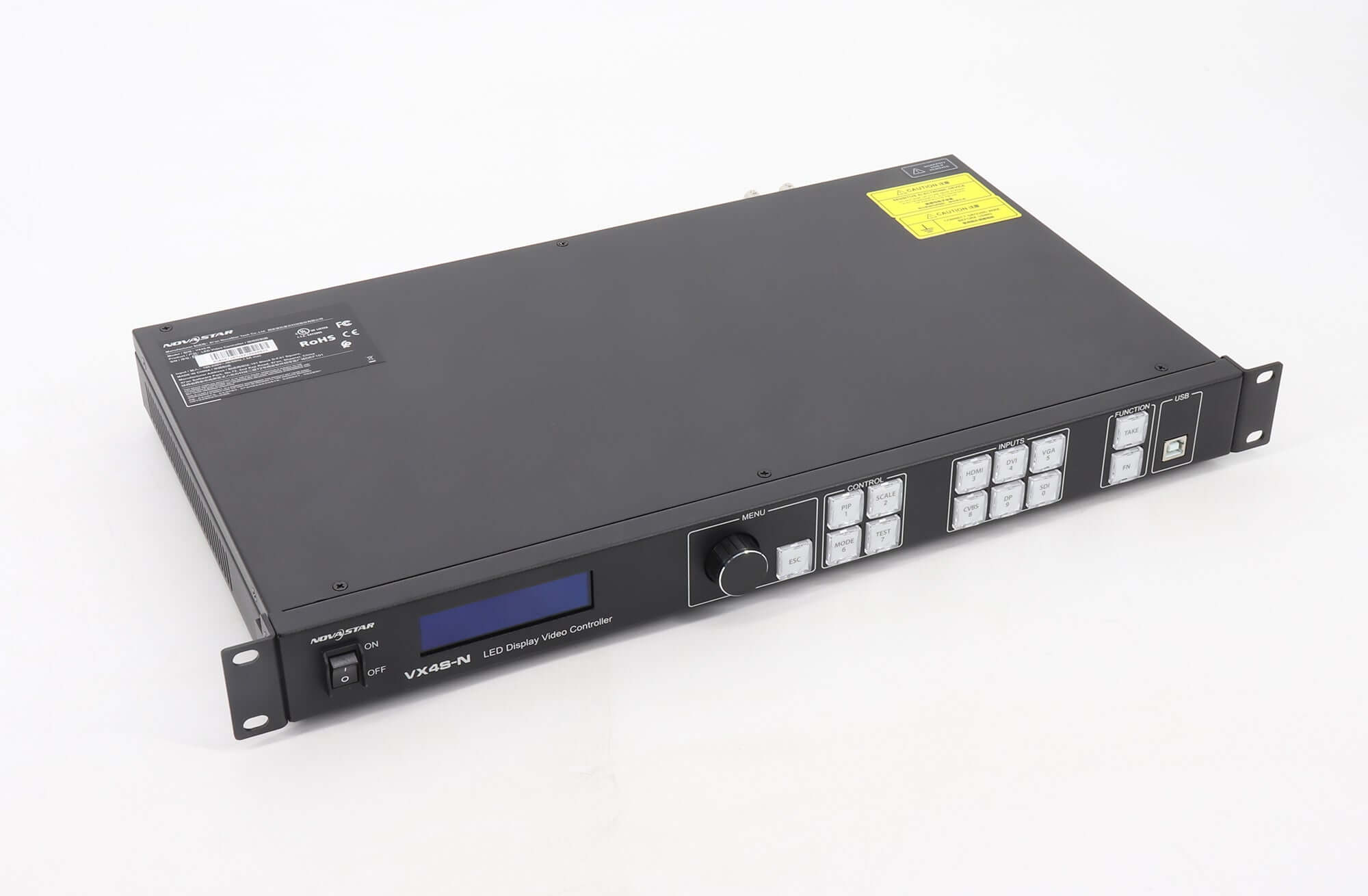
| VX4S-N | Out of production | 4 Gigabit outputs; up to 2,300,000 pixels | VX400 or VX400 Pro, which cover 2.6 million pixels from 4 ports |
| VX6s | No longer in production | Up to 7 inputs including 2 x 3G-SDI, 2 x HDMI 1.3 and 2 x DVI; video output up to 4,096 pixels wide; 16 user scenarios | VX600, named as the recommended alternative |
| VX16S | No longer in production, out of stock | 16 ports; up to 10.4 million pixels; 16,384 wide or 8,192 high; 1 x HDMI 2.0, 4 x DVI, 2 x 3G-SDI; 1 x 4K main and 2 x 2K PIP layers | VX2000 Pro, named as the recommended alternative |
| VX400s-N | Listed | 4 ports; up to 2.3 million pixels; up to 3,840 wide and 3,840 high | For larger walls, VX400 or VX400 Pro |
01. Check inputs before you replace
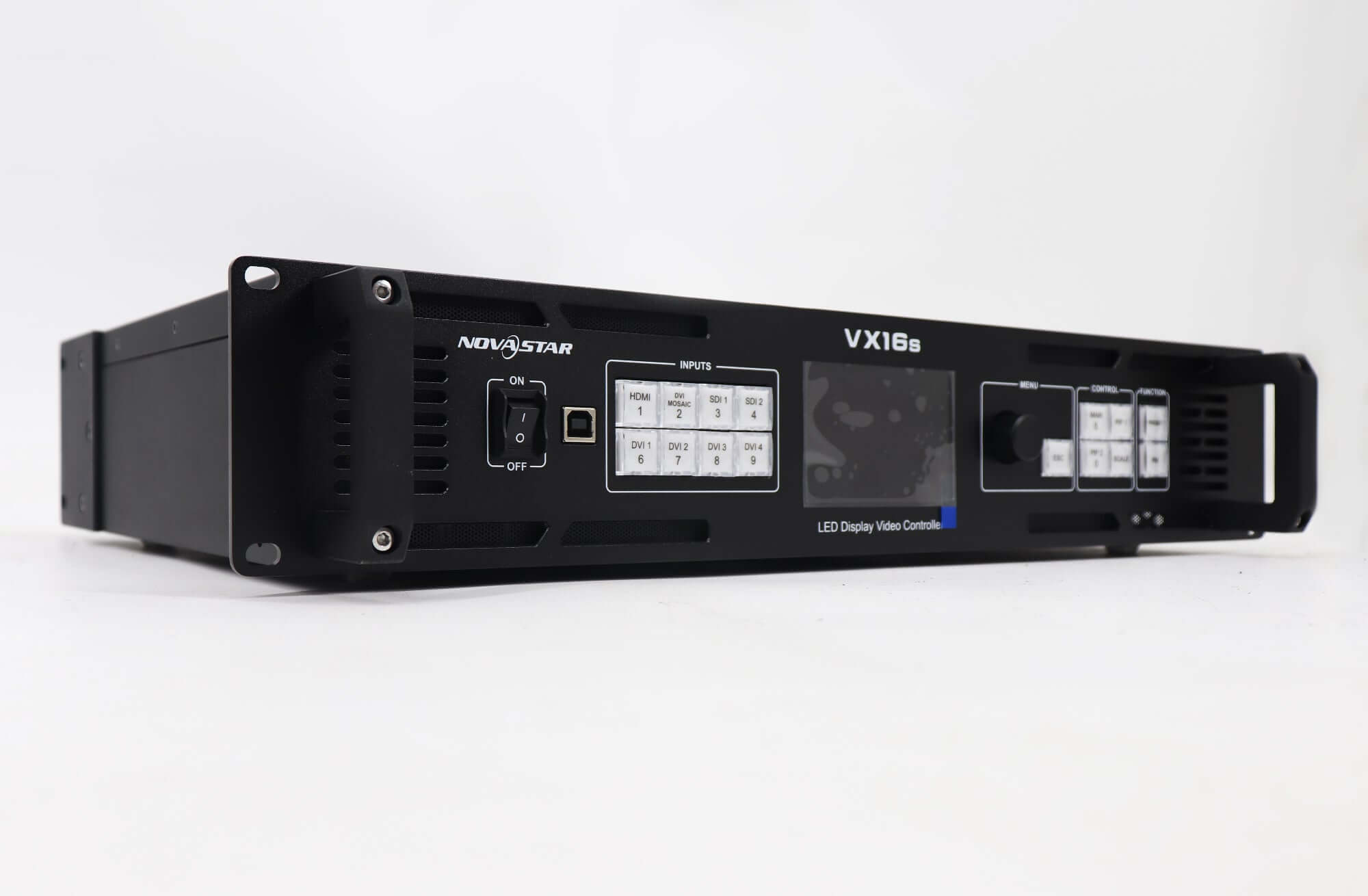
Older units sometimes accept inputs that the current models do not. The VX4S-N front panel, for example, has keys for VGA, CVBS and DP sources, while the current VX400 page lists HDMI, DVI, 3G-SDI and optical inputs. If the old system relies on a VGA or composite source, add a converter or change the source before swapping the controller.
02. Check the width
The VX6s page lists a maximum video output width of 4,096 pixels and the VX400s-N page lists 3,840 pixels. The current VX400, VX600 and VX1000 all list 10,240 pixels, so width is rarely a problem when moving up, but the port mapping still has to be rebuilt for the new unit.
03. Replacing a VX16S with a VX2000 Pro
The VX16S is the largest discontinued NovaStar VX series model, and its page names the VX2000 Pro as the alternative. The VX2000 Pro offers more capacity, 13 million pixels from 20 ports against 10.4 million from 16, with the same 16,384-pixel maximum width. The inputs are different, though. The VX16S lists one HDMI 2.0, four single-link DVI and two 3G-SDI inputs. The VX2000 Pro page lists DisplayPort 1.2, two HDMI 2.0, four HDMI 1.3 and a 12G-SDI input, with no DVI inputs in its connection list. If the old system feeds the VX16S over DVI, plan DVI-to-HDMI conversion or change the source outputs before the swap. Layers also change, from one 4K main and two 2K PIP layers on the VX16S to twelve 2K x 1K resources on the VX2000 Pro, so rebuild the show presets.
04. Where the VX400s-N still fits
The VX400s-N is still listed on our pages and covers smaller walls. It has four Ethernet outputs, drives up to 2.3 million pixels and lists a maximum width and height of 3,840 pixels each. Its inputs are HDMI 1.3 with loop, a second HDMI 1.3 and 3G-SDI with loop, with no DVI input listed. For a square or near-square wall up to that size fed from HDMI or SDI, it remains a workable NovaStar VX series option. For wider walls, DVI sources or optical links, the VX400 is the better match.
4. Replacing a NovaStar VX series controller on a working wall
Swapping a NovaStar VX series controller is mostly a configuration task. The receiving cards in the cabinets keep their own settings, but the new controller has to know how the wall is mapped.
01. Save what you can from the old unit
If the old controller still powers on, export the screen configuration and record the port mapping, input settings and presets in NovaLCT or the controller menu. If it is dead, photograph the cabling at the rear, noting which Ethernet port feeds which cabinet chain.
02. Match ports to cabinet chains
Connect each cabinet chain to the same numbered port on the new unit, or rebuild the mapping in software if the port count changes. When moving from a VX4S-N to a VX400, both have four ports, so the cabling can usually stay as it is. When moving from a VX6s to a VX600, both have six.
Inputs need the same comparison. The VX6s lists two 3G-SDI, two HDMI 1.3 and two DVI inputs, while the VX600 lists one 3G-SDI with loop, two HDMI 1.3 and one DVI with loop, plus an optical input. A show that used both SDI inputs or both DVI inputs on the VX6s will need one source rerouted, converted or moved to the optical input before the VX600 can replace it.
03. Use the port and fiber backup
The VX400 and VX600 pages list OPT 2 as able to copy or back up all Ethernet outputs, and the VX600 page lists Ethernet port backup settings in its software. If the old system had no backup, the replacement is a good moment to add it for live events.
04. Test before the show
Load the configuration, display a test pattern and check every cabinet for correct position, color and brightness before the first event. Keep the old unit’s notes with the new one, so the next service visit starts from a clear record.
05. Software and firmware
Make sure the NovaLCT version on the service laptop supports the replacement model before you arrive on site. A newer NovaStar VX series or VX Pro unit may not appear correctly in an old software version, and updating the software in the middle of a load-in costs time. If the replacement arrives with different firmware from the rest of the fleet, decide whether to align it before it goes into service.
5. Which NovaStar VX series model to buy
Start from the wall’s pixel count and the sources you need. For walls up to about 2.6 million pixels with 1080p sources, the VX400 is the like-for-like choice. Up to 3.9 million pixels, choose the VX600. Up to 6.5 million pixels or with more HDMI and DVI sources, choose the VX1000. If any source must run at 4K 60 Hz over HDMI, or the show needs many windows, step up to the matching Pro model.
Inputs deserve the same attention as capacity. List every source the wall uses with its connector type. The VX400 and VX600 accept HDMI 1.3, DVI and 3G-SDI, plus an optical input; the VX1000 adds a second DVI and moves to HDMI 1.4. If the venue relies on DisplayPort or 12G-SDI sources, none of the standard NovaStar VX series models lists those inputs, so look at the VX2000 Pro or plan a converter. Getting this right avoids buying a controller with the correct pixel capacity that cannot accept the main source.
01. A quick sizing example
A rental wall of 2,560 x 1,440 pixels has 3,686,400 pixels. That is above the VX400’s 2.6 million and below the VX600’s 3.9 million, so the VX600 or VX600 Pro fits. At 650,000 pixels per port, as listed for the VX Pro models, the wall needs at least six port groups, which uses every port on a six-port unit. If the cabinet map does not split evenly, the VX1000 gives more room. This is an illustrative calculation; confirm the cabinet map for your wall.
02. Spares for a rental fleet
For a rental company, one spare controller per size class in regular use is a common approach. Because each standard NovaStar VX series model has the same capacity as its Pro counterpart, a VX600 Pro can stand in for a failed VX600 on most shows, while the reverse only works if the show uses no more layers than the standard unit offers and no HDMI 2.0 source. Buying the Pro as the spare therefore covers both cases.
Frequently asked questions
What is the difference between the NovaStar VX600 and VX600 Pro?
Both have six Ethernet outputs and drive up to 3.9 million pixels. The VX600 Pro adds an HDMI 2.0 input for 4096 x 2160 at 60 Hz, six 2K layer resources and USB media playback.
How many pixels can a NovaStar VX series controller drive?
Our pages list 2.6 million pixels for the VX400, 3.9 million for the VX600 and 6.5 million for the VX1000, from 4, 6 and 10 Ethernet ports. All three list a maximum width of 10,240 pixels and a maximum height of 8,192 pixels.
Is the NovaStar VX4S-N still available?
No. Our page lists it as out of production. The VX400 or VX400 Pro, with four ports and 2.6 million pixels, covers the same wall sizes.
What replaces the NovaStar VX6s?
Our VX6s page names the VX600 as the recommended alternative. Check that your sources match the VX600’s inputs before ordering.
What replaces the NovaStar VX16S?
Our VX16S page names the VX2000 Pro as the recommended alternative and asks buyers to confirm compatibility first.
Do the standard and Pro NovaStar VX series units use the same software?
Both families list NovaLCT for configuration on our product pages, and the standard VX600 and VX1000 pages also list V-Can. Show operation differs because the Pro models have more layers and extra inputs.
Can the standard VX1000 accept a 4K source?
Its page lists processing of 4K x 1K at 60 Hz images and HDMI 1.4 inputs. For a 3840 x 2160 at 60 Hz source over HDMI 2.0, the VX1000 Pro lists the HDMI 2.0 input that supports it.
Getting the right replacement
You can compare full specifications on our product pages for the NovaStar VX400, VX600 and VX1000, or browse the full NovaStar range.
For a replacement check, send us your system details: the current controller model, wall resolution, number of Ethernet chains, input sources and, if available, the exported configuration file. We can then suggest the matching NovaStar VX series or VX Pro model. Product videos are also on the EagerLED YouTube channel.