



EagerLED EA100U LED Video Processor with USB Playback
$ 95.00
EagerLED EA100U LED video processor with USB playback, video/picture mixing, 1920 × 1280 resolution, custom EDID, and signal hot backup. Confirm source timing and sending-card compatibility before ordering.
9982 in stock
The EagerLED EA100U LED video processor combines USB media playback with video processing for LED display systems. It supports USB video and picture mixing, custom resolution settings, input EDID customization, and fade transitions between signals. The published specification lists a resolution of 1920 × 1280 and 3G-SDI input support.
For AV integrators selecting a processor, the key checks are the source signal, the LED wall’s pixel dimensions, and the downstream sending-card configuration. Confirm these together before ordering; a processor’s resolution specification alone does not establish compatibility with an entire LED wall.
EagerLED EA100U features at a glance
On smaller screens, scroll the specification table horizontally to view all columns.
| Function | Published capability | Project check |
|---|---|---|
| USB media playback | Video playback and video/picture mixing | File format, encoding, and playback settings |
| Resolution | 1920 × 1280; custom resolution settings | Output timing, refresh rate, and sending-card limits |
| Source configuration | Custom input EDID; 3G-SDI input support | Source interface, resolution, and frame rate |
| Signal transitions | Fade switching; audio/video synchronous switching | Transition behavior with connected sources |
| Screen control | Partial/full-screen switching and one-button black screen | Display region and operating workflow |
| Operation and backup | Full-color IPS display, USB PC control, machine lock, and signal hot backup | Control connection and backup-source configuration |
USB playback and USB PC control
The EA100U supports two different USB functions: playing media and controlling the processor from a PC. USB playback provides a media source for video and pictures. USB PC control provides a way to operate the processor. Check these functions separately when planning the installation.
The linked specification describes front and rear USB playback connections as belonging to one playback group. Do not plan them as two independent playback engines. Send your intended video and image file details when asking about compatibility, and test the final files before deployment.
Resolution and sending-card planning
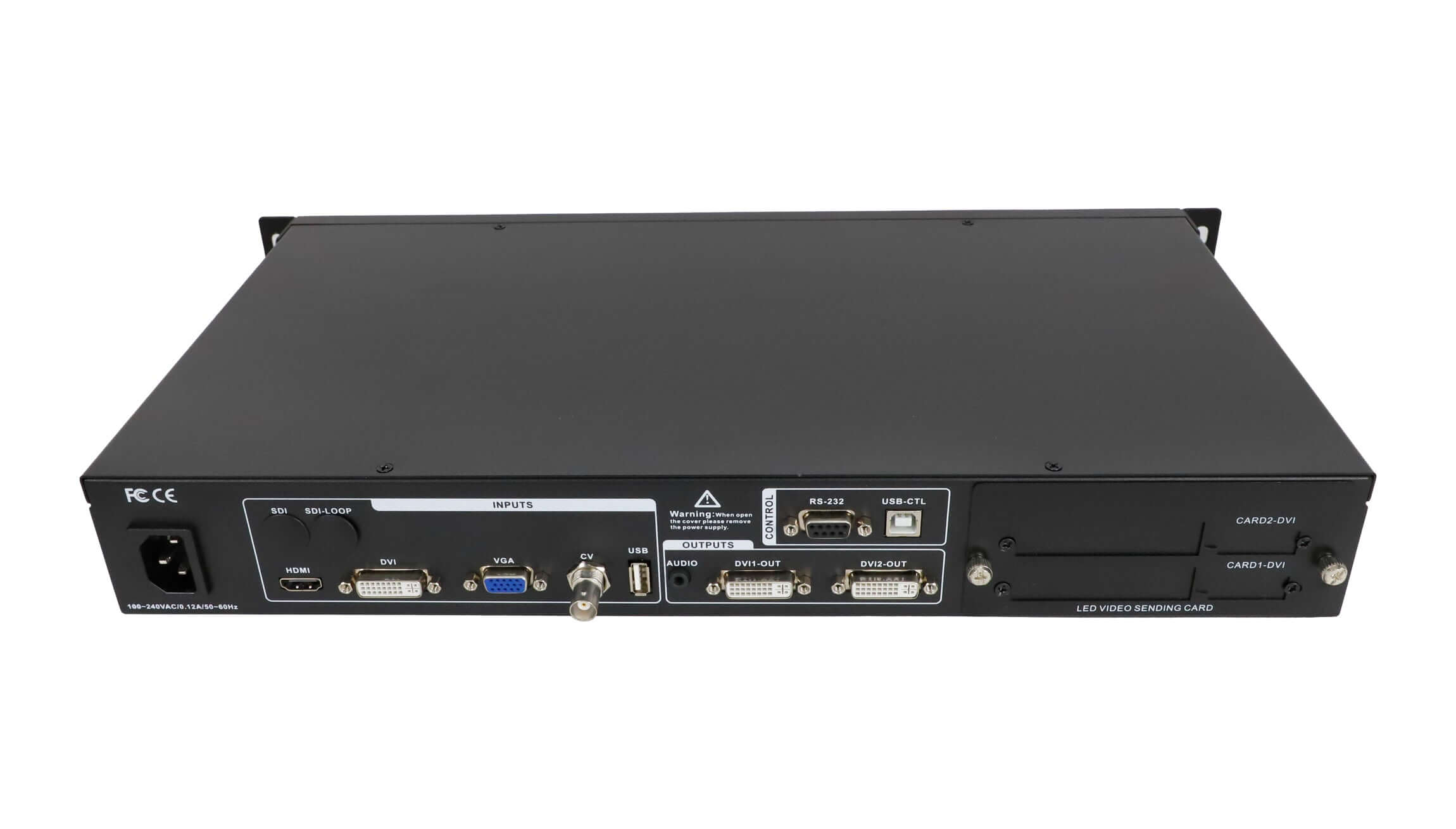
The EA100U specification lists two DVI outputs operating in copy mode. Copy mode duplicates the output; it should not be interpreted as two independent canvases that automatically double the supported resolution. Match the processor output and the downstream LED control system to the wall’s required pixel map.
Provide the LED wall width and height in pixels, the source resolution and frame rate, and the sending-card model for a compatibility check. If you are still selecting the control hardware, browse the LED video processor range and LED sending cards before confirming a complete configuration.
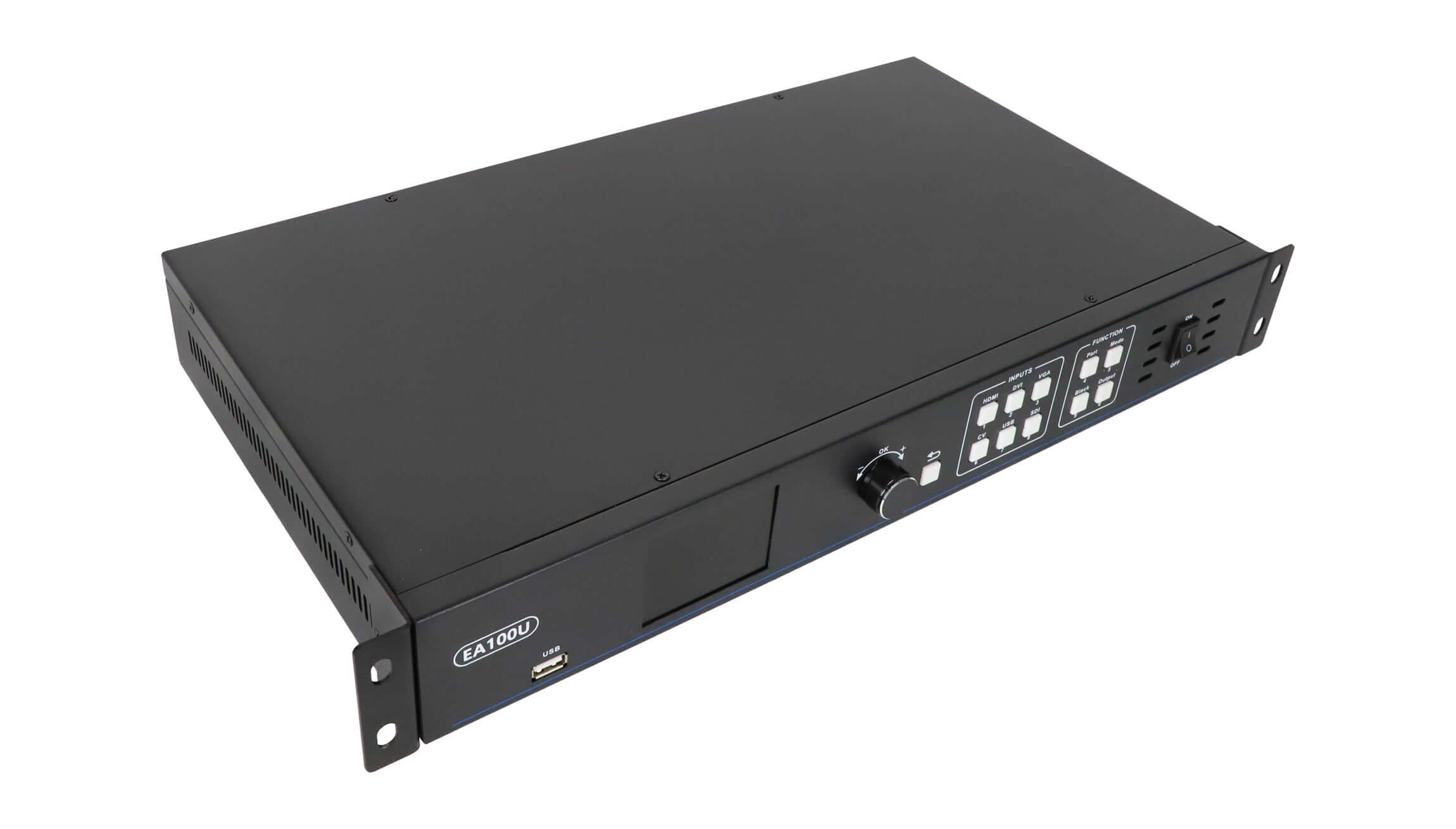
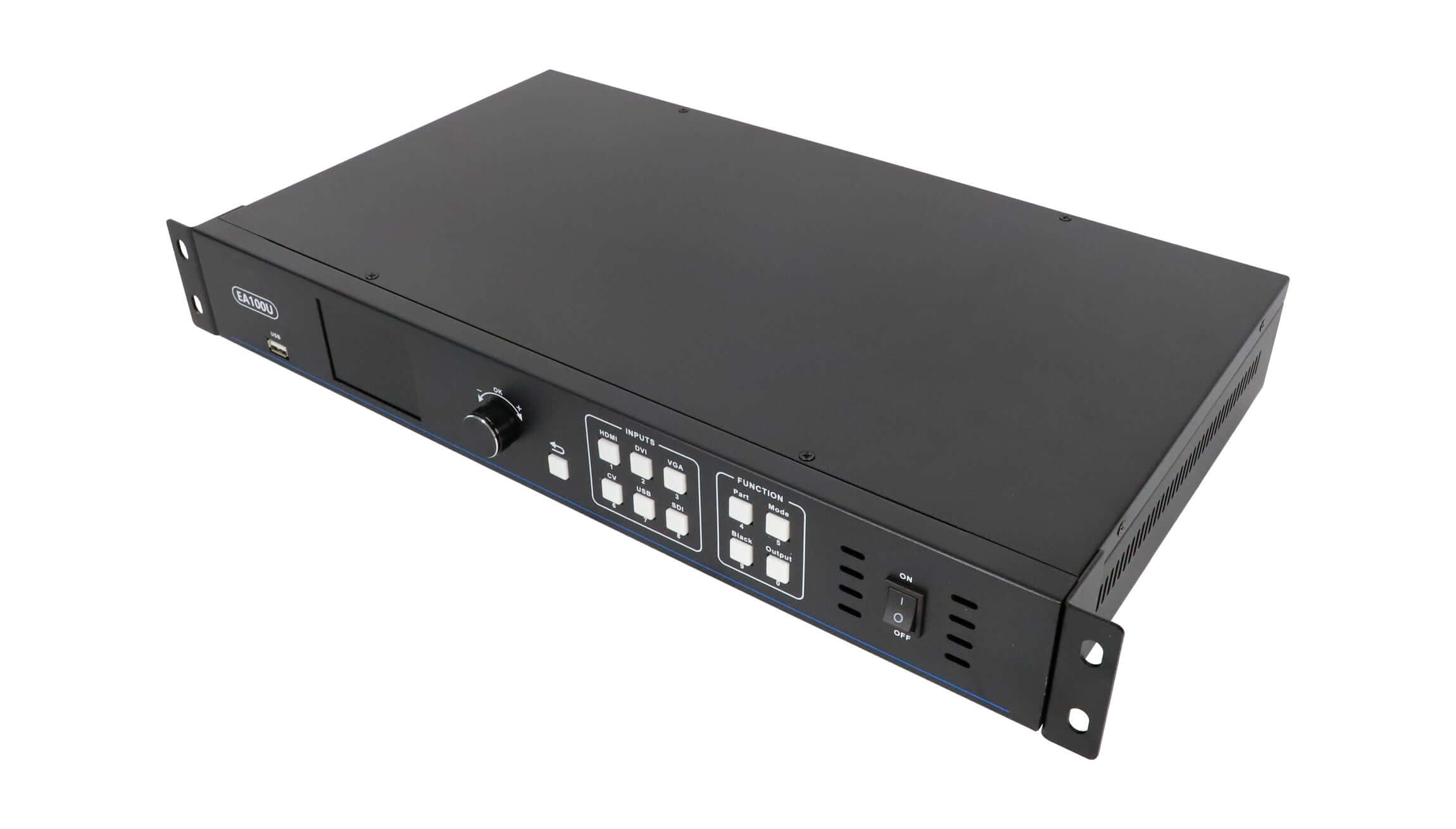
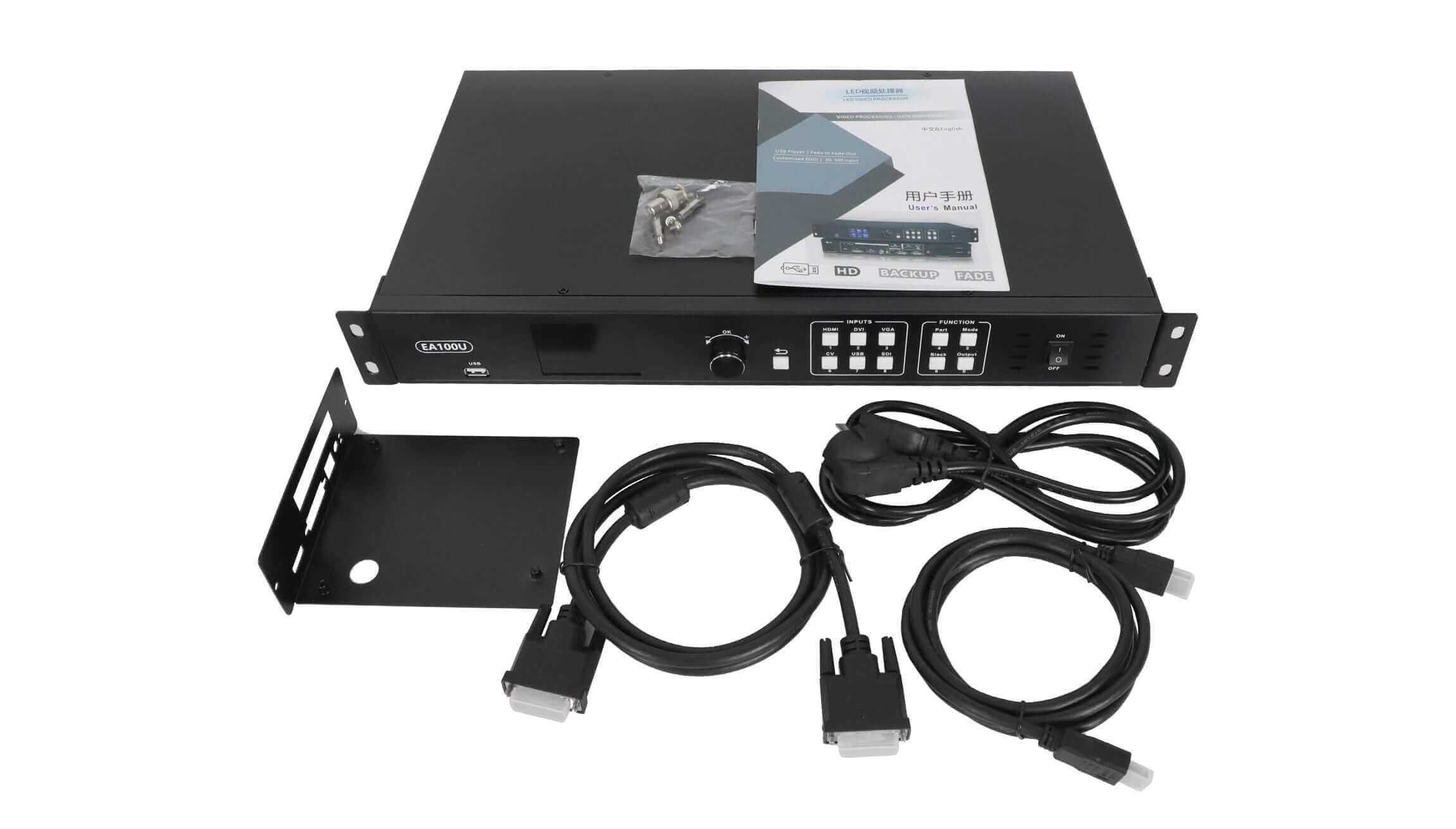
EA100U product image
Specification download
Review the EA100U USB video processor specification for the connection layout and published features. Confirm the supplied hardware configuration against your required inputs and output timing before purchase.
EA100U questions before ordering
Can the EA100U play video and pictures from USB?
Yes. The published EA100U feature list includes USB playback and USB video/picture mixing. Check the actual file format, encoding, and playback requirements for your content before installation.
Does the EA100U support 3G-SDI input?
The published specification lists 3G-SDI input support. Include your source resolution and frame rate in the compatibility request so the required input timing can be checked.
Does signal hot backup mean the complete LED system is redundant?
Signal hot backup is a listed processor function. It does not, by itself, establish redundancy for sending cards, receiving cards, power supplies, or the complete signal chain. Confirm the backup arrangement for the intended system.
What information is needed to confirm an EA100U order?
Send the screen’s pixel dimensions, source devices and signal timing, sending-card model, USB media requirements, and destination country. Also confirm included accessories, available input options, and the applicable shipping and return terms.
Confirm your LED wall configuration
Contact EagerLED about EA100U compatibility with your pixel map and source details. For ordering steps, see how to buy. Confirm the hardware configuration and order details before proceeding.
| Weight | 5.5 kg |
|---|
Be the first to review “EagerLED EA100U LED Video Processor with USB Playback”
You must be logged in to post a review.
Will I be charged with customs and taxes?
The prices displayed on our site are tax-free (in US Dollars), which means you may be required to pay import duties and taxes once you receive your order. Import taxes, duties, and related customs fees will be determined by your local customs office when your order arrives at its final destination.
Please note that these additional charges and taxes are your responsibility, and we do not take any responsibility for them. We are not liable for paying or reimbursing any customs duties, taxes, or related fees. For more details on these charges, please contact your local customs office.
Shipping
We can ship to virtually any address in the world. Note that there are restrictions on some products, and some products cannot be shipped to international destinations..
When you place an order, we will estimate shipping and delivery dates for you based on the availability of your items and the shipping options you choose. Depending on the shipping provider you choose, shipping date estimates may appear on the shipping quotes page.
Please also note that the shipping rates for many items we sell are weight-based. The weight of any such item can be found on its detail page. To reflect the policies of the shipping companies we use, all weights will be rounded up to the next full pound..
Returns Policy
You may return most new, unopened items within 30 days of delivery for a full refund. We'll also pay the return shipping costs if the return is a result of our error (you received an incorrect or defective item, etc.)..
You should expect to receive your refund within four weeks of giving your package to the return shipper, however, in many cases you will receive a refund more quickly. This time period includes the transit time for us to receive your return from the shipper (5 to 10 business days), the time it takes us to process your return once we receive it (3 to 5 business days), and the time it takes your bank to process our refund request (5 to 10 business days).
If you need to return an item, simply login to your account, view the order using the "Complete Orders" link under the My Account menu and click the Return Item(s) button. We'll notify you via e-mail of your refund once we've received and processed the returned item..
Related products


Reviews
There are no reviews yet.