
NovaStar TB6 LED Multimedia Player
$ 385.00
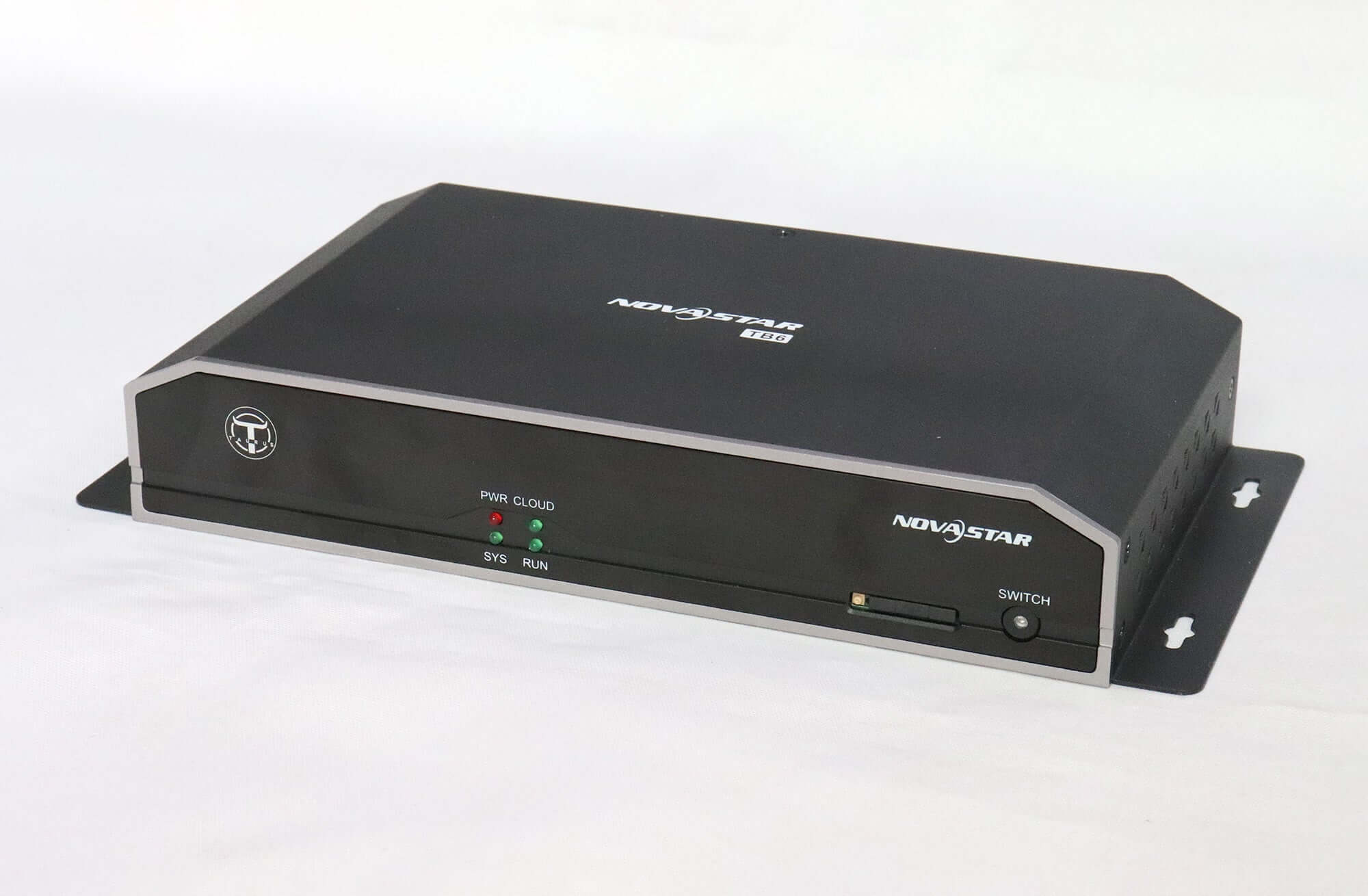
NovaStar TB6 Taurus multimedia player for LED displays up to 1.3 million pixels. Supports internal playback or live HDMI, dual Wi-Fi modes, synchronization and redundant backup. A region-compatible 4G module is optional.
10000 in stock
NovaStar TB6 Taurus multimedia player
The NovaStar TB6 combines content playback and LED sending for commercial displays with up to 1,300,000 pixels. It supports synchronous and asynchronous operation, dual Wi-Fi modes, multi-screen playback synchronization and redundant backup.
Use the TB6 for retail signs, chain-store displays, advertising screens and other installations that need local or remote content management. Confirm the screen pixel dimensions, receiving-card setup and intended playback mode before selecting the unit.
TB6 specifications and operating modes
| LED loading | Up to 1,300,000 pixels |
|---|---|
| Playback modes | Internal content in asynchronous mode; HDMI input in synchronous mode |
| Processor | Eight-core 1.5 GHz |
| Memory / storage | 2 GB operating memory / 8 GB internal storage |
| Video decoding | H.265 4K and 1080p hardware decoding |
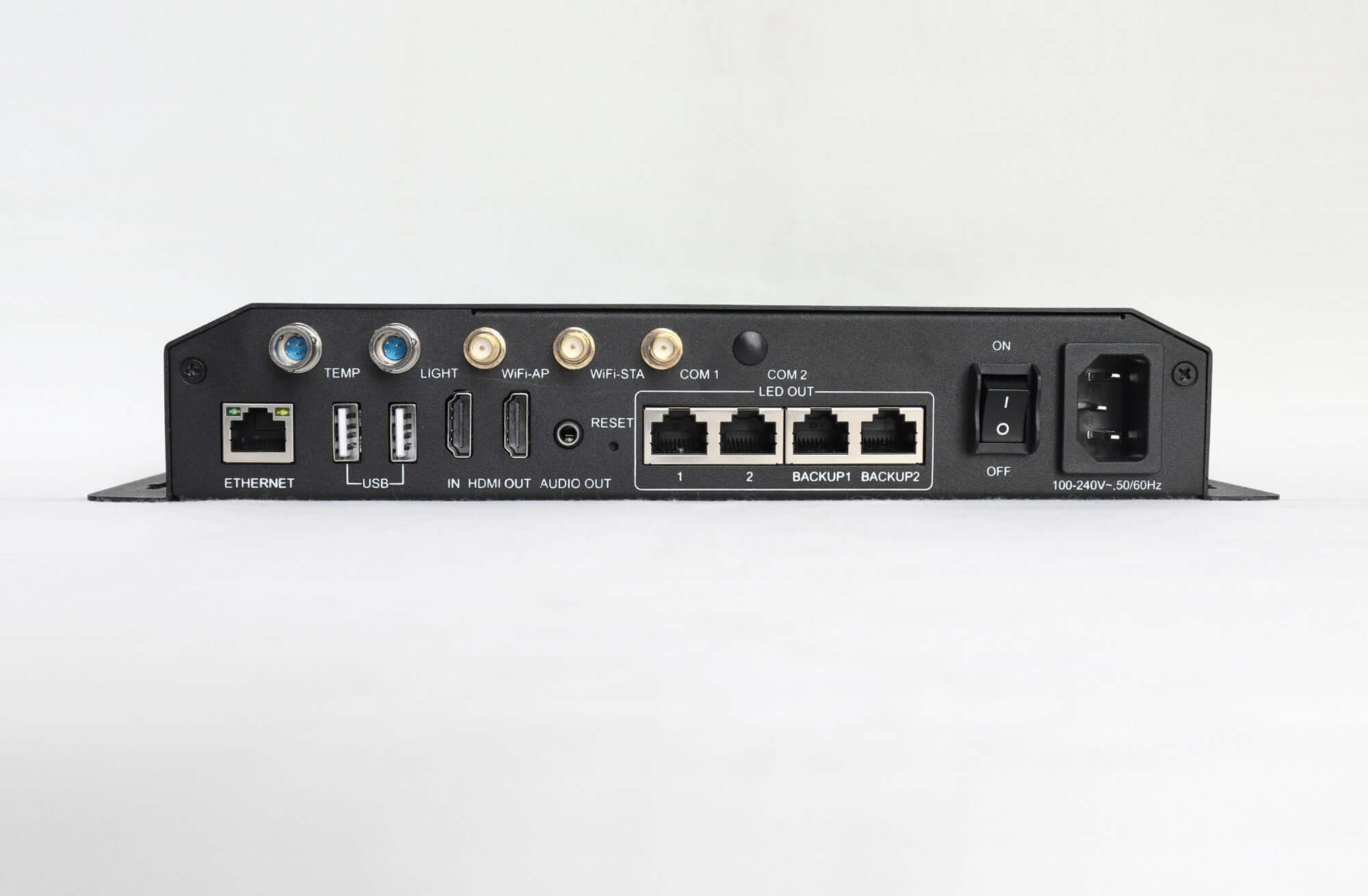
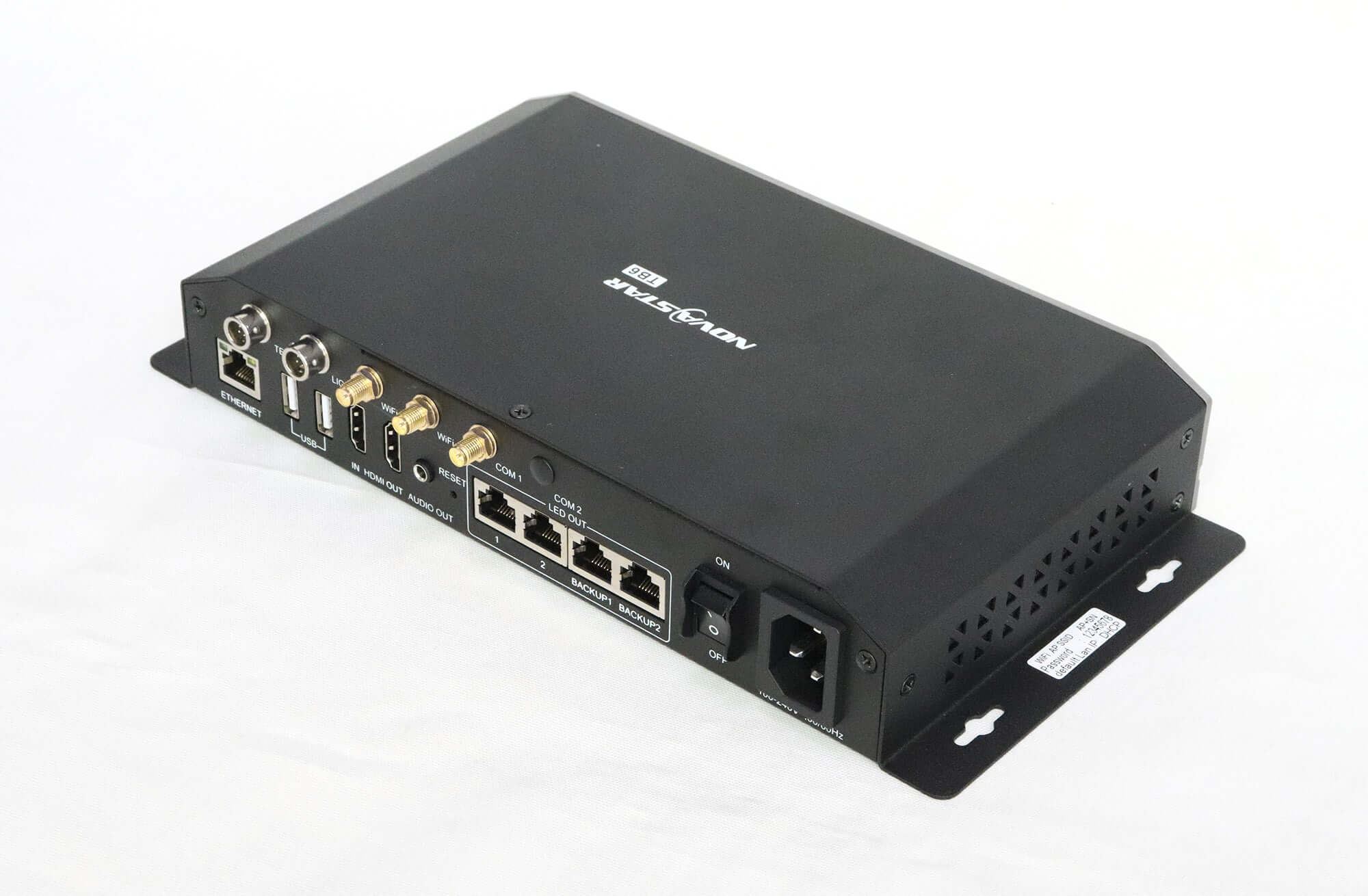
| HDMI / USB | HDMI 1.4 input and output; USB 2.0 |
| Wi-Fi | AP, station and combined AP + station operation |
| Cellular network | Optional 4G module, selected for the country or region |
| Backup functions | Network redundancy and Ethernet port redundancy |
Video decoding capability is separate from LED loading. A 4K file does not increase the screen’s 1,300,000-pixel limit. Share the complete cabinet map and receiving-card details for a screen configuration review.
Content publishing and synchronization
Publish programs and control the screen using a PC, phone or LAN connection. Remote centralized publishing and monitoring can support installations with multiple locations. Choose the network arrangement according to how content will be updated at each site.
Multi-screen playback requires matching programs and synchronized device time. For projects with strict synchronization requirements, the original guidance recommends a time-synchronization module; confirm its suitability and inclusion separately.
Product video and views
TB6 frequently asked questions
Can the TB6 play content without a live computer source?
Yes. Asynchronous mode uses internal content. A live HDMI source is used in synchronous mode instead. Configure the screen and publish the intended program before standalone playback.
Is a 4G module included with every TB6?
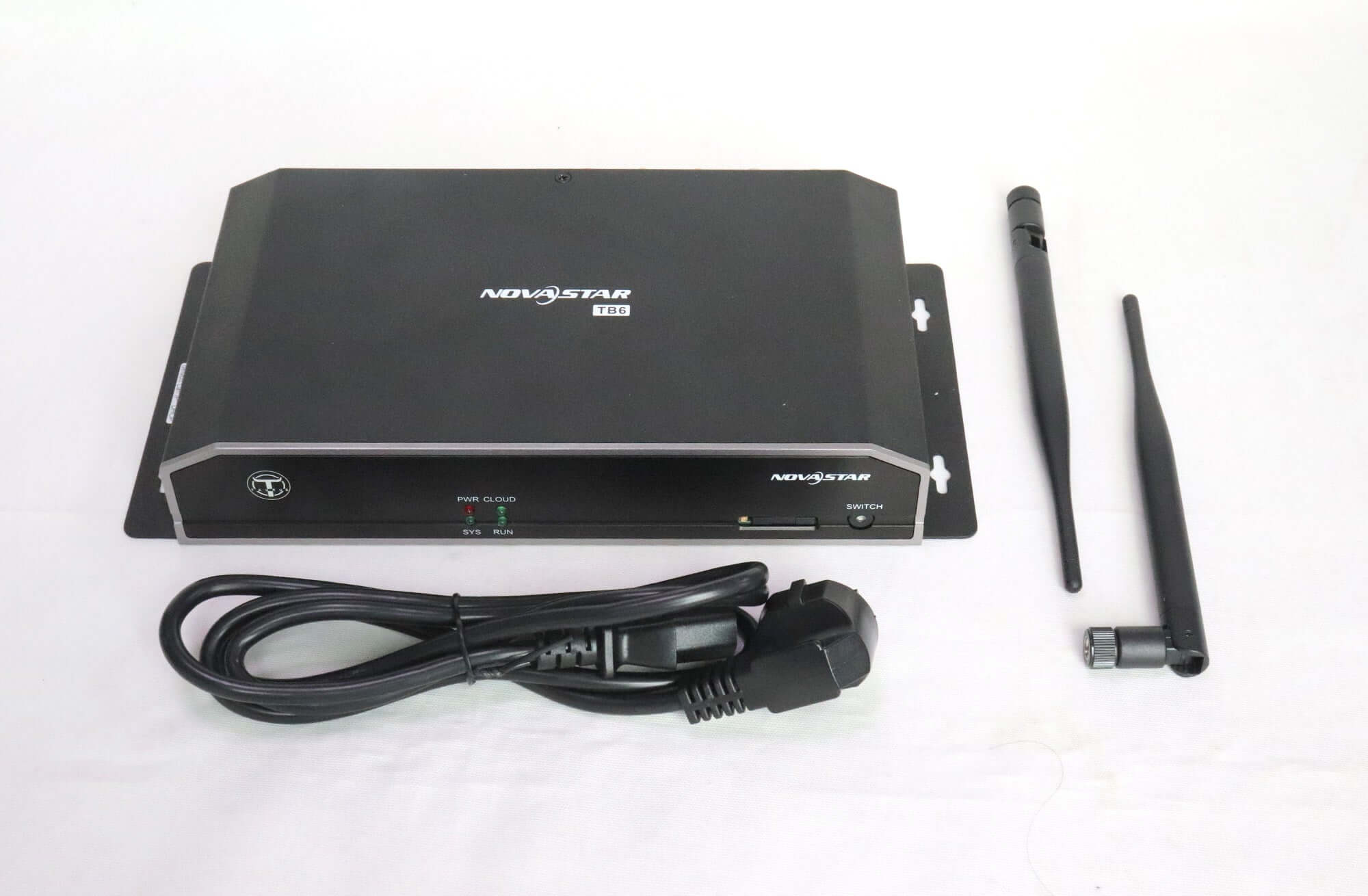
No. The original listing specifies purchasing and installing a suitable 4G module when cellular networking is required. Confirm regional network compatibility and the supplied accessories in your quotation.
What does redundant backup mean on the TB6?
The specification distinguishes network connection backup from active/standby Ethernet output-port backup. Confirm the required receiving-card wiring and configuration; the feature name alone does not establish redundancy for an existing installation.
Which software is referenced for TB6 control?
V1.2.0 lists ViPlex Express and NovaLCT for PC tasks, and ViPlex Handy for mobile operation. Check firmware and software compatibility before changing a working system.
What information is needed for a TB6 quotation?
Provide the screen resolution, receiving-card model, quantity and delivery country. Specify internal playback or live HDMI, any synchronization requirements, and whether a 4G module is needed.
Specification download
Download the original TB6 Specifications V1.2.0. Confirm the hardware revision against this document when replacing an older unit.
| Weight | 3.5 kg |
|---|
Be the first to review “NovaStar TB6 LED Multimedia Player”
You must be logged in to post a review.
Will I be charged with customs and taxes?
The prices displayed on our site are tax-free (in US Dollars), which means you may be required to pay import duties and taxes once you receive your order. Import taxes, duties, and related customs fees will be determined by your local customs office when your order arrives at its final destination.
Please note that these additional charges and taxes are your responsibility, and we do not take any responsibility for them. We are not liable for paying or reimbursing any customs duties, taxes, or related fees. For more details on these charges, please contact your local customs office.
Shipping
We can ship to virtually any address in the world. Note that there are restrictions on some products, and some products cannot be shipped to international destinations..
When you place an order, we will estimate shipping and delivery dates for you based on the availability of your items and the shipping options you choose. Depending on the shipping provider you choose, shipping date estimates may appear on the shipping quotes page.
Please also note that the shipping rates for many items we sell are weight-based. The weight of any such item can be found on its detail page. To reflect the policies of the shipping companies we use, all weights will be rounded up to the next full pound..
Returns Policy
You may return most new, unopened items within 30 days of delivery for a full refund. We'll also pay the return shipping costs if the return is a result of our error (you received an incorrect or defective item, etc.)..
You should expect to receive your refund within four weeks of giving your package to the return shipper, however, in many cases you will receive a refund more quickly. This time period includes the transit time for us to receive your return from the shipper (5 to 10 business days), the time it takes us to process your return once we receive it (3 to 5 business days), and the time it takes your bank to process our refund request (5 to 10 business days).
If you need to return an item, simply login to your account, view the order using the "Complete Orders" link under the My Account menu and click the Return Item(s) button. We'll notify you via e-mail of your refund once we've received and processed the returned item..
Related products


Reviews
There are no reviews yet.