


Huidu HD-A4L LED Display Controller & Multimedia Player
$ 119.00
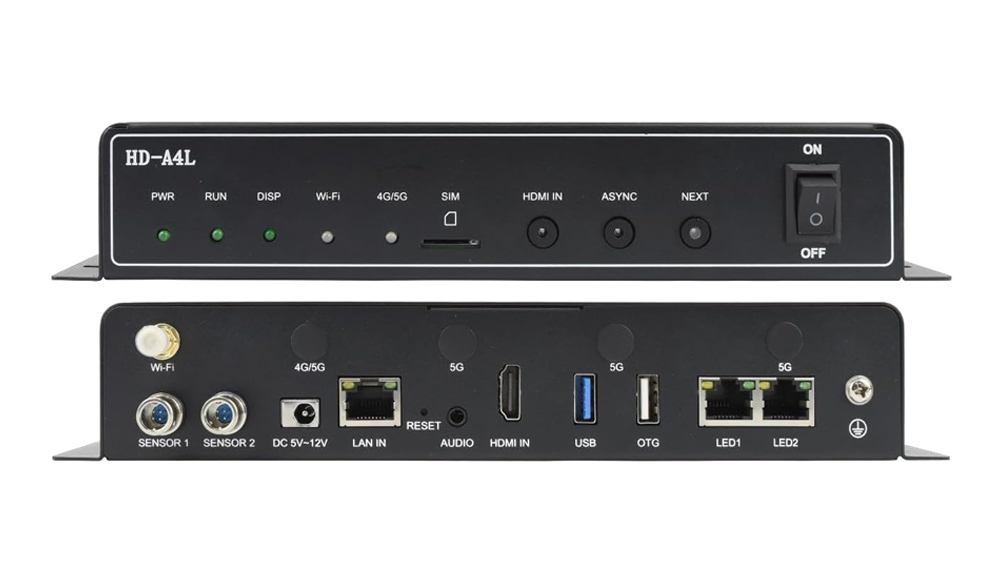
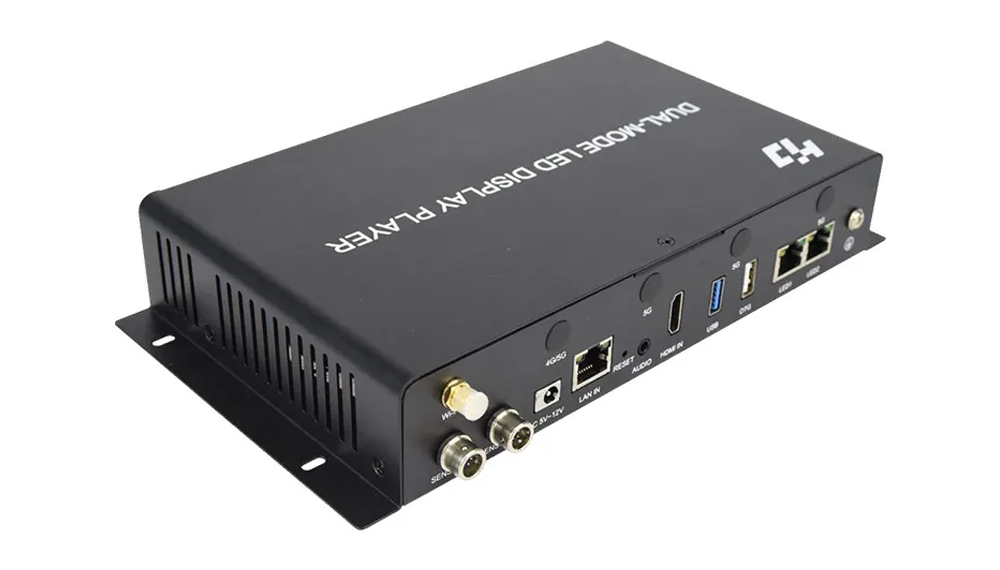
The Huidu HD-A4L is a dual-mode LED display controller for stored playlists and live HDMI playback, with a maximum load of 655,360 pixels.
- 2 Gigabit LED outputs for compatible HD-R receiving cards
- 16GB storage, USB updates and Wi-Fi app control
- LAN or cloud management; optional 4G/5G module
9998 in stock
What is the Huidu HD-A4L?
The Huidu HD-A4L is a dual-mode LED display controller and multimedia player with a maximum loading capacity of 655,360 pixels. It plays stored content asynchronously or a connected HDMI source synchronously, and sends the LED image to compatible HD-R receiving cards through two Gigabit output ports.
Selection summary: choose this model when your LED screen fits its pixel budget and you need both playlists and live HDMI. The product offered here is HD-A4L. If replacing an HD-A4, match the exact model label and check the receiving cards before comparing specifications.
HD-A4L specifications
| Parameter | Specification |
|---|---|
| LED loading capacity | Up to 655,360 pixels |
| Playback modes | Stored-content asynchronous playback and synchronous HDMI playback |
| LED outputs | 2 Gigabit Ethernet output ports for compatible HD-R receiving cards |
| Onboard storage | 16GB; external storage expansion supported |
| Live video input | 1 HDMI IN interface |
| Management network | 1 Gigabit communication port; Wi-Fi app control |
| USB interfaces | 1 USB 2.0 interface with configurable OTG/USB mode; 1 USB 3.0 interface |
| Remote management | LAN or XiaoHui Cloud; optional 4G/5G connectivity |
| Sensor inputs | 2 channels for supported environmental sensors |
| Audio output | 3.5mm two-channel stereo interface |
| Power | DC 5–12 V; maximum 18 W |
| Dimensions / net weight | 287 × 140.3 × 42.3 mm; 1004 g |
| Working environment / protection | −40°C to +70°C; 0–80% RH, non-condensing; IP20 |
Download the HD-A4L multimedia player specification PDF. Confirm the supplied hardware revision, firmware and enabled functions for the installation.
How to check your LED screen’s pixel load
Multiply the screen’s pixel width by its pixel height. For example, 1280 × 512 equals 655,360 pixels, reaching the model’s total loading limit. A 1920 × 1080 LED canvas contains 2,073,600 pixels and exceeds that limit.
Video decoding resolution and physical LED output capacity are different. A supported high-resolution source file does not increase the number of LED pixels the controller can drive. Also check cabinet arrangement, per-output loading and any unusually wide or tall layout before ordering.
Software and content management
- Computer workflow: use a compatible HDPlayer release for program editing and publishing. Confirm the software version for the unit’s firmware before changing a working system.
- Mobile workflow: use the supported LedArt app and Wi-Fi connection for content and control functions.
- Cloud workflow: use XiaoHui Cloud for remote management after configuring the network connection and account. Cellular access requires the optional module and a suitable service.
- USB workflow: use the supported USB program-update or playback method for local content delivery.
Keep a copy of your screen parameters before changing configuration. Send EagerLED the model label, firmware information and operating system if you need help identifying the appropriate software; do not install firmware intended for a different model.
Live HDMI playback and wireless control
Connect a computer or other live source to HDMI IN for synchronous playback. Stored programs use asynchronous mode and do not require a continuous computer video feed after publication.
Wi-Fi control is different from wireless screen casting. The linked V1.0 specification lists wireless projection, while the previous product description did not confirm it for the supplied configuration. Confirm the actual hardware, firmware and enabled casting function before purchase; a Wi-Fi control connection alone does not establish live mirroring support.
HD-A4L or HD-A5L?
| Model | Pixel capacity | Selection point |
|---|---|---|
| HD-A4L | 655,360 pixels | Check smaller LED canvases against this loading limit. |
| HD-A5L | 1.3 million pixels | Consider when the required canvas exceeds the A4L pixel budget. |
Review the HD-A5L media player for a higher-capacity alternative. Capacity alone does not establish compatibility: receiving-card model, module configuration and source timing still need to match.
Request a compatible screen configuration
- Provide pixel width and height, cabinet rows and columns, and the required playback mode.
- Identify the receiving-card model and module scan configuration.
- List the live sources, network access, software platform and optional accessories you need.
- Confirm the supplied controller revision and the screen mapping before installation.
Ask EagerLED to check HD-A4L compatibility. Browse Huidu controllers and our ordering guide for related options and purchasing information.
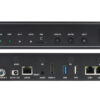
Original product pictures
Frequently asked questions
Is this product HD-A4 or HD-A4L?
This listing offers HD-A4L. Check the model label before ordering; an HD-A4 and an HD-A4L should not be treated as interchangeable without a compatibility check.
Can the HD-A4L drive a 1920 × 1080 LED wall?
No. That physical LED canvas exceeds the 655,360-pixel loading limit. Choose a controller with sufficient output capacity for the complete screen layout.
Which software does the HD-A4L use?
HDPlayer provides a computer-based content workflow, LedArt supports mobile control, and XiaoHui Cloud supports remote management. Confirm the compatible software and firmware versions for your unit.
Does asynchronous playback need a continuously connected computer?
No continuous live video feed is needed for stored programs. Prepare and publish the content first, then use the configured local playback workflow.
Does Wi-Fi mean wireless live screen mirroring?
Wi-Fi program control and live mirroring are separate functions. V1.0 lists wireless projection, but availability for the supplied configuration needs confirmation. Ask EagerLED to verify the enabled casting function for your device and workflow.
| Weight | 3 kg |
|---|
Be the first to review “Huidu HD-A4L LED Display Controller & Multimedia Player”
You must be logged in to post a review.
Will I be charged with customs and taxes?
The prices displayed on our site are tax-free (in US Dollars), which means you may be required to pay import duties and taxes once you receive your order. Import taxes, duties, and related customs fees will be determined by your local customs office when your order arrives at its final destination.
Please note that these additional charges and taxes are your responsibility, and we do not take any responsibility for them. We are not liable for paying or reimbursing any customs duties, taxes, or related fees. For more details on these charges, please contact your local customs office.
Shipping
We can ship to virtually any address in the world. Note that there are restrictions on some products, and some products cannot be shipped to international destinations..
When you place an order, we will estimate shipping and delivery dates for you based on the availability of your items and the shipping options you choose. Depending on the shipping provider you choose, shipping date estimates may appear on the shipping quotes page.
Please also note that the shipping rates for many items we sell are weight-based. The weight of any such item can be found on its detail page. To reflect the policies of the shipping companies we use, all weights will be rounded up to the next full pound..
Returns Policy
You may return most new, unopened items within 30 days of delivery for a full refund. We'll also pay the return shipping costs if the return is a result of our error (you received an incorrect or defective item, etc.)..
You should expect to receive your refund within four weeks of giving your package to the return shipper, however, in many cases you will receive a refund more quickly. This time period includes the transit time for us to receive your return from the shipper (5 to 10 business days), the time it takes us to process your return once we receive it (3 to 5 business days), and the time it takes your bank to process our refund request (5 to 10 business days).
If you need to return an item, simply login to your account, view the order using the "Complete Orders" link under the My Account menu and click the Return Item(s) button. We'll notify you via e-mail of your refund once we've received and processed the returned item..
Related products


Reviews
There are no reviews yet.