
Huidu HD-HT01-TX/RX HDMI Extender – 4K60 up to 70 m
$ 78.00
Huidu HD-HT01-TX/RX extends HDMI over a single CAT5e/6 cable: up to 70 m at 4K60 4:4:4 or 80 m at 1080p. It supports HDMI loop-out, bidirectional IR, EDID management and receiver downscaling to 1080p.
999 in stock
Huidu HD-HT01-TX/RX HDMI signal extender
The HD-HT01 transmitter and receiver extend an HDMI source over a single CAT cable for point-to-point display installations. The system supports HDMI 2.0 video up to 4K at 60 Hz with 4:4:4 chroma, a local HDMI loop output and bidirectional infrared pass-through.
Technical specifications
Values below are from the linked Chinese V1.0 manual. Distance limits depend on the selected video format.
| System | HD-HT01-TX transmitter and HD-HT01-RX receiver; point-to-point CAT cable link |
|---|---|
| Video / bandwidth | HDMI 2.0; up to 4K at 60 Hz, 4:4:4; HDR10; 18 Gbps |
| HDCP | 2.2 compliant; output follows display HDCP version |
| Transmission distance | 4K up to 70 m; 1080p up to 80 m over a single CAT5e/6 cable |
| Cable guidance | Shielded cable and proper grounding recommended; manual advises CATx length at least 15 m for best video output |
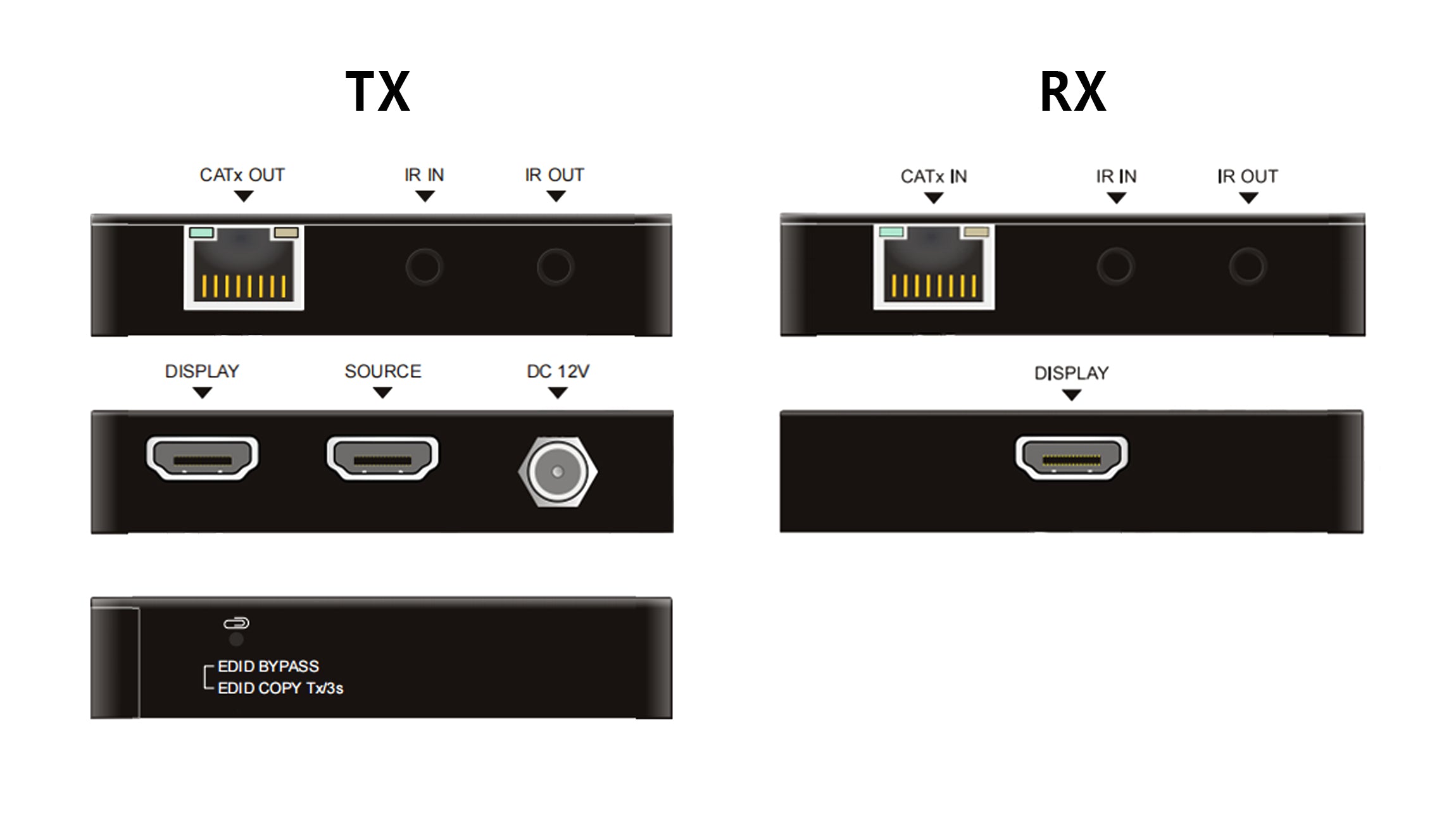
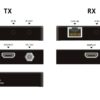
| TX interfaces | HDMI source input, HDMI local loop output, CATx output, IR input/output and DC 12 V |
| RX interfaces | CATx input, HDMI display output and IR input/output |
| Receiver power | 12 V PoC from the transmitter over the CATx link |
| Downscaling | 4K input to 1080p receiver output for compatible 1080p displays |
| EDID | Remote display learning, local-display copy and default mode |
| Power adapter | 12 V DC; packing list says 2 A, specification table says 1 A—confirm supplied adapter |
| Maximum consumption | 4 W as stated in manual; per-unit/pair scope not specified |
| Operating / storage temperature | −5°C to 55°C / −25°C to 70°C |
| Relative humidity | 10–90% |
| Dimensions / weight | 80 W × 16.8 H × 80 D mm; Tx/Rx weight listed as 70 g |
Connection and EDID setup
Connect the HDMI source to TX, the CATx output directly to RX, and the receiver HDMI output to the remote display. Connect the IR receiver and emitter leads as required. The manual describes a short press for remote-display EDID learning and a three-second press for copying the local-display EDID.
Use the manual’s wiring diagram and confirm the supplied power hardware, because its adapter-current entries and later power-connection wording differ. The PDF describes visually lossless compression but does not provide a measured end-to-end latency figure.

HD-HT01 frequently asked questions
How far can the HT01 extend a 4K HDMI signal?
The manual specifies up to 70 metres for 4K at 60 Hz with 4:4:4 chroma, or up to 80 metres for 1080p, using one CAT5e/6 cable. Cable quality, shielding and installation must match the manual’s guidance.
Is HD-HT01 a fiber-optic or network-switch extender?
The supplied manual describes a point-to-point HDMI extender over a CAT cable between TX and RX. The original download filename incorrectly calls it a fiber-optic transceiver. Follow the direct CATx connection diagram; general Ethernet-switch operation is not specified.
Can the transmitter feed a local HDMI monitor?
Yes. The transmitter has an HDMI loop output for a local display while the receiver feeds the remote display. EDID selection affects the source format; the default mode learns from the lower-resolution display.
Can a 4K source work with a 1080p remote display?
The receiver supports automatic downscaling from 4K input to 1080p output. Confirm the source, local monitor and remote monitor EDID arrangement when combining different display resolutions.
Does the receiver need its own power adapter?
The interface descriptions specify 12 V PoC from the transmitter to the receiver. A later installation step mentions powering either unit, but the RX interface list does not show a DC connector. Follow the supplied hardware and confirm the adapter: the packing list says 12 V 2 A while the specification table says 12 V 1 A.
Manual download
| Weight | 1 kg |
|---|
Be the first to review “Huidu HD-HT01-TX/RX HDMI Extender – 4K60 up to 70 m”
You must be logged in to post a review.
Will I be charged with customs and taxes?
The prices displayed on our site are tax-free (in US Dollars), which means you may be required to pay import duties and taxes once you receive your order. Import taxes, duties, and related customs fees will be determined by your local customs office when your order arrives at its final destination.
Please note that these additional charges and taxes are your responsibility, and we do not take any responsibility for them. We are not liable for paying or reimbursing any customs duties, taxes, or related fees. For more details on these charges, please contact your local customs office.
Shipping
We can ship to virtually any address in the world. Note that there are restrictions on some products, and some products cannot be shipped to international destinations..
When you place an order, we will estimate shipping and delivery dates for you based on the availability of your items and the shipping options you choose. Depending on the shipping provider you choose, shipping date estimates may appear on the shipping quotes page.
Please also note that the shipping rates for many items we sell are weight-based. The weight of any such item can be found on its detail page. To reflect the policies of the shipping companies we use, all weights will be rounded up to the next full pound..
Returns Policy
You may return most new, unopened items within 30 days of delivery for a full refund. We'll also pay the return shipping costs if the return is a result of our error (you received an incorrect or defective item, etc.)..
You should expect to receive your refund within four weeks of giving your package to the return shipper, however, in many cases you will receive a refund more quickly. This time period includes the transit time for us to receive your return from the shipper (5 to 10 business days), the time it takes us to process your return once we receive it (3 to 5 business days), and the time it takes your bank to process our refund request (5 to 10 business days).
If you need to return an item, simply login to your account, view the order using the "Complete Orders" link under the My Account menu and click the Return Item(s) button. We'll notify you via e-mail of your refund once we've received and processed the returned item..
Related products
Reviews
There are no reviews yet.